
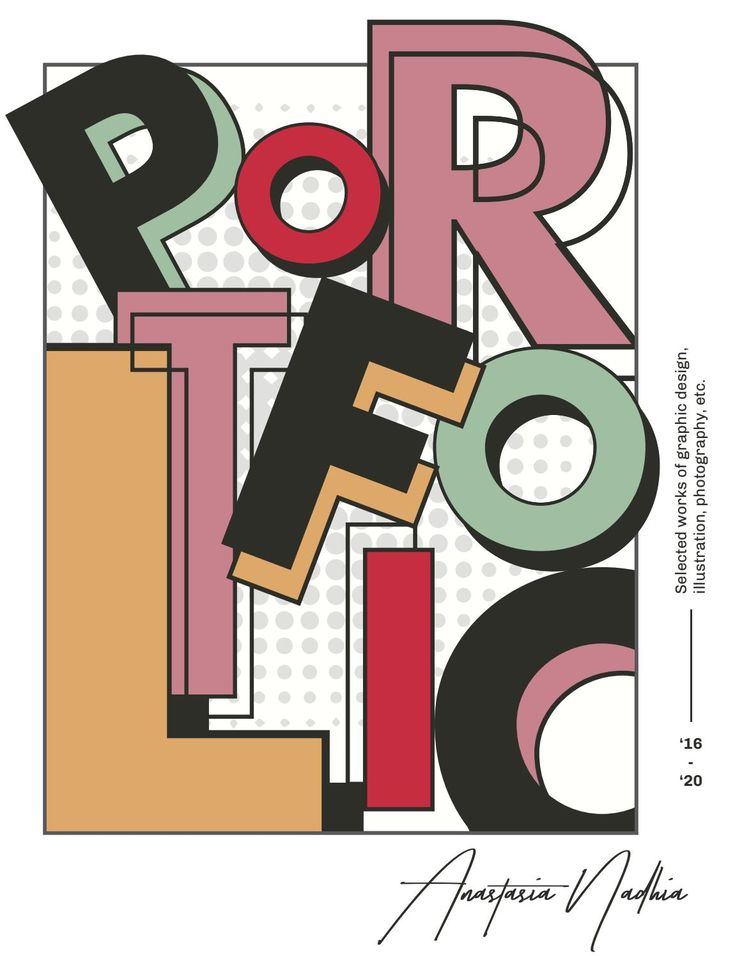
Graphic design is an essential part of modern communication, helping businesses, brands, and individuals convey messages through creative visuals. From logos and advertisements to websites and social media posts, graphic design plays a significant role in attracting attention, communicating ideas, and building a strong brand identity. However, creating visually appealing designs requires more than creativity. Designers must understand and apply fundamental graphic design principles to produce effective and professional results.
Whether you are a beginner or an experienced designer, mastering these principles can help you improve your creative skills, communicate messages clearly, and create designs that connect with your target audience.
What Are Graphic Design Principles?
Graphic design principles are guidelines that help designers organize visual elements such as images, colors, typography, shapes, and spacing. These principles ensure that a design looks balanced, communicates its intended message, and provides a positive visual experience.
By applying these principles, designers can create artwork that is attractive, readable, consistent, and meaningful. They are useful across various design projects, including branding, print media, digital marketing, web design, and advertising.
1. Balance
Balance refers to the distribution of visual weight within a design. It helps create a sense of stability and organization, preventing one part of the composition from overwhelming the rest.
There are three common types of balance:
- Symmetrical balance: Elements are arranged evenly on both sides of a central line.
- Asymmetrical balance: Different elements are arranged to create visual equilibrium without being identical.
- Radial balance: Elements are organized around a central point.
For example, a corporate brochure may use symmetrical balance to create a professional appearance, while a creative advertising poster may use asymmetrical balance to appear dynamic and engaging.
2. Contrast
Contrast makes important elements stand out by highlighting differences between colors, sizes, shapes, textures, or typography. It helps viewers identify key information quickly and improves the overall readability of a design.
Designers can create contrast by combining light and dark colors, using different font weights, or placing a large headline above smaller supporting text.
For example, a website landing page might use a bold, dark headline against a light background to attract attention. Effective contrast helps guide the viewer’s eyes toward the most important information.
3. Alignment
Alignment involves positioning elements in a way that creates visual connections and keeps a design organized. Proper alignment makes content easier to follow and gives the overall composition a polished appearance.
Designers often use grids, margins, and guides to align text, images, icons, and other elements consistently.
For example, aligning headings, paragraphs, and images along a common edge can make a website or brochure appear clean and professional. Good alignment also helps prevent a design from looking cluttered or disorganized.
4. Proximity
Proximity means placing related elements close together while keeping unrelated elements separate. This principle helps viewers understand which pieces of information belong to the same group.
For example, in a promotional poster, the event title, date, location, and registration details should be grouped logically. Similarly, product images and their descriptions should be placed near each other in an online store.
Using proximity effectively improves information organization and allows audiences to understand a design more quickly.
5. Visual Hierarchy
Visual hierarchy determines the order in which viewers notice and process information. It helps designers communicate the most important message first, followed by supporting details.
Several techniques can establish visual hierarchy, including:
- Using larger fonts for main headings.
- Applying bold colors to important elements.
- Adjusting the size and position of images.
- Using spacing to separate sections.
- Choosing different font weights for headings and body text.
For example, a digital advertisement might display its main offer in a large headline, followed by a short description and a clearly visible call-to-action button.
A strong visual hierarchy makes designs easier to scan and improves communication.
6. Repetition and Consistency
Repetition involves using similar visual elements throughout a design or across multiple materials. These elements may include colors, fonts, shapes, icons, patterns, or layouts.
Consistency creates familiarity and helps establish a recognizable brand identity.
For instance, a company may use the same logo, color palette, and typography across its website, business cards, advertisements, and social media profiles. This consistent visual language helps audiences recognize the brand across different platforms.
Designers should maintain consistency while allowing enough variation to keep their work interesting.
7. White Space
White space, also called negative space, refers to the empty areas surrounding or between design elements. It does not necessarily have to be white; it can be any background color or area without prominent content.
White space improves readability, reduces visual clutter, and gives important elements room to stand out.
For example, a minimalist website may use generous spacing around headings, images, and buttons to create a clean and comfortable browsing experience.
Designers should remember that filling every available space with content does not necessarily make a design more effective. Sometimes, leaving space is the best way to improve visual communication.
8. Color Theory
Color theory helps designers understand how colors interact and how different combinations influence the appearance and emotional tone of a design.
Choosing the right colors can communicate a brand’s personality, establish a mood, and improve visual recognition. Designers often use complementary, analogous, and monochromatic color schemes to create harmonious compositions.
For example, a nature-focused brand might use green and earthy tones to communicate an association with the environment, while a technology company might choose blue to convey a sense of reliability and professionalism.
However, color meanings can vary across cultures and contexts. Designers should consider their target audience, brand identity, accessibility, and the purpose of the project when selecting a color palette.
9. Typography
Typography is the art of arranging text to make it readable, visually appealing, and consistent with a design’s purpose.
Choosing appropriate fonts and organizing text effectively can significantly improve the quality of a design. Important typography considerations include font selection, font size, line spacing, letter spacing, and text alignment.
For example, a professional business report may use a clean, readable typeface, while a creative event poster might use expressive typography to communicate excitement.
Designers should avoid using too many different fonts in one composition. A limited, well-coordinated font selection generally creates a more cohesive result.
10. Proportion and Scale
Proportion refers to the relative size of different elements, while scale describes the size of an element in relation to other elements or its surroundings.
These principles help designers create emphasis, maintain visual balance, and communicate relationships between objects.
For example, a product advertisement may feature a large product image with a smaller headline and supporting details. The difference in scale directs attention toward the product.
Designers can experiment with proportions to create visual interest, but they should ensure that important information remains understandable and that the composition supports the intended message.
11. Movement and Rhythm
Movement guides the viewer’s eyes through a composition, while rhythm creates a sense of flow through the repetition or variation of visual elements.
Designers can create movement using directional lines, shapes, image placement, and changes in size. Rhythm can be established through repeating patterns, consistent spacing, or recurring colors.
For example, an event poster might use diagonal shapes to guide the viewer from the headline toward the event details. A website might use repeated cards and consistent spacing to create a predictable visual flow.
These principles help make designs more engaging and encourage viewers to explore the content.
12. Unity and Harmony
Unity refers to how well the different elements of a design work together. Harmony occurs when colors, typography, shapes, images, and other components complement one another.
A unified design feels intentional rather than like a collection of unrelated elements.
For example, a brand identity becomes more cohesive when its logo, packaging, website, and promotional materials share a consistent visual style.
Designers can achieve unity by following a clear design concept, limiting unnecessary visual variations, and ensuring that every element supports the main message.
Why Are Graphic Design Principles Important?
Understanding graphic design principles offers several benefits for designers and businesses.
Improved visual communication: These principles help designers present information clearly and make complex messages easier to understand.
Better user experience: Organized layouts, readable typography, and effective visual hierarchy make digital interfaces and printed materials easier to navigate.
Stronger brand identity: Consistent colors, typography, and visual styles help businesses develop recognizable and memorable brands.
Greater audience engagement: Balanced compositions and effective contrast can capture attention and encourage viewers to interact with content.
More professional results: Applying established design principles helps reduce clutter, improve consistency, and create polished visual materials.
Tips for Mastering Graphic Design Principles
Learning graphic design principles takes practice, observation, and experimentation. The following tips can help beginners and experienced designers strengthen their skills.
- Study successful designs: Analyze advertisements, websites, packaging, and posters to understand how professional designers use balance, contrast, and hierarchy.
- Practice with design projects: Create logos, social media graphics, brochures, and landing pages to apply different principles.
- Learn design software: Explore tools such as Adobe Photoshop, Adobe Illustrator, and Figma to develop practical design skills.
- Use grids and guides: These tools help maintain alignment, spacing, and consistency throughout a composition.
- Request feedback: Share your work with other designers or potential users to identify areas for improvement.
- Experiment with different approaches: Try different layouts, colors, and typography combinations to discover what works best for each project.
- Review your designs critically: Ask whether the message is clear, the hierarchy is effective, and every element serves a purpose.
Remember that design principles are guidelines rather than rigid rules. Experienced designers sometimes break them intentionally to create a particular effect, but understanding the fundamentals helps them make informed creative decisions.
Conclusion
Graphic design principles provide the foundation for creating effective, attractive, and meaningful visual communication. From balance and contrast to typography, color theory, and visual hierarchy, each principle contributes to how a design looks and how successfully it communicates its message.
By learning these fundamentals and applying them consistently, designers can improve their creative abilities, build stronger portfolios, and produce professional work for a wide range of industries. Whether you are designing a logo, developing a website, or creating a marketing campaign, mastering graphic design principles can help transform your ideas into compelling visual experiences.
Keep practicing, explore different creative approaches, and continue learning from successful designs to develop your unique style and become a more confident graphic designer.


