
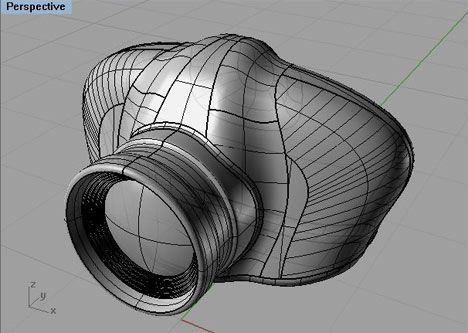
In the world of design, engineering, and architecture, AutoCAD is a name that stands tall. Whether you are drafting building layouts, electrical schematics, or mechanical components, AutoCAD plays a crucial role in turning concepts into precise digital designs.
But what exactly is AutoCAD? Who uses it? And why is it so important? This blog answers all your questions about AutoCAD, from its basics to its benefits and uses.
What is AutoCAD?
AutoCAD is a computer-aided design (CAD) software application developed by Autodesk. Launched in 1982, AutoCAD allows professionals to create 2D and 3D drawings and models with high accuracy and efficiency.
It is widely used by:
Architects
Engineers (civil, mechanical, electrical)
Interior designers
Product designers
Drafters
Urban planners
AutoCAD enables the creation, modification, and optimization of designs, ensuring precise documentation and communication of ideas.
Key Features of AutoCAD
2D Drafting Tools
Line, circle, arc, rectangle, and polygon tools for creating detailed 2D sketches.
3D Modeling & Visualization
Tools to create and view 3D objects from various angles.
Layer Management
Organize different elements in layers for better clarity and control.
Annotation Tools
Add dimensions, text, and symbols to explain designs.
Blocks and Templates
Reuse standard components (doors, bolts, fittings) using blocks and save time.
File Compatibility
Supports DWG (native format), DXF, PDF, and other file types for easy sharing.
Customization
Use AutoLISP or scripts to automate repetitive tasks.
Cloud Storage and Mobile App
Access and edit your drawings anywhere using AutoCAD mobile and web apps.
What is AutoCAD Used For?
1. Architecture
Floor plans
Elevation designs
Site layouts
Building blueprints
2. Mechanical Engineering
Machine components
Assembly drawings
Product design
3. Civil Engineering
Infrastructure layouts (roads, bridges, drainage)
Survey maps
Plot boundaries
4. Electrical Engineering
Circuit diagrams
Wiring layouts
Control panel schematics
5. Interior Design
Space planning
Furniture layouts
Lighting schemes
Advantages of Using AutoCAD
Precision: Millimeter-level accuracy is achievable in designs.
Time-Saving: Automation and reusable components reduce manual effort.
Easy Modifications: Update or edit designs without starting from scratch.
Documentation: Create detailed layouts, legends, and notes in one file.
Standardization: Ensures consistent drawing formats and templates.
AutoCAD vs. Manual Drafting
| Feature | AutoCAD | Manual Drafting |
|---|---|---|
| Accuracy | Extremely precise | Prone to human error |
| Speed | Faster with automation | Time-consuming |
| Storage | Digital files take less space | Requires physical storage |
| Reusability | Blocks/templates can be reused | Everything must be redrawn |
| Editing | Easy and quick edits | Erasing and redrawing needed |
AutoCAD Versions and Specializations
AutoCAD offers industry-specific toolsets, such as:
AutoCAD Architecture
AutoCAD Electrical
AutoCAD Mechanical
AutoCAD Civil 3D
AutoCAD Plant 3D
AutoCAD Map 3D
These versions include specialized tools and libraries for specific professional needs.
Learning AutoCAD
AutoCAD is beginner-friendly, but mastering it requires time and practice. You can learn it through:
Online courses (Udemy, Coursera, Autodesk Academy)
YouTube tutorials
Certifications from Autodesk
Diploma or short-term training institutes
Skills Required:
Basic computer knowledge
Good understanding of geometry and measurements
Attention to detail
Career Opportunities with AutoCAD
Knowing AutoCAD opens doors in various industries:
Architectural Drafter
CAD Technician
Design Engineer
Product Designer
Site Planner
With experience, AutoCAD professionals can grow into roles like Project Manager, Design Consultant, or CAD Trainer.
Conclusion
AutoCAD has revolutionized the way we design and draft. Its versatility, precision, and ease of use make it the go-to software for engineers, architects, and designers. Whether you’re a student, a professional, or someone looking to upskill, learning AutoCAD can significantly enhance your career prospects in the design and engineering fields.