Which IoT/Robotics Sensor or Board is Optimal for AI Applications in 2024?

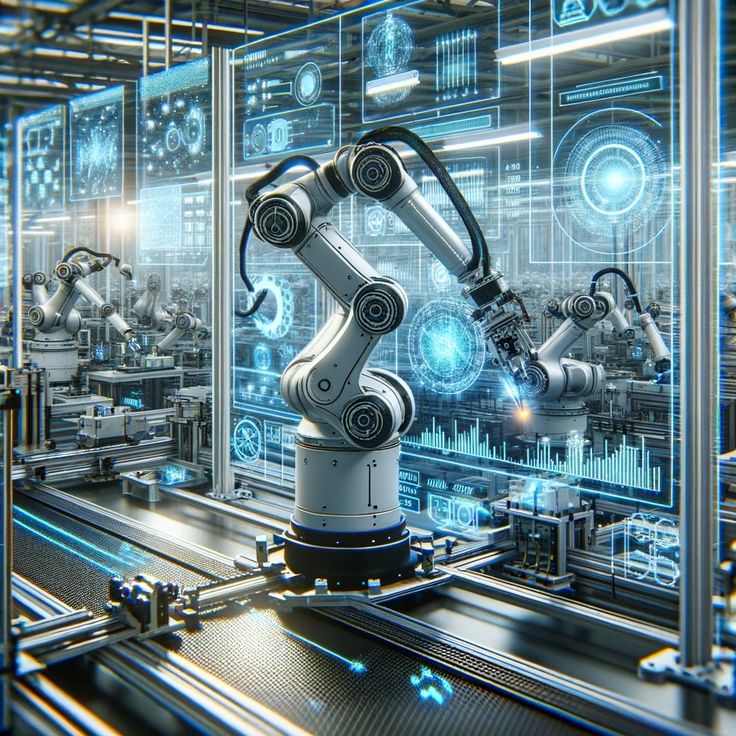
The rapid advancements in artificial intelligence (AI) have opened up new possibilities for IoT (Internet of Things) and robotics applications. In 2024, AI is becoming increasingly integrated into a variety of industries, from healthcare and manufacturing to smart homes and autonomous vehicles. But one of the critical components driving these innovations is the sensors and boards that enable IoT devices and robots to interact with the physical world.

Choosing the right sensor or board for AI applications is crucial to ensure that data is accurately collected, processed, and used for intelligent decision-making. With so many options available, it’s important to consider factors like processing power, connectivity, power consumption, and sensor capabilities when selecting the optimal hardware for AI-powered systems.

1. Raspberry Pi 4: A Versatile and Affordable Board

The Raspberry Pi 4 remains one of the most popular and widely used boards for AI and IoT applications. Known for its affordability and versatility, it offers a great balance between performance and cost, making it an excellent choice for developers looking to implement AI in robotics and IoT devices.

  • Processing Power: The Raspberry Pi 4 is equipped with a quad-core ARM Cortex-A72 processor, which offers enough computational power for running machine learning models locally.
  • AI Integration: It supports AI frameworks such as TensorFlow Lite and OpenCV, enabling developers to deploy lightweight AI models for tasks like image recognition, voice processing, and predictive analytics.
  • Connectivity: With built-in Wi-Fi and Bluetooth, the Raspberry Pi 4 allows easy integration with other IoT devices and cloud platforms for more complex AI tasks.
  • Expandability: The Raspberry Pi has numerous GPIO pins for adding sensors like temperature, humidity, and motion, making it an ideal base for various IoT applications.

2. NVIDIA Jetson Nano: AI-Powered Robotics Platform

The NVIDIA Jetson Nano is another strong contender for AI-driven IoT and robotics applications. As part of NVIDIA’s Jetson platform, the Nano offers powerful GPU acceleration, making it particularly well-suited for running AI models that require high computational power, such as deep learning and computer vision tasks.

  • AI-Centric Hardware: The Jetson Nano features a 128-core Maxwell GPU, which delivers significant performance for AI models that process visual and sensor data in real-time.
  • Power Efficiency: Despite its powerful GPU, the Jetson Nano is highly power-efficient, making it suitable for mobile or battery-powered IoT devices.
  • Versatile I/O: With support for a wide range of sensors and cameras, including the popular Raspberry Pi camera, the Jetson Nano can be easily integrated into robotics systems that require computer vision and object recognition.
  • Software Support: It supports a variety of AI frameworks like TensorFlow, PyTorch, and Caffe, enabling seamless deployment of machine learning models for real-time applications.

3. Arduino Portenta H7: Ideal for Edge AI

For developers looking for a board with an emphasis on edge AI, the Arduino Portenta H7 is an excellent option. Designed to handle both low-power IoT tasks and more complex AI workloads, the Portenta H7 is capable of running advanced machine learning models locally, reducing the need for cloud-based computation.

  • Dual-Core Processor: The board features a dual-core ARM Cortex-M7 and Cortex-M4 processor, providing a balance between real-time processing and complex AI tasks.
  • Edge AI: With its ability to run AI models at the edge, the Portenta H7 is well-suited for robotics applications where low latency and real-time decision-making are essential, such as in autonomous drones or smart robots.
  • Connectivity and Sensors: The board supports various connectivity options like Wi-Fi, Bluetooth, and cellular, along with expansion capabilities for connecting sensors like accelerometers, gyroscopes, and cameras.
  • Low Power Consumption: This board is optimized for low-power use, making it ideal for IoT devices that require long battery life.

4. Intel Neural Compute Stick 2: AI Accelerator for IoT Devices

The Intel Neural Compute Stick 2 is a USB-based AI accelerator that enhances the capabilities of edge devices by providing additional computational power specifically designed for running AI models. It’s a great choice for developers who want to add AI capabilities to an existing IoT or robotics platform without having to switch out the entire board.

  • AI Processing Power: The Compute Stick features the Intel Movidius Myriad X VPU (Vision Processing Unit), designed to accelerate neural network inference on edge devices, making it perfect for real-time AI applications.
  • Compact Design: Its small form factor allows it to be easily integrated into existing hardware setups like the Raspberry Pi or other embedded systems.
  • Software Support: The Compute Stick is compatible with popular AI frameworks like TensorFlow, Caffe, and OpenVINO, enabling smooth integration of pre-trained models for tasks like object detection and facial recognition.
5. Sensor Selection for AI-Driven IoT Applications

Choosing the right sensors to pair with your IoT or robotics platform is just as important as selecting the right board. For AI applications, sensors must provide accurate, high-quality data that can be used by machine learning models to make decisions. Here are some of the best sensors for AI-driven systems:

  • LiDAR Sensors: For applications like autonomous vehicles or robotic navigation, LiDAR sensors provide 3D mapping capabilities that are critical for real-time decision-making.
  • Cameras and Computer Vision Sensors: High-quality cameras, such as those based on the Raspberry Pi Camera or the Intel RealSense depth camera, are essential for computer vision tasks in robotics.
  • Temperature and Humidity Sensors: In IoT applications, sensors like the DHT11 or DHT22 can provide environmental data for monitoring systems, predictive maintenance, or climate control.
  • Motion and Proximity Sensors: Used in robots for navigation or human-robot interaction, sensors like Ultrasonic or Infrared sensors help detect obstacles or track movement.

Conclusion: Choosing the Right IoT/Robotics Sensor or Board for AI in 2024

In 2024, the optimal sensor or board for AI applications will depend on the specific needs of the project, such as processing power, power efficiency, sensor types, and connectivity options. Boards like the Raspberry Pi 4, NVIDIA Jetson Nano, and Arduino Portenta H7 are excellent choices, each offering distinct advantages in terms of processing power, AI support, and expandability.
What Are Prerequisites to Start Learning Machine Learning?

Machine learning (ML) is one of the most exciting and rapidly growing fields in technology today. It’s revolutionizing industries ranging from healthcare to finance, driving innovations such as self-driving cars, personalized recommendations, and advanced data analytics. If you’re considering diving into the world of machine learning, you might wonder: What are the prerequisites to start learning machine learning?

While ML can seem daunting at first, breaking it down into essential skills and knowledge areas can make the process more manageable. Here’s a guide to the key prerequisites you’ll need to get started in this fascinating field.

1. Mathematics and Statistics

At the heart of machine learning is the application of mathematics, particularly in the areas of linear algebra, calculus, and probability. These mathematical foundations help you understand how algorithms work, how they are trained, and how they make predictions.

Key areas to focus on:

  • Linear Algebra: Concepts such as vectors, matrices, and matrix multiplication are crucial for understanding data representation and operations in ML models.
  • Calculus: Understanding derivatives and gradients is essential for optimization techniques, which are used in training machine learning algorithms.
  • Probability and Statistics: Basic knowledge of probability helps in understanding how models make predictions and deal with uncertainty. Concepts like Bayes’ theorem, distributions, and hypothesis testing are foundational for many machine learning techniques.

2. Programming Skills

Machine learning involves working with large datasets and algorithms, so programming skills are a must. Python is the most commonly used language for machine learning due to its extensive libraries, simplicity, and versatility.

Key programming concepts to know:

  • Python: Learn the basics of Python, including syntax, control flow, functions, and libraries like NumPy, Pandas, and Matplotlib. These libraries are essential for data manipulation, visualization, and numerical computing.
  • Data Structures: Understanding arrays, lists, and dictionaries will help you manage and organize the data you’ll work with in ML.
  • Libraries and Frameworks: Familiarity with libraries such as Scikit-learn, TensorFlow, Keras, and PyTorch is important for implementing machine learning models. These tools provide pre-built functions and classes that simplify the process of building and training models.

3. Understanding of Data

Machine learning is all about data, so it’s essential to have a strong understanding of how data is structured and how it can be manipulated for analysis.

Key data concepts to learn:

  • Data Preprocessing: Learn how to clean and transform raw data, including handling missing values, normalizing data, and encoding categorical variables.
  • Exploratory Data Analysis (EDA): Gain the ability to explore datasets, identify patterns, and visualize data using graphs and plots. Tools like Pandas and Matplotlib will be very helpful for this.
  • Feature Engineering: This involves selecting and creating the right features (input variables) that help a machine learning model perform better.

4. Machine Learning Concepts

Before you start working with ML algorithms, it’s essential to understand the basic concepts of machine learning itself. This includes knowing the types of problems machine learning solves and the different types of machine learning approaches.

Core concepts to learn:

  • Supervised vs. Unsupervised Learning: In supervised learning, algorithms learn from labeled data, while unsupervised learning deals with unlabeled data. Both approaches have different types of algorithms and use cases.
  • Model Evaluation: Learn how to evaluate the performance of machine learning models using metrics like accuracy, precision, recall, F1 score, and mean squared error.
  • Overfitting and Underfitting: These are two common issues that arise when training machine learning models, and understanding how to manage them is key to building effective models.
5. Algorithms and Techniques

At its core, machine learning revolves around algorithms that can identify patterns in data and make predictions. As you dive deeper into the field, you’ll want to explore the most common algorithms and techniques used in ML.

Some popular machine learning algorithms include:

  • Linear Regression: Used for predicting continuous outcomes.
  • Logistic Regression: Used for binary classification problems.
  • Decision Trees and Random Forests: Useful for both classification and regression tasks.
  • K-Nearest Neighbors (KNN): A simple but effective classification algorithm.
  • Neural Networks: A more complex approach used for deep learning tasks like image and speech recognition.

6. Basic Knowledge of Computer Science

While you don’t need to be an expert in computer science, having a foundational understanding of algorithms and problem-solving techniques will be helpful. This includes knowing about:

  • Algorithm Efficiency: Learn how to assess the efficiency of algorithms, including concepts like Big O notation and time complexity.
  • Basic Data Structures: Knowing how to use lists, stacks, queues, trees, and graphs will help you understand how data can be represented and manipulated in machine learning.

7. Curiosity and Problem-Solving Mindset

Machine learning is as much about curiosity and experimentation as it is about technical knowledge. A problem-solving mindset is crucial for approaching new challenges and figuring out how to apply the right techniques to solve them. This involves:

  • Understanding the problem you are trying to solve.
  • Exploring the available data and preprocessing it for use in your model.
  • Iterating on your models and improving them based on feedback and evaluation metrics.

Conclusion

Starting with machine learning may seem intimidating, but breaking down the prerequisites into manageable steps can make the learning process much more approachable. By building a solid foundation in mathematics, programming, data manipulation, and machine learning concepts, you’ll be well on your way to mastering this exciting field.

Is a master’s in data science worth it?

In recent years, Data Science has become one of the most sought-after fields, with its ability to extract valuable insights from vast amounts of data driving decision-making across industries. As the demand for skilled data scientists continues to grow, many individuals are considering advanced degrees to boost their careers. But the big question remains: Is a Master’s in Data Science worth it?

The Growing Demand for Data Scientists

The world is generating more data than ever before. From social media activity to IoT devices, businesses and organizations are collecting massive amounts of information that need to be analyzed to improve products, services, and decision-making. This has created a surge in demand for data scientists who can make sense of this data and provide actionable insights. According to the U.S. Bureau of Labor Statistics, employment in data-related roles is expected to grow much faster than the average for other professions.

Given this demand, many professionals are considering a Master’s in Data Science to secure their place in this growing field. But before diving into a graduate program, it’s essential to weigh the pros and cons.

Pros of a Master’s in Data Science

1. Enhanced Career Opportunities

One of the biggest advantages of obtaining a Master’s in Data Science is the access it provides to higher-level job opportunities. While entry-level positions may only require a bachelor’s degree in computer science, statistics, or related fields, a master’s degree can help you qualify for more senior roles, such as data scientist, machine learning engineer, or data analyst. These positions often come with higher salaries and more responsibility.

2. Increased Earning Potential

A master’s degree in data science typically leads to a significant boost in earning potential. According to various salary surveys, data scientists with a master’s or doctoral degree can command higher salaries than those with only a bachelor’s degree. This financial benefit can outweigh the cost of tuition, particularly if you attend a high-quality program.

3. Stronger Skill Set

A master’s program offers an in-depth, structured approach to learning. You’ll gain a deeper understanding of advanced topics like machine learning, big data, statistical analysis, and data visualization. These skills are crucial for tackling complex problems and handling more challenging projects in the workplace. Additionally, you’ll have the opportunity to work on real-world problems, which can make you more attractive to employers.

4. Networking Opportunities

Graduate programs in data science often offer valuable networking opportunities. You’ll connect with professors who are experts in the field, fellow students who can become collaborators, and alumni working in various industries. These connections can help you find internships, job opportunities, and even partnerships for future ventures.

Cons of a Master’s in Data Science

1. Cost and Time Commitment

The biggest downside to pursuing a Master’s in Data Science is the financial and time investment. Tuition can range from a few thousand dollars at public universities to upwards of $100,000 at prestigious private institutions. Moreover, the typical program takes 1-2 years to complete, during which time you may miss out on earning an income or gaining work experience.

2. Alternative Learning Paths

A master’s degree isn’t the only way to break into the data science field. There are alternative, often more affordable, learning options such as online courses, bootcamps, certifications, and self-study through books and tutorials. Many people have successfully transitioned into data science through these non-degree paths, especially if they already have a background in programming or a related field.

3. No Guaranteed Job

While a master’s degree can improve your chances of securing a data science job, it doesn’t guarantee employment. The job market for data scientists is competitive, and employers often look for candidates with hands-on experience, strong portfolios, and practical skills. A degree may give you a head start, but it’s not a guarantee of landing a high-paying job.

4. Overqualification for Some Roles

In some cases, a Master’s in Data Science could make you overqualified for certain positions. Some employers might prefer candidates with practical experience over formal education, especially for junior or entry-level roles. This can lead to frustration if you’re unable to find a job that matches your skill level.

Is a Master’s in Data Science Worth It?

Ultimately, whether a Master’s in Data Science is worth it depends on your career goals, financial situation, and learning preferences. If you’re looking to enter the field quickly and are willing to put in the effort to learn on your own, alternative paths like bootcamps or self-study could be more practical. However, if you’re looking for a comprehensive, structured education and access to higher-paying job opportunities, a master’s degree could be a valuable investment.

For those already in the field with some experience, a Master’s in Data Science can deepen your knowledge, help you move into more advanced roles, and provide the credentials that many employers value.

In the end, what’s most important is ensuring that you’re not only gaining theoretical knowledge but also developing practical, real-world skills that can set you apart in the competitive data science job market.

Will AI Take Over Humans One Day?

The rise of Artificial Intelligence (AI) has sparked a wide range of conversations, from excitement about the potential to revolutionize industries to fears about its impact on jobs, privacy, and even the future of humanity itself. One of the most pressing questions in these discussions is: Will AI take over humans one day?

The Current State of AI

Today, AI is already deeply integrated into our daily lives. From voice assistants like Siri and Alexa to sophisticated algorithms predicting consumer behavior, AI is present in ways we often don’t even notice. It’s changing how we work, interact, and live, but its capabilities are still limited to narrow, specialized tasks. We call this kind of AI narrow AI or weak AI. It excels at performing specific tasks, like playing chess or recommending movies, but it lacks the general intelligence and consciousness that humans possess.

Can AI Achieve General Intelligence?

The ultimate question is whether AI can develop Artificial General Intelligence (AGI) – an AI that has the ability to perform any intellectual task that a human can. Researchers have been working on AGI for decades, and while there has been some progress, we are still far from creating a machine with true human-like cognitive abilities.

Even if AGI is achieved, it’s uncertain whether it would be capable of “taking over” humanity. One of the primary concerns is that an advanced AGI could become so powerful that it surpasses human intelligence in every domain. This scenario, often referred to as the singularity, could lead to unpredictable consequences. However, many experts argue that we are nowhere near this point, and achieving AGI may take decades, if not centuries, of research and development.

AI’s Impact on Jobs and Society

While the question of AI “taking over” humanity may sound like science fiction, AI is already impacting the workforce. Automation, powered by AI, has begun to replace jobs that involve repetitive, manual tasks. Industries such as manufacturing, transportation (with self-driving cars), and even services like customer support are being reshaped by AI technologies.

Some worry that as AI becomes more capable, it will lead to widespread job losses, leaving many without work. Others, however, see AI as a tool to enhance human capabilities rather than replace them. With the right guidance and regulations, AI could help create new job opportunities and allow humans to focus on more creative, strategic, and interpersonal roles that machines cannot easily replicate.

Ethical and Control Considerations

The question of whether AI could take over humans is closely tied to how we manage and control AI development. Experts emphasize the importance of building AI systems that are aligned with human values and ethics. The goal should be to ensure that AI benefits society without compromising safety, security, or freedom.

One of the biggest challenges lies in ensuring AI remains controllable. The idea of creating AI systems with fail-safes or “kill switches” that humans can activate in case of emergencies is one possible solution. However, this also introduces the challenge of ensuring that these systems can’t be bypassed or corrupted by malicious actors.

The Human-AI Relationship: Cooperation, Not Conquest

Rather than seeing AI as a threat, many experts argue that the future will likely be one of cooperation between humans and machines. AI can augment human capabilities, enabling us to solve complex problems, advance scientific discoveries, and create new technologies. In this vision, AI becomes a partner, helping humans achieve more than we could alone.

Moreover, AI lacks the emotional intelligence, moral compass, and social awareness that humans possess. Machines, no matter how advanced, cannot replicate the unique qualities of empathy, creativity, or the ability to make complex ethical decisions based on the nuances of human experience.

Conclusion

The idea of AI “taking over” humans is a thought-provoking and controversial topic. While the technology is advancing rapidly, we are far from a scenario where AI has the potential to dominate humanity. Instead, AI is more likely to play a role in enhancing human lives, improving industries, and solving problems we have yet to tackle.

Where Do We Need Cybersecurity?

In the modern digital landscape, cybersecurity has become a cornerstone for safeguarding sensitive information, systems, and infrastructure. From personal devices to national defense systems, the need for robust cybersecurity practices is critical in protecting against cyber threats. This blog explores the key areas where cybersecurity is essential and why it matters.


1. Personal Devices and Data

  • Why It’s Needed: Individuals store a vast amount of personal information on devices such as smartphones, laptops, and tablets. Cybercriminals often target these devices to steal sensitive data like passwords, financial details, and personal photos.
  • Common Threats:
    • Phishing attacks
    • Malware and ransomware
    • Unauthorized access
  • How Cybersecurity Helps: Employing strong passwords, using antivirus software, and being cautious with email links can protect personal data.

2. Businesses and Enterprises

  • Why It’s Needed: Businesses of all sizes handle confidential information, including customer data, trade secrets, and financial records. A single breach can lead to significant financial losses and reputational damage.
  • Common Threats:
    • Data breaches
    • Distributed Denial of Service (DDoS) attacks
    • Insider threats
  • How Cybersecurity Helps: Implementing network security protocols, conducting regular audits, and providing employee training can reduce vulnerabilities.

3. Healthcare Sector

  • Why It’s Needed: Healthcare organizations store sensitive patient information in electronic health records (EHRs) and rely on digital systems for diagnostics and treatment.
  • Common Threats:
    • Ransomware targeting patient data
    • Medical device hacking
    • Data breaches of EHRs
  • How Cybersecurity Helps: Securing networks, encrypting patient records, and ensuring compliance with regulations like HIPAA (Health Insurance Portability and Accountability Act) are essential.

4. Government and Military

  • Why It’s Needed: Governments manage classified information, critical infrastructure, and defense systems, making them prime targets for cyber espionage and attacks.
  • Common Threats:
    • Cyberwarfare
    • Espionage by foreign entities
    • Attacks on critical infrastructure like power grids and communication networks
  • How Cybersecurity Helps: Advanced security measures such as encryption, multi-layered firewalls, and intrusion detection systems ensure national security.

5. Banking and Finance
  • Why It’s Needed: The financial sector handles trillions of dollars daily through online transactions, making it a lucrative target for hackers.
  • Common Threats:
    • Online banking fraud
    • Card skimming and phishing
    • Attacks on payment processing systems
  • How Cybersecurity Helps: Technologies like two-factor authentication (2FA), tokenization, and real-time fraud detection are crucial for protecting financial transactions.

6. Education Sector
  • Why It’s Needed: Educational institutions manage personal data of students and staff, as well as valuable research information.
  • Common Threats:
    • Phishing attacks on students and faculty
    • Breaches of research data
    • Ransomware targeting school networks
  • How Cybersecurity Helps: Implementing secure networks and training staff and students in cyber hygiene can mitigate risks.

7. E-commerce Platforms

  • Why It’s Needed: E-commerce platforms process millions of transactions daily and store customer data, making them targets for fraud and data theft.
  • Common Threats:
    • Payment gateway vulnerabilities
    • Credential stuffing attacks
    • Fake websites and scams
  • How Cybersecurity Helps: Using SSL certificates, securing payment gateways, and monitoring for fraudulent activities protect both businesses and customers.

8. Critical Infrastructure

  • Why It’s Needed: Industries like energy, transportation, and water supply rely on interconnected systems to function, and attacks on these can disrupt everyday life.
  • Common Threats:
    • Cyberattacks on power grids
    • Sabotage of transportation systems
    • Hacking water treatment plants
  • How Cybersecurity Helps: Implementing robust SCADA (Supervisory Control and Data Acquisition) security measures and segmenting networks are crucial.

9. Cloud Services

  • Why It’s Needed: With the shift to cloud computing, businesses store large amounts of data on remote servers, making them vulnerable to breaches.
  • Common Threats:
    • Misconfigured servers
    • Unauthorized access
    • Data exfiltration
  • How Cybersecurity Helps: Encryption, access controls, and regular security audits ensure the safety of cloud-stored data.

Final Thoughts

Cybersecurity is not just a technical necessity; it is a fundamental component of modern life. Its importance spans personal safety, business integrity, national security, and beyond. By understanding the areas where cybersecurity is crucial and adopting best practices, individuals and organizations can significantly reduce their vulnerability to cyber threats.

What Are Must-Read Android Developer Blogs?

Staying updated in the fast-evolving world of Android development is crucial for developers at all levels. Whether you’re a beginner learning the ropes or a seasoned professional exploring the latest trends, blogs are an invaluable resource. They offer insights, tutorials, and industry updates to keep your skills sharp. Here’s a list of must-read Android developer blogs that you should bookmark.


1. Android Developers Blog (Official Blog by Google)

  • Why Read It: As the official blog of Android, it’s the go-to source for announcements, updates, and best practices directly from Google’s Android team.
  • What to Expect:
    • Android Studio and tools updates
    • Latest Android releases
    • Best practices for app performance and security
  • Website: Android Developers Blog

2. ProAndroidDev

  • Why Read It: This is a community-driven blog featuring articles from experienced Android developers worldwide.
  • What to Expect:
    • Tutorials on Kotlin and Jetpack libraries
    • Case studies on solving real-world problems
    • Deep dives into architectural patterns like MVVM
  • Website: ProAndroidDev

3. Mediuhttps://proandroiddev.comm’s Android Developers Community

  • Why Read It: Medium hosts a vast array of Android-related articles written by professionals and enthusiasts.
  • What to Expect:
    • Insights into Android design and development
    • Problem-solving tips and tricks
    • Stories from the trenches of Android development
  • Website: Android on Medium

4. CommonsWare Blog

  • Why Read It: Mark Murphy, the creator of the CommonsWare blog, is a veteran Android developer known for his practical insights.
  • What to Expect:
    • Solutions to common Android issues
    • Tutorials on niche topics like content providers and threading
    • Critical analysis of new Android features
  • Website: CommonsWare

5. MindOrks Blog

  • Why Read It: MindOrks offers a combination of beginner-friendly tutorials and advanced topics for experienced developers.
  • What to Expect:
    • Guides on Jetpack Compose and Dependency Injection
    • Insights into software architecture for Android
    • Tips on interview preparation for Android roles
  • Website: MindOrks Blog

6. Vogella Blog

  • Why Read It: Vogella is a renowned platform for high-quality tutorials on Android and other programming technologies.
  • What to Expect:
    • Comprehensive tutorials on Android fundamentals
    • Guides on integrating third-party libraries
    • Best practices for app optimization
  • Website: Vogella Blog

7. Android Weekly

  • Why Read It: While technically a newsletter, Android Weekly’s blog compiles articles, libraries, and tools from across the web every week.
  • What to Expect:
    • Curated content for developers of all skill levels
    • Updates on open-source libraries and projects
    • Links to tutorials and GitHub repositories
  • Website: Android Weekly

8. Ray Wenderlich Blog

  • Why Read It: Known for its beginner-friendly approach, Ray Wenderlich’s blog is perfect for developers looking to strengthen their fundamentals.
  • What to Expect:
    • Tutorials on Kotlin and Jetpack components
    • Game development guides for Android
    • Interactive coding challenges
  • Website: Ray Wenderlich

9. Joe Birch’s Blog

  • Why Read It: Joe Birch, a Google Developer Expert, shares deep technical insights and innovative solutions on his blog.
  • What to Expect:
    • Detailed posts on Android UI and animations
    • Guides for integrating advanced tools
    • Practical examples with code snippets
  • Website: Joe Birch

10. GitHub Repositories with Blog Content

  • Why Explore It: Some developers use GitHub not just for code but also for sharing blog-style tutorials.
  • Notable Repositories:
    • Google Samples: Official samples to learn Android concepts.
    • Android Arsenal: Curated Android tools and libraries.

Final Thoughts

Reading Android developer blogs helps you stay informed, solve problems faster, and gain inspiration for your projects. By following these blogs, you’ll be better equipped to tackle challenges, optimize your development process, and stay ahead in this competitive field.

Is Learning Web Development Worth It?

In today’s digital age, web development has become one of the most sought-after skills. With businesses increasingly relying on websites and online platforms to reach their audiences, the demand for skilled web developers continues to grow. But is learning web development worth your time and effort? Let’s explore the benefits, career prospects, and challenges of diving into this field.


1. High Demand for Web Developers

Web development skills are in high demand across industries. According to job market trends, companies from startups to large corporations need websites, web applications, and e-commerce platforms. This demand translates into numerous job opportunities, making web development a lucrative career choice.


2. Diverse Career Opportunities

Learning web development opens doors to various roles, including:

  • Frontend Developer: Focuses on the user interface and experience.
  • Backend Developer: Works on server-side logic and databases.
  • Full-Stack Developer: Handles both frontend and backend development.
  • Web Designer: Specializes in the aesthetic and layout design of websites.

Additionally, web developers can work as freelancers, offering flexibility and the ability to choose projects.


3. Lucrative Earning Potential

Web developers enjoy competitive salaries, with earnings varying based on location, experience, and specialization. For example:

  • Junior developers often earn a solid starting income.
  • Experienced developers can command six-figure salaries in some regions.
  • Freelancers can set their rates based on skills and project complexity.

4. Flexibility and Remote Work Opportunities

Web development offers excellent remote work opportunities. Many companies support flexible work arrangements, allowing you to work from home or even travel while working. This flexibility makes web development an attractive career option for those seeking work-life balance.


5. Continuous Learning and Innovation

Web development is a constantly evolving field, with new frameworks, tools, and technologies emerging regularly. This ensures that the work remains exciting and offers continuous learning opportunities. By keeping up with trends, you can specialize in areas like:

  • Progressive Web Apps (PWAs)
  • Web3 and blockchain technologies
  • Artificial intelligence in web development

6. Empowerment to Build Your Own Projects

Learning web development gives you the ability to create your own websites and applications. Whether it’s a personal blog, a portfolio site, or a business idea, you have the power to bring your vision to life without hiring external developers.


7. Accessible Learning Resources

Unlike some careers requiring years of formal education, web development can be learned through online resources, coding bootcamps, and self-study. Popular platforms like Codecademy, freeCodeCamp, and Udemy offer courses to help beginners get started.


Challenges to Consider

While web development has many advantages, it’s essential to be aware of the challenges:

  • Steep Learning Curve: Mastering coding languages, frameworks, and best practices requires time and effort.
  • Rapid Technological Changes: Keeping up with new tools and trends can be overwhelming.
  • Competitive Job Market: With many aspiring web developers, standing out requires dedication and a strong portfolio.

Final Thoughts: Is It Worth It?

Absolutely! Learning web development is worth it if you are passionate about technology, problem-solving, and creativity. It offers excellent career opportunities, flexibility, and the satisfaction of building tangible, impactful projects. Whether you aim to become a professional developer or want to add a valuable skill to your toolkit, web development is a worthwhile investment.

What Should I Do to Become a Fashion Designer?

Becoming a fashion designer is a dream for many creative individuals who have a passion for style, art, and self-expression. If you’re looking to turn your interest in fashion into a career, there are specific steps you can follow to develop the skills, knowledge, and portfolio needed to succeed in this exciting industry.

1. Understand the Role of a Fashion Designer

Before diving into the field, it’s essential to understand what a fashion designer does. Fashion designers create clothing, accessories, and footwear, drawing inspiration from trends, culture, and personal vision. Their work involves sketching designs, selecting fabrics, overseeing production, and sometimes marketing their creations.


2. Develop Your Creativity and Skills

Creativity is at the heart of fashion design, but honing technical skills is equally important. Here’s how you can get started:

  • Learn Sketching and Illustration: Practice sketching fashion designs to express your ideas visually.
  • Master Sewing and Pattern-Making: These skills help you understand garment construction, which is crucial for translating ideas into wearable clothing.
  • Stay Updated on Trends: Follow fashion shows, magazines, and influencers to keep an eye on current trends.
  • Experiment with Personal Projects: Start small by creating your own designs to build confidence and innovation.

3. Pursue Relevant Education

While a formal degree isn’t mandatory, it can give you a competitive edge. Consider enrolling in:

  • Fashion Design Courses: Many institutes offer specialized diplomas and degrees in fashion design. Look for programs that cover design principles, textiles, draping, and marketing.
  • Short-Term Workshops: Workshops in pattern-making, digital design tools, and fashion illustration can complement your learning.
  • Online Courses: Platforms like Coursera, Udemy, or Skillshare offer affordable and flexible options to learn essential skills.

4. Build a Strong Portfolio

A portfolio is your ticket to showcasing your talent to prospective employers or clients. Include:

  • Original sketches and illustrations.
  • Photographs of your completed garments or projects.
  • Design projects that reflect your unique style and versatility.
  • Evidence of creative problem-solving, such as upcycled designs or innovative fabric use.

5. Gain Practical Experience

Hands-on experience is invaluable in the fashion industry. Here’s how you can gain it:

  • Internships: Work with established designers or fashion houses to understand the practical aspects of the business.
  • Freelance Projects: Offer your design services for small events or custom orders.
  • Collaborate with Local Tailors: Partnering with tailors can help bring your designs to life and teach you production techniques.

6. Network Within the Industry

Building relationships with industry professionals can open doors to opportunities. Attend fashion events, exhibitions, and seminars to meet like-minded individuals and potential mentors. Social media platforms like Instagram and LinkedIn are also excellent for connecting with fashion professionals.


7. Stay Updated on Technology

Technology is revolutionizing the fashion industry. Familiarize yourself with:

  • Design Software: Tools like Adobe Illustrator, CLO 3D, or Procreate are widely used for creating digital designs.
  • E-Commerce Platforms: Learn how to market and sell your designs online through platforms like Shopify or Etsy.

8. Be Ready to Work Hard

The fashion industry is competitive and demands dedication, resilience, and adaptability. Be prepared to:

  • Handle critiques and learn from feedback.
  • Continuously innovate to stay relevant.
  • Invest time and effort in perfecting your craft.

9. Start Your Own Brand

If you dream of having your own label, begin with small collections to test the market. Focus on branding, marketing, and creating a unique identity that sets you apart from competitors.


10. Never Stop Learning

Fashion is ever-evolving, and so should you. Keep exploring new techniques, trends, and cultural influences to keep your designs fresh and inspiring.


Final Thoughts

Becoming a fashion designer is a rewarding journey that blends creativity with hard work. By developing your skills, gaining relevant experience, and staying committed to your goals, you can carve a niche for yourself in this glamorous industry. Start today, and who knows, you might become the next big name in fashion!

Why Is Graphic Design Important?

Graphic design is more than just aesthetically pleasing visuals—it is a powerful tool that shapes how we perceive and interact with the world. Whether it’s in branding, marketing, or everyday communication, graphic design plays a crucial role in delivering messages effectively. Here’s why graphic design is essential in today’s world.


1. First Impressions Matter

Graphic design often creates the first impression of a brand, product, or idea.

  • Why It’s Important: A well-designed logo, website, or advertisement can instantly capture attention and convey professionalism.
  • Example: Think of iconic logos like Apple or Nike; their designs are simple yet memorable, setting the tone for their brands.

2. Enhances Communication

Graphic design transforms complex ideas into visually digestible formats.

  • Why It’s Important: Infographics, diagrams, and visuals make information easier to understand and retain.
  • Example: Businesses use visual aids in presentations to make data more compelling and engaging.

3. Builds Brand Identity

A cohesive visual identity is critical for brand recognition and loyalty.

  • Why It’s Important: Consistent use of colors, typography, and design elements reinforces brand personality.
  • Example: Coca-Cola’s red and white theme is instantly recognizable and evokes a sense of nostalgia and happiness.

4. Drives Engagement

Great design captures attention and encourages interaction.

  • Why It’s Important: Whether it’s on social media, websites, or print materials, visually appealing content keeps audiences engaged longer.
  • Example: Eye-catching Instagram posts or advertisements are more likely to be shared, increasing reach and visibility.

5. Boosts Sales and Conversions

Graphic design influences purchasing decisions by evoking emotions and trust.

  • Why It’s Important: High-quality visuals make products or services look more appealing and credible.
  • Example: A beautifully designed e-commerce website can guide users seamlessly through the buying process, improving conversions.

6. Supports Effective Marketing

Graphic design is integral to creating impactful marketing campaigns.

  • Why It’s Important: From print ads to digital banners, design elements attract attention and convey messages effectively.
  • Example: The bold, colorful visuals in Nike’s “Just Do It” campaign helped it become one of the most iconic marketing strategies ever.

7. Establishes Professionalism and Credibility

Professional graphic design instills trust and credibility in a brand.

  • Why It’s Important: Poor design can create negative perceptions, while polished visuals signal quality and reliability.
  • Example: A professional-looking business card or website gives potential clients confidence in your services.

8. Sets You Apart from Competitors

Unique graphic design helps differentiate a brand in a crowded market.

  • Why It’s Important: Distinctive visuals make your business or message stand out, leaving a lasting impression.
  • Example: Airbnb’s sleek and user-friendly app design distinguishes it from other travel platforms.

9. Encourages Emotional Connection

Good design resonates emotionally with the audience, fostering deeper connections.

  • Why It’s Important: Visual elements like color schemes and imagery evoke specific emotions, aligning with brand values.
  • Example: Charity organizations often use warm colors and heartfelt imagery to connect with donors on an emotional level.

10. Facilitates Storytelling

Graphic design helps tell stories that resonate with audiences.

  • Why It’s Important: Visual storytelling engages audiences, making the message more memorable.
  • Example: Campaigns like WWF’s wildlife conservation ads use powerful images and typography to tell compelling stories.

Final Thoughts

Graphic design is the bridge between ideas and understanding, playing a pivotal role in communication, branding, and engagement. It’s not just about making things look good—it’s about creating meaningful connections and driving results.

In a world where visuals dominate communication, investing in graphic design is no longer optional—it’s essential.

Which Are the Best Examples of AI-Powered Personalization in UI Design?

Artificial intelligence (AI) is revolutionizing UI design by delivering personalized, intuitive experiences tailored to individual user needs. AI-powered personalization enhances engagement, simplifies navigation, and ensures users feel valued. Here are some of the best examples of how AI is being used to personalize user interfaces across various platforms and industries.


1. Netflix: Personalized Recommendations

Netflix’s AI-driven UI adapts to each user’s viewing habits.

  • How It Works: By analyzing your watch history, ratings, and search behavior, AI algorithms recommend movies and TV shows tailored to your preferences.
  • UI Impact: The homepage dynamically changes to feature categories and content most relevant to you, increasing engagement.

2. Spotify: Customized Playlists

Spotify’s Discover Weekly and Release Radar playlists are prime examples of AI personalization.

  • How It Works: AI analyzes your listening history, favorite genres, and similar user data to create unique playlists.
  • UI Impact: Users are greeted with personalized music suggestions that refresh weekly, keeping the experience fresh and engaging.

3. Amazon: Smart Product Recommendations

Amazon’s AI personalizes the shopping experience by offering product suggestions.

  • How It Works: AI analyzes browsing history, past purchases, and items in the cart to recommend complementary products.
  • UI Impact: The homepage, search results, and checkout process are tailored to highlight items most relevant to each user, boosting conversions.

4. Duolingo: Adaptive Learning Paths

Duolingo uses AI to personalize language learning experiences.

  • How It Works: AI tracks user progress, identifies weaknesses, and adjusts lessons accordingly.
  • UI Impact: The interface adapts dynamically, ensuring each user’s learning path is unique and optimized for their skill level.

5. Google Maps: Predictive Navigation

Google Maps uses AI to offer tailored travel recommendations.

  • How It Works: AI learns your daily routes, preferred modes of transportation, and favorite destinations to provide predictive suggestions.
  • UI Impact: The app’s interface prioritizes relevant routes and updates dynamically based on real-time traffic conditions.

6. Facebook: Personalized Feeds

Facebook’s algorithm tailors the content you see in your feed.

  • How It Works: AI evaluates your interactions, likes, and social connections to prioritize posts and ads most likely to interest you.
  • UI Impact: The feed becomes a unique reflection of your preferences, increasing time spent on the platform.

7. Adobe Creative Cloud: AI-Powered Design Assistance

Adobe’s AI tools, such as Adobe Sensei, personalize the design experience for creative professionals.

  • How It Works: AI suggests design elements, color palettes, and layouts based on user preferences and project history.
  • UI Impact: The workspace adapts to user needs, speeding up the design process and fostering creativity.

8. Sephora: Virtual Beauty Advisor

Sephora’s AI enhances the shopping experience with personalized beauty recommendations.

  • How It Works: AI analyzes your skin type, preferences, and purchase history to recommend products. Virtual try-ons use augmented reality to personalize the shopping journey further.
  • UI Impact: The app and website adapt to provide tailored product recommendations and seamless virtual experiences.

9. Grammarly: Contextual Writing Suggestions

Grammarly leverages AI to personalize writing assistance.

  • How It Works: AI analyzes your writing style, tone, and intent to offer contextual suggestions for clarity and engagement.
  • UI Impact: The interface adapts to display relevant corrections and enhancements, ensuring a personalized editing experience.

10. Pinterest: Visual Discovery Engine

Pinterest’s AI personalizes content recommendations and search results.

  • How It Works: By analyzing pins, boards, and user interactions, AI suggests visually similar content tailored to user interests.
  • UI Impact: The UI evolves to display relevant pins, making the platform highly engaging and user-friendly.

11. Uber: Personalized Ride Preferences

Uber tailors its app interface to each user’s preferences and behavior.

  • How It Works: AI remembers frequently visited locations, preferred ride types, and payment methods to streamline bookings.
  • UI Impact: The app adapts its layout and options dynamically to minimize friction during booking.

12. Nike App: Personalized Shopping and Training

The Nike app combines AI with fitness and shopping experiences.

  • How It Works: AI analyzes user fitness goals, training history, and shopping habits to recommend workout plans and products.
  • UI Impact: Personalized dashboards and interactive features ensure users have an engaging, tailored experience.
Form submitted! Our team will reach out to you soon.
0
    0
    Your Cart
    Your cart is emptyReturn to Course