What Major Is Best for Cybersecurity Work?

In an era where cyber threats are constantly evolving, cybersecurity has become one of the most in-demand and rewarding career fields. If you’re planning to enter this field, choosing the right college major is a crucial first step. While there’s no single path to becoming a cybersecurity professional, certain majors can give you a strong foundation in the technical, analytical, and problem-solving skills the field demands.

1. Computer Science

Computer Science is one of the most common and versatile majors for cybersecurity careers. It covers programming, algorithms, operating systems, and computer networks — all essential for understanding how systems work and how to secure them. With a computer science background, you can easily transition into roles like security analyst, penetration tester, or security engineer.

Why it’s good:

  • Provides a solid technical foundation.

  • Teaches coding and system-level thinking.

  • Offers flexibility to specialize later in cybersecurity tools and frameworks.

2. Cybersecurity

Many universities now offer specialized Cybersecurity majors, which focus directly on protecting networks, systems, and data. This major covers topics like cryptography, ethical hacking, network defense, and digital forensics.

Why it’s good:

  • Designed specifically for security careers.

  • Offers hands-on labs and real-world threat simulations.

  • Leads directly to cybersecurity certifications and roles.

3. Information Technology (IT)

A degree in Information Technology provides a broader view of how technology supports business operations. It covers networking, system administration, and data management — all crucial for maintaining secure infrastructure.

Why it’s good:

  • Offers both technical and managerial skills.

  • Ideal for roles in system administration and IT security management.

  • Can easily lead to specialized training in network or cloud security.

4. Computer Engineering

Computer Engineering blends hardware and software knowledge, making it a great choice for those interested in securing devices, IoT systems, or embedded technology.

Why it’s good:

  • Combines programming and hardware expertise.

  • Prepares you for roles in embedded systems or hardware security.

  • Strong foundation for cybersecurity in industrial and robotics environments.

5. Information Systems (IS)

If you’re more interested in the business and management side of cybersecurity, Information Systems might be the right major. It focuses on integrating technology with organizational needs while ensuring data security and compliance.

Why it’s good:

  • Balances technology with business strategy.

  • Prepares you for governance, risk management, and compliance roles.

  • Great for cybersecurity project management and consulting.

6. Data Science or Mathematics

For those interested in threat analysis, encryption, or machine learning in cybersecurity, Data Science or Mathematics are excellent options. These fields teach you how to analyze patterns, detect anomalies, and strengthen predictive defense systems.

Why it’s good:

  • Builds strong analytical and problem-solving skills.

  • Useful for advanced roles in cyber threat intelligence and cryptography.

  • Aligns with AI-driven security solutions.

Final Thoughts

The best major for cybersecurity depends on your career goals. If you love programming and technical challenges, Computer Science or Cybersecurity is ideal. If you prefer managing systems or people, go for IT or Information Systems. And if you enjoy analysis or data-driven security, Data Science or Mathematics could be your path.

What Do You Prefer for Android Development and Why, Kotlin or Java?

When it comes to Android development, one of the most common debates among developers is whether to use Kotlin or Java. Both languages are powerful and have their own strengths, but since Google officially endorsed Kotlin as the preferred language for Android app development in 2019, the balance has shifted significantly.

In this blog, we’ll compare Kotlin and Java, explore their pros and cons, and share which one is better suited for modern Android development—and why.


1. A Quick Overview of Kotlin and Java

Java

Java has been the backbone of Android development since the platform’s launch in 2008. It’s a time-tested, object-oriented language that provides a stable foundation for building robust Android apps. Java runs on the Java Virtual Machine (JVM), which allows code to be executed across different devices and operating systems.

Kotlin

Kotlin, introduced by JetBrains (the creators of IntelliJ IDEA), is a modern, concise, and expressive programming language that also runs on the JVM. It was designed to address some of Java’s limitations while maintaining full interoperability with Java code. Google’s announcement in 2017 made Kotlin an officially supported Android language, and by 2019, it became the preferred language for Android development.


2. Why Developers Are Moving Toward Kotlin

a) Concise and Readable Code

Kotlin requires significantly less boilerplate code than Java. Tasks like creating data classes, getters, and setters can be done in a single line in Kotlin, whereas Java needs multiple lines of code.

Example:

// Kotlin
data class User(val name: String, val age: Int)
// Java
public class User {
private String name;
private int age;

// constructor, getters, setters, toString(), etc.
}

Why it matters: Less code means fewer errors, easier maintenance, and faster development.


b) Null Safety

One of the biggest challenges in Java is the infamous NullPointerException (NPE). Kotlin solves this problem with built-in null safety. It forces developers to handle null values explicitly, reducing app crashes.

Example:

var name: String? = null // Safe declaration in Kotlin

Why it matters: Kotlin helps you write more reliable apps with fewer runtime errors.


c) Coroutines for Asynchronous Tasks

Kotlin introduces coroutines, a powerful feature for handling long-running tasks like API calls or database operations without blocking the main thread.

In Java, developers rely on complex constructs like AsyncTask or RxJava, which can be verbose and hard to manage.
With coroutines, the same logic becomes simpler and more efficient.

Why it matters: Better performance and smoother user experience.


d) Interoperability with Java

One of Kotlin’s biggest strengths is that it’s fully interoperable with Java. You can use existing Java libraries, frameworks, and even Java files within the same project.

Why it matters: You can gradually migrate old Java-based Android apps to Kotlin without rewriting everything.


e) Modern Features

Kotlin includes many features that modern developers love:

  • Extension functions (add new functionality to existing classes)

  • Lambda expressions

  • Smart casts

  • Type inference

  • Immutable data structures

Why it matters: These features make Kotlin more expressive and reduce repetitive code.


3. Why Java Still Matters in Android Development

Even though Kotlin is the preferred choice, Java isn’t going anywhere. Here’s why it still holds value:

a) Large Community and Legacy Support

Java has been around for over two decades, so there’s a huge community, tons of documentation, and millions of existing Android projects written in Java.

b) Easy to Learn for Beginners

Java’s syntax is simple, well-documented, and consistent across platforms. Many computer science courses still teach Java as an introductory programming language, making it familiar to new developers.

c) Performance and Stability

Since Java has been optimized for Android for years, it’s a proven performer. It integrates seamlessly with Android APIs and offers long-term stability.

d) Compatibility

All Android libraries and SDKs are still compatible with Java, ensuring that developers can continue building apps without major compatibility issues.


4. Kotlin vs. Java: A Quick Comparison

Feature Kotlin Java
Code Conciseness Shorter, cleaner syntax Requires more boilerplate code
Null Safety Built-in null safety Prone to NullPointerExceptions
Coroutines (Async) Supported Requires third-party libraries
Learning Curve Slightly steeper Easier for beginners
Interoperability Fully interoperable with Java Can call Kotlin with setup
Community Support Growing rapidly Established and mature
Official Support Google’s preferred language Still supported, but secondary

5. Which Should You Choose for Android Development?

If you’re starting fresh with Android development, the clear winner is Kotlin.
Here’s why:

  • It’s officially recommended by Google.

  • It helps you write cleaner, safer, and more efficient code.

  • It integrates better with modern Android tools like Jetpack Compose.

  • It reduces the chances of bugs and crashes.

However, if you’re maintaining an older Android project or working in a company with a large legacy codebase, Java remains an excellent choice. It’s still widely used and will continue to be supported for years to come.


6. My Preference: Kotlin for the Win

Personally, I prefer Kotlin for Android development because it makes coding faster, safer, and more enjoyable. The concise syntax, built-in null safety, and coroutine support make it ideal for modern app development.

Kotlin feels like it was designed with developers in mind—it helps you focus more on app logic and creativity rather than on repetitive boilerplate code. Moreover, its compatibility with Java ensures that you’re never locked out of using existing tools or libraries.


Conclusion

Both Java and Kotlin are powerful languages that have shaped Android development in their own ways. But as the Android ecosystem evolves, Kotlin stands out as the future of Android programming—offering developers the tools they need to build efficient, elegant, and reliable applications.

How Is Java Used in Web Development?

Java has been one of the most influential programming languages in the history of web development. Since its introduction in the mid-1990s, it has powered countless enterprise-grade websites, applications, and digital services across the globe. Known for its scalability, security, and reliability, Java remains a top choice for developers who want to build robust and high-performance web applications.

In this blog, we’ll explore how Java is used in web development, its main frameworks and tools, and why it continues to be relevant even in 2025.


1. Java’s Role in Web Development

Java is primarily used for server-side (backend) development in web applications. It handles logic, data processing, security, and communication between the user interface (frontend) and the database.

When you visit a website or use a web app built with Java, the backend Java code is executed on the server, generating dynamic web pages or responses that your browser displays.

For example:

  • When you log in to a website, Java validates your credentials.

  • When you submit a form, Java processes the data and stores it in a database.

  • When you view your dashboard, Java retrieves the required data and sends it to your browser in real time.


2. Key Technologies and Tools in Java Web Development

a) Java Servlets

Servlets are the building blocks of Java web development. They are Java classes that handle HTTP requests and responses.
For instance, when a user submits a form, a servlet can process that data and return a response page.

Why it matters: Servlets are the foundation for many higher-level Java frameworks like Spring and JavaServer Faces.


b) JavaServer Pages (JSP)

JSP is a technology that allows developers to embed Java code directly into HTML pages. This helps create dynamic web content easily.

Example: A JSP page can fetch user data from the database and display it directly on the webpage without needing a separate script.

Use case: Websites that need to display dynamic content such as dashboards, news feeds, or personalized pages.


c) Frameworks like Spring and Spring Boot

The Spring Framework is one of the most popular tools for building modern web applications in Java. It provides features such as:

  • Dependency Injection (to manage complex code)

  • MVC (Model-View-Controller) architecture for clean structure

  • Integrated security and database handling

Spring Boot, a newer addition, simplifies Java web development by reducing configuration time. It allows developers to create production-ready applications with minimal setup.

Example: Many large-scale web services—like banking, healthcare, and e-commerce platforms—use Spring Boot to handle millions of requests per day.


d) Java EE / Jakarta EE (Enterprise Edition)

Java EE (now Jakarta EE) is a set of specifications for building enterprise-level web applications. It provides APIs for:

  • Servlets

  • WebSockets

  • RESTful Web Services

  • JSON Processing

  • Security

Use case: It’s ideal for building large-scale, distributed applications used by corporations and government systems.


e) APIs and RESTful Web Services

Modern web apps rely heavily on APIs for communication between the frontend and backend.
Java provides strong support for creating RESTful APIs using libraries like JAX-RS (Java API for RESTful Web Services).

Example: A Java-based REST API might provide endpoints for mobile or web apps to retrieve user data or submit forms.


f) Databases and ORM Tools

Web development with Java often involves interacting with databases. Developers use:

  • JDBC (Java Database Connectivity): For direct SQL queries.

  • Hibernate: An ORM (Object-Relational Mapping) tool that simplifies database interactions by mapping Java objects to database tables.

Use case: Building scalable and data-driven applications that need efficient database management.


3. Frontend Integration

While Java mainly focuses on the backend, it integrates seamlessly with frontend technologies like:

  • HTML, CSS, and JavaScript for the user interface.

  • React, Angular, or Vue.js frameworks for modern, interactive designs.

  • Java-based templating engines like Thymeleaf that dynamically render content from the backend.

This full-stack integration makes Java a solid choice for complex applications where the frontend and backend need to work closely together.


4. Advantages of Using Java for Web Development

Platform Independence

Java’s “Write Once, Run Anywhere” principle means applications can run on any operating system that supports the Java Virtual Machine (JVM).

High Security

Java has built-in features like access control, cryptography, and secure communication APIs, making it a preferred choice for banking and enterprise web applications.

Scalability

From small web apps to enterprise systems, Java can scale smoothly as the number of users or transactions increases.

Rich Ecosystem

With countless libraries, frameworks, and developer tools, Java simplifies everything from database handling to web security.

Strong Community Support

Millions of developers around the world actively maintain and improve Java, ensuring it stays modern and relevant.


5. Examples of Java in Action

Many well-known web applications and enterprise systems use Java as their backbone. Examples include:

  • LinkedIn (originally built on Java-based frameworks)

  • Amazon Web Services (AWS) backend components

  • Netflix (uses Java for its microservices architecture)

  • E-commerce platforms, banking apps, and healthcare systems across the world


6. Future of Java in Web Development

Even in 2025, Java remains one of the most trusted technologies for web development, especially for large-scale and high-security applications.
With the rise of Spring Boot, microservices, and cloud computing, Java continues to adapt and thrive in modern software ecosystems.

Developers who master Java and its web frameworks will remain in high demand for years to come.


Conclusion

Java plays a vital role in web development by providing the foundation for secure, scalable, and efficient web applications. From handling complex server-side logic to powering enterprise-grade systems, it continues to be one of the most powerful tools in a developer’s toolkit.

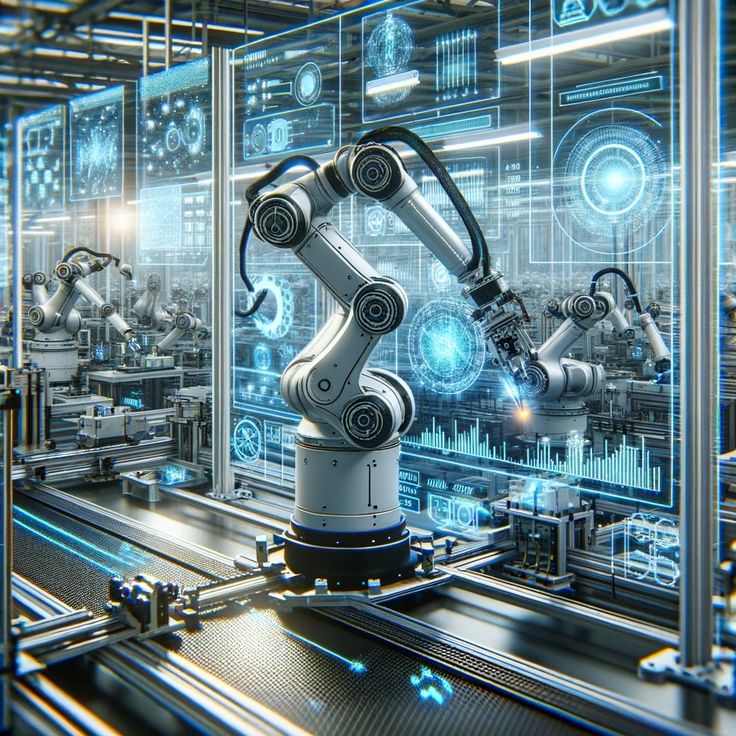
Can a Mechanical Engineer Become a Robotics Engineer?

Absolutely — a mechanical engineer can become a robotics engineer. In fact, mechanical engineering provides one of the strongest foundations for entering the field of robotics. Since robotics is a multidisciplinary area that combines mechanical design, electronics, and computer programming, mechanical engineers already possess many of the essential skills needed to excel in it.

Let’s dive deeper into how mechanical engineers can transition into robotics, what skills they need to develop, and what career opportunities await them in this exciting field.


1. The Connection Between Mechanical and Robotics Engineering

Robotics engineering involves designing, building, and programming robots that can perform tasks autonomously or assist humans. A robot consists of mechanical components (like arms, wheels, or actuators), electronic control systems, and software that enables movement and decision-making.

This is where mechanical engineers naturally fit in — they already understand mechanical systems, dynamics, kinematics, thermodynamics, and material science, which are crucial for designing and building the physical structure of robots.

For example, mechanical engineers are often responsible for:

  • Designing robotic arms and joints

  • Creating efficient motion and control systems

  • Working with actuators, gears, and sensors

  • Ensuring structural stability and energy efficiency

In short, mechanical engineers bring the body of the robot to life.


2. Skills a Mechanical Engineer Should Learn to Enter Robotics

While mechanical engineering covers the physical side of robotics, a robotics engineer also needs to understand electronics, programming, and artificial intelligence. Here are some additional skills a mechanical engineer can develop to transition successfully:

a. Programming Skills

  • Learn programming languages such as Python, C++, or MATLAB.

  • Understand control algorithms and simulations used in robotics.

  • Explore ROS (Robot Operating System) — a widely used framework for developing robotic applications.

b. Electronics and Embedded Systems

  • Learn the basics of microcontrollers (Arduino, Raspberry Pi), sensors, and actuators.

  • Understand how motors and circuits work together with mechanical components.

c. Control Systems and Automation

  • Study PID control, feedback systems, and automation techniques.

  • Gain knowledge in mechatronics — the integration of mechanical, electrical, and computer systems.

d. Artificial Intelligence and Machine Learning (Optional but Valuable)

  • Learn how AI and computer vision enhance robotic intelligence.

  • Study path planning, object detection, and autonomous navigation concepts.

e. CAD and Simulation Tools

  • Master design and simulation tools like SolidWorks, CATIA, AutoCAD, and ANSYS.

  • Learn robot simulation tools such as Gazebo or V-REP to test robotic designs virtually.


3. Educational Pathways

Mechanical engineers can enter the field of robotics through multiple routes:

  • Postgraduate Studies: Pursue a Master’s in Robotics, Mechatronics, or Artificial Intelligence.

  • Online Courses & Certifications: Platforms like Coursera, edX, or Udemy offer specialized robotics programs that cover AI, machine learning, and control systems.

  • Hands-On Projects: Build and program small robots to gain practical experience. Participate in robotics competitions or open-source projects to enhance your portfolio.


4. Career Opportunities for Mechanical Engineers in Robotics

Once equipped with interdisciplinary skills, mechanical engineers can explore various roles in the robotics industry, such as:

  • Robotics Design Engineer

  • Automation Engineer

  • Mechatronics Engineer

  • Control Systems Engineer

  • Robotics Researcher or Developer

Industries like manufacturing, aerospace, healthcare, defense, and agriculture are increasingly adopting robotics technologies — creating high demand for skilled professionals.


5. Examples of Mechanical Engineers Excelling in Robotics

Many leading robotics companies, including Boston Dynamics, ABB Robotics, and FANUC, employ mechanical engineers as key contributors. These professionals design robotic frames, joints, and movement mechanisms that enable machines like humanoid robots, industrial arms, and autonomous vehicles to function smoothly.


Conclusion

So, can a mechanical engineer become a robotics engineer? The answer is a resounding yes. With their strong background in mechanical design and dynamics, mechanical engineers already have a major advantage. By adding knowledge in programming, electronics, and control systems, they can easily transition into robotics — one of the most exciting and rapidly growing fields of engineering.

What Is the Most Interesting Drone Engineering That You Have Come Across?

Drone technology has evolved from simple quadcopters to highly sophisticated machines capable of transforming industries. From delivering packages to monitoring crops, drones have found their place in nearly every field. But among the many innovations, one particular development stands out as truly fascinating — the delivery drone networks and autonomous swarm drones that are shaping the future of logistics, rescue, and even defense systems.

Let’s explore what makes these drone engineering marvels so interesting and impactful.


1. Autonomous Delivery Drones – Revolutionizing Logistics

One of the most impressive advancements in drone engineering is the creation of autonomous delivery drones. Companies like Amazon, Wing (by Google), and Zipline have developed drones that can deliver packages and even medical supplies across long distances with minimal human intervention.

These drones use advanced GPS systems, AI-based obstacle detection, and machine learning algorithms to navigate safely. Zipline, for example, operates in countries like Rwanda and Ghana, delivering blood and vaccines to remote areas — saving countless lives.

What makes it interesting?
These drones combine multiple engineering disciplines — aerospace, artificial intelligence, robotics, and logistics — to operate seamlessly in real-world conditions. They are a perfect example of technology solving real human problems efficiently and sustainably.


2. Swarm Drone Technology – The Future of Coordination

Another incredible piece of drone engineering is the development of swarm drones. Inspired by the collective behavior of bees or birds, swarm drones can communicate with each other to perform coordinated actions without human control.

Swarm drones are being tested for search-and-rescue operations, military surveillance, environmental monitoring, and light shows. They use a decentralized system, where each drone makes independent decisions while staying connected to the swarm’s overall goal.

What makes it interesting?
Swarm drones demonstrate how artificial intelligence and communication systems can enable machines to collaborate like living organisms. This opens the door to new possibilities — such as deploying hundreds of drones to map disaster zones or deliver supplies faster than any ground-based vehicle could.


3. Hybrid VTOL (Vertical Take-Off and Landing) Drones

Traditional drones are often limited by flight time or terrain. That’s where Hybrid VTOL drones come in — combining the agility of quadcopters with the endurance of fixed-wing aircraft.

These drones can take off vertically like a helicopter and then transition into forward flight like an airplane, allowing them to cover large distances efficiently. They’re being used in surveying, mapping, agriculture, and long-range delivery missions.

What makes it interesting?
The engineering behind these drones requires complex aerodynamics, precise control algorithms, and seamless transitions between flight modes — making them a masterpiece of modern aerospace design.


4. Underwater and Aerial Hybrid Drones

A recent innovation that’s truly fascinating is the development of drones that can operate both underwater and in the air. These hybrid drones can dive into water to collect data or perform inspections and then return to the air for aerial imaging.

Such drones have immense potential in marine research, underwater inspections, and search missions. For example, engineers are experimenting with pressure-resistant designs and adaptive propulsion systems to handle two completely different environments.

What makes it interesting?
This dual-environment capability challenges traditional engineering boundaries and shows how far we can push the limits of drone design.


5. Bio-Inspired Drones

Some of the most innovative drones are inspired by nature — mimicking birds, insects, and even fish. Engineers are creating drones that flap their wings, hover like hummingbirds, or crawl through tight spaces like beetles.

These bio-inspired designs are being developed for covert surveillance, environmental monitoring, and exploration in dangerous or confined environments.

What makes it interesting?
By studying nature’s efficiency, scientists are designing drones that are lighter, quieter, and more agile than ever before. This fusion of biology and technology represents the future of drone engineering.


Conclusion

Among all the fascinating innovations, autonomous swarm drones and hybrid VTOL drones stand out as the most interesting examples of modern drone engineering. They represent the perfect blend of artificial intelligence, aerodynamics, and robotics — pushing the boundaries of what machines can do.

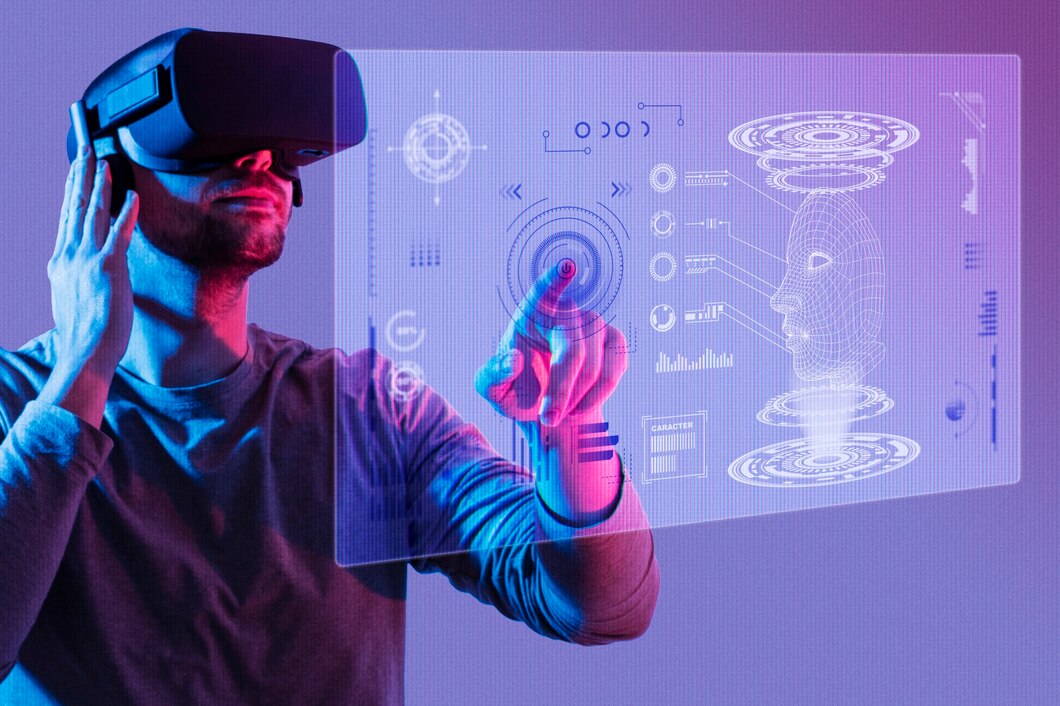
What Are Diverse Uses for Virtual Reality and Augmented Reality?

Virtual Reality (VR) and Augmented Reality (AR) are transforming the way we interact with the digital world. Once seen as futuristic technologies limited to gaming, they have now expanded into various industries, offering immersive and interactive experiences that blend the real and virtual worlds. From healthcare to education, their applications are vast and rapidly evolving. Let’s explore some of the most diverse and impactful uses of VR and AR today.


1. Education and Training

VR and AR are revolutionizing the education sector by providing students with interactive and experiential learning environments.

  • Virtual Reality classrooms let students explore historical sites, space, or biological systems in 3D without leaving their desks.

  • AR applications overlay digital content—like chemical structures or anatomy diagrams—onto physical textbooks, making complex subjects easier to grasp.

  • In professional training, pilots, surgeons, and military personnel use VR simulations to practice high-risk scenarios safely.


2. Healthcare and Medical Applications

In healthcare, VR and AR are being used to improve both patient outcomes and medical training.

  • VR surgery simulations help doctors practice procedures without risk.

  • AR-guided surgery assists surgeons with real-time data, showing organ structures or incision points over the patient’s body.

  • VR is also being used in pain management and mental health therapy, such as treating phobias, PTSD, and anxiety through immersive experiences.


3. Gaming and Entertainment

This is where VR and AR first gained mainstream attention.

  • VR gaming allows players to immerse themselves in realistic environments and interact with them in real time.

  • AR gaming, popularized by games like Pokémon GO, integrates digital elements into real-world surroundings, creating an engaging blend of virtual and physical play.
    Beyond gaming, VR concerts and AR-enhanced movies are redefining entertainment experiences.


4. Retail and E-commerce

AR and VR are changing the way people shop.

  • Virtual fitting rooms allow users to “try on” clothes or accessories through AR apps.

  • VR showrooms give customers the experience of walking through a store or viewing a product in 3D from home.

  • Furniture retailers like IKEA use AR to let customers visualize how products would look in their living space.


5. Real Estate and Architecture

VR and AR have made property exploration more convenient and realistic.

  • Virtual property tours let potential buyers explore houses remotely.

  • AR visualization tools help architects and clients see how buildings or interior designs will appear before construction begins.
    This reduces design errors and helps make more informed decisions.


6. Manufacturing and Industry

In industrial settings, VR and AR are being used for design, maintenance, and safety.

  • Engineers use VR simulations to visualize prototypes before manufacturing.

  • AR headsets assist workers by displaying step-by-step instructions or highlighting problem areas on machinery.
    This enhances efficiency, reduces downtime, and improves safety compliance.


7. Tourism and Travel

Both technologies have added a new dimension to travel experiences.

  • Virtual tours allow travelers to explore destinations before booking trips.

  • AR travel guides provide real-time information about landmarks, directions, and cultural insights during tours.
    This creates more engaging and informative travel experiences.


8. Sports and Fitness

VR and AR are changing the way athletes train and fans engage with sports.

  • VR simulations help athletes practice in realistic conditions without physical strain.

  • AR-enhanced broadcasts offer viewers live stats, replays, and immersive experiences.

  • Fitness apps like Supernatural use VR to make workouts fun and interactive.


9. Military and Defense

The military uses VR and AR for training, strategy, and maintenance.

  • VR combat simulations train soldiers for complex missions in safe, controlled environments.

  • AR helmets display tactical information and maps in real time during operations.
    These technologies enhance both preparedness and situational awareness.


10. Marketing and Advertising

Brands use AR and VR to create memorable marketing experiences.

  • AR filters on social media platforms let users engage directly with products.

  • VR brand experiences allow customers to immerse themselves in a story or campaign, creating emotional connections and brand loyalty.


Conclusion

The uses of Virtual Reality and Augmented Reality go far beyond entertainment—they’re reshaping industries, improving education, enhancing safety, and transforming how we live and work. As technology advances and devices become more affordable, VR and AR will become even more integrated into everyday life, offering limitless possibilities for creativity, innovation, and human connection.

What Qualities Should a Fashion Designer Develop?

Fashion design is one of the most creative and competitive industries in the world. Behind every stunning outfit on the runway lies a designer with not just artistic talent, but also discipline, vision, and business sense.

If you dream of becoming a successful fashion designer, it’s not just about sketching pretty clothes — it’s about developing the right qualities that help you stand out in this dynamic field. Let’s explore the key traits every fashion designer should cultivate.


1. Creativity and Imagination

Fashion design starts with creativity. A designer must have a strong sense of imagination to visualize new styles, patterns, and trends that others might not see.

Whether you’re inspired by nature, culture, or modern art, your ability to turn ideas into wearable art is what makes your work unique. The more you explore your creative side, the more innovative your designs become.


2. Attention to Detail

Fashion is all about the little things — the stitching, the fabric texture, the color contrast, or even the placement of buttons. A great designer pays attention to every detail to ensure their work looks polished and professional.

Even a small mistake can change how a garment feels or fits, so precision is essential in every step of the process.


3. Strong Sense of Aesthetics

A designer’s sense of style and color harmony defines their identity. Understanding which colors, fabrics, and silhouettes work together is crucial for creating balanced, appealing designs.

A good aesthetic sense helps you design outfits that are not just trendy but timeless.


4. Good Communication Skills

Fashion design is a team effort. Designers work closely with tailors, models, marketers, and clients. You must be able to communicate your vision clearly, whether it’s explaining a sketch to a seamstress or presenting your collection to buyers.

Strong communication also helps in collaboration and networking — two things that can open major doors in the fashion world.


5. Technical Skills

Creativity needs to be supported by technical knowledge. A fashion designer should be skilled in:

  • Sketching and illustration

  • Pattern making and draping

  • Fabric knowledge

  • Sewing techniques

  • Digital design software like Adobe Illustrator or CLO 3D

These skills help bring your creative ideas to life with accuracy and professionalism.


6. Awareness of Trends

Fashion changes fast — what’s in style today might not be tomorrow. Successful designers stay updated on the latest trends, consumer preferences, and market demands.

This doesn’t mean copying others; it means understanding what’s popular and using it as inspiration to create something fresh and exciting.


7. Perseverance and Hard Work

Behind the glamour of fashion shows lies months of hard work, sleepless nights, and endless revisions. The industry can be demanding, so resilience and determination are key.

The best designers never give up, even when faced with criticism or rejection — they keep refining their craft and pushing boundaries.


8. Business and Marketing Knowledge

Fashion isn’t just art — it’s also business. To succeed, designers must understand pricing, branding, and promotion. Knowing how to market your collection, manage clients, and position your brand helps you grow from a creative artist to a successful entrepreneur.


9. Adaptability

The fashion industry is constantly evolving with new technologies, fabrics, and styles. Designers who adapt to change — whether it’s digital fashion, sustainable materials, or AI-driven design — will thrive in the modern era.

Being flexible and open to learning keeps your skills relevant and your designs fresh.


10. Confidence and Self-Belief

Finally, confidence is what ties all these qualities together. Every designer has their own unique voice and style — believe in yours. Confidence helps you share your ideas boldly, take creative risks, and handle criticism constructively.


Conclusion

Fashion design is more than creating clothes — it’s about expressing ideas, emotions, and culture through design. To succeed, you need a blend of creativity, discipline, technical expertise, and confidence.

What Are the Types of Graphic Design?

Graphic design is one of the most creative and versatile fields in the digital world. It’s not just about making things look beautiful — it’s about communicating ideas visually and effectively. From logos and branding to website layouts and product packaging, graphic design touches every aspect of our daily lives.

But did you know there are several types of graphic design, each requiring different skills and tools? Let’s explore the main types and what makes each one unique.


1. Visual Identity and Branding Design

Purpose: To build a company’s image and personality.

This is one of the most recognized forms of graphic design. Branding designers create visual elements that represent a brand’s core values and style — such as logos, color palettes, typography, and business cards.

Their work helps businesses stand out and remain consistent across all marketing channels.

Common Tools: Adobe Illustrator, CorelDRAW, Figma, Canva

Example: Designing the Nike logo and its signature “Just Do It” theme.


2. Marketing and Advertising Design

Purpose: To attract attention and drive engagement or sales.

Marketing and advertising design focuses on visuals for ads, social media campaigns, billboards, brochures, and posters. The goal is to communicate messages that connect emotionally with audiences and encourage them to take action.

Common Tools: Adobe Photoshop, InDesign, Canva

Example: Eye-catching Instagram ads or promotional banners on websites.


3. User Interface (UI) Design

Purpose: To design digital interfaces that are visually appealing and easy to use.

UI designers work on the look and layout of websites, mobile apps, and software. They focus on buttons, icons, menus, and navigation to ensure users have a seamless experience.

Common Tools: Figma, Adobe XD, Sketch, Framer

Example: Designing the login page or dashboard of a mobile banking app.


4. User Experience (UX) Design

Purpose: To improve how users interact with a product or service.

UX design focuses more on user research, testing, and flow rather than visuals. A UX designer ensures that every step of the user journey — from start to finish — is intuitive and satisfying.

Common Tools: Figma, Axure, Adobe XD, Miro

Example: Mapping how users navigate an e-commerce site from browsing to checkout.


5. Publication Design

Purpose: To design layouts for print and digital publications.

Publication designers create magazines, newspapers, e-books, and reports, balancing text and images to make reading enjoyable and engaging.

Common Tools: Adobe InDesign, Photoshop, Canva

Example: Designing the layout of a fashion magazine or a company’s annual report.


6. Packaging Design

Purpose: To design the visual and structural appearance of product packaging.

Packaging design combines creativity with practicality. It not only protects the product but also communicates the brand’s story and attracts buyers.

Common Tools: Adobe Illustrator, Dimension, CorelDRAW

Example: Designing the box and label for a perfume or snack brand.


7. Motion Graphics Design

Purpose: To bring visuals to life through movement.

Motion graphics designers create animated content such as video ads, social media reels, explainer videos, and intros for YouTube or films.

Common Tools: Adobe After Effects, Blender, Cinema 4D

Example: Animated brand logos or transitions in a promotional video.


8. Environmental Design

Purpose: To create engaging visual experiences within physical spaces.

Environmental design merges architecture, interior design, and graphic design to make spaces visually appealing and functional. It’s commonly used in museums, exhibitions, retail stores, and signage systems.

Common Tools: Adobe Illustrator, AutoCAD, SketchUp

Example: Designing wayfinding signs at an airport or wall art in a hotel lobby.


9. Illustration and Art Design

Purpose: To use drawings or digital art to convey ideas.

Illustrators create custom artwork for books, posters, video games, and merchandise. Their work adds a personal, creative touch to branding and storytelling.

Common Tools: Adobe Illustrator, Procreate, Krita

Example: Illustrated children’s book covers or character art for games.


10. Infographic Design

Purpose: To present data and information visually.

Infographic designers turn complex data into easy-to-understand visuals. Their designs are used in reports, blogs, presentations, and educational materials.

Common Tools: Canva, Adobe Illustrator, Venngage

Example: An infographic explaining climate change statistics.


Conclusion

Graphic design is far more than just creating attractive visuals — it’s about telling stories, evoking emotions, and solving problems through design. Whether you’re passionate about branding, animation, or digital experiences, there’s a type of graphic design that suits your creative goals.

How Will AI Affect UI/UX Design?

Artificial Intelligence (AI) is transforming every industry, and UI/UX design is no exception. From automated layouts to smart user testing, AI is redefining how designers create digital experiences. But how exactly will AI impact the way we design for users? Let’s explore how this powerful technology is shaping the future of UI/UX design.


1. Smarter and Faster Design Processes

One of the most visible effects of AI in UI/UX design is automation. Tools powered by AI can now generate design elements, layouts, or even entire interfaces within seconds. Instead of spending hours perfecting a wireframe, designers can use AI assistants like Figma’s AI tools, Adobe Firefly, or Uizard to generate layouts and color palettes automatically.

This doesn’t replace the designer — it saves time by handling repetitive tasks so that designers can focus on creativity, strategy, and user empathy.


2. Personalized User Experiences

AI allows designers to create personalized experiences for every user. By analyzing user data — such as preferences, behavior, and location — AI can adapt interfaces in real time. For example, an e-commerce app could rearrange its homepage based on what a specific user is most likely to buy.

This personalization helps improve user satisfaction, retention, and conversion rates, turning digital interfaces into truly user-centered experiences.


3. Predictive and Data-Driven Design

Traditional design relies heavily on intuition, testing, and iteration. AI enhances this process by introducing predictive analytics. By analyzing how users interact with a design, AI can forecast which features or layouts are most effective.

This means UX decisions are no longer just “educated guesses.” Designers can rely on concrete, AI-driven insights to guide their design choices, ensuring a smoother and more intuitive user journey.


4. AI-Assisted User Testing

User testing is a crucial part of the UX process, but it can be time-consuming. AI simplifies this by automating usability testing. For instance, tools can now simulate user interactions, detect confusing navigation patterns, or predict where users might click — all before a design even goes live.

This allows designers to identify potential usability issues early and refine their designs faster and more accurately.


5. Voice and Conversational Interfaces

With the rise of voice assistants like Alexa, Siri, and Google Assistant, AI has expanded UI/UX design beyond visual interfaces. Designers now have to think about Voice User Interfaces (VUIs) and conversational UX — where tone, context, and natural language understanding play a key role.

AI makes it possible to create more natural and human-like interactions, enabling users to engage with technology through voice, text, or gesture instead of just tapping buttons.


6. AI-Powered Accessibility

Accessibility is a core principle of good UX. AI is making digital experiences more inclusive by automatically detecting and fixing accessibility issues. For example, AI can generate alt text for images, suggest better color contrasts, and even adapt interfaces for users with disabilities.

This ensures that technology becomes accessible to a wider range of users, creating a more equitable digital environment.


7. Creative Collaboration Between AI and Designers

AI is not here to replace designers — it’s here to collaborate with them. Think of AI as a creative partner that assists in brainstorming, speeding up prototyping, and testing design variations.

Designers still bring the essential human touch — empathy, storytelling, and emotional intelligence — while AI brings speed, precision, and data-driven insight. Together, they make a powerful team.


8. Ethical Challenges in AI-Driven Design

While AI offers incredible potential, it also introduces new challenges. Designers must consider data privacy, bias, and transparency when using AI. If not managed carefully, AI algorithms could unintentionally create unfair or misleading experiences.

As AI continues to evolve, ethical design will become an even greater responsibility for UI/UX professionals.


9. The Future of the Designer’s Role

In the AI-driven future, the role of the designer will evolve. Instead of manually creating every design element, designers will focus more on:

  • Understanding user psychology

  • Interpreting AI-generated insights

  • Ensuring ethical and inclusive design

  • Guiding AI systems with human creativity

In short, designers will become creative strategists who leverage AI to amplify their impact.


Conclusion

AI is not replacing UI/UX designers — it’s empowering them. By automating routine work, enabling personalization, and providing powerful insights, AI allows designers to create experiences that are smarter, faster, and more human-centered than ever before.

What Is the Eligibility to Study Medical Coding?

Medical coding is a growing career in the healthcare industry, essential for accurate documentation, billing, and insurance processing. With the increasing reliance on digital health records and the need for precise healthcare data, medical coders have become crucial to hospitals, clinics, and insurance companies. If you’re considering a career in medical coding, it’s important to know the eligibility requirements before diving in.


1. Educational Qualifications

The basic educational requirement for pursuing medical coding is usually:

  • High School Diploma or Equivalent: Many entry-level medical coding programs accept students who have completed 10+2 (high school) in any stream.

  • Bachelor’s Degree (Optional but Advantageous): While not mandatory, having a bachelor’s degree in biology, healthcare, life sciences, or related fields can improve job prospects and prepare you for advanced certifications.

Some institutions may require specific subjects in high school, like biology or science, to enroll in their programs.


2. Age Criteria

  • Most medical coding courses do not have a strict age requirement.

  • Candidates are typically expected to be at least 18 years old to enroll in professional certification courses.


3. Language and Computer Skills

Since medical coding involves reading medical records and entering data accurately, candidates should have:

  • Proficiency in English (both reading and writing)

  • Basic computer skills, including familiarity with spreadsheets, word processing, and coding software


4. Certification Programs

After meeting the basic educational criteria, candidates can enroll in certified medical coding programs. Some popular certifications include:

  • Certified Professional Coder (CPC) – Offered by AAPC

  • Certified Coding Specialist (CCS) – Offered by AHIMA

  • Certified Inpatient Coder (CIC)

  • Certified Outpatient Coder (COC)

These certifications usually require candidates to pass an exam and sometimes complete a training program ranging from 3 months to 1 year.


5. Prerequisites for Advanced Courses

For advanced courses or specialized coding fields (like oncology or radiology coding):

  • Work experience or prior coding knowledge may be required.

  • Some programs recommend completing a basic medical coding course before attempting specialized certifications.


6. Soft Skills and Other Requirements

Medical coding is detail-oriented and requires precision. Candidates should ideally have:

  • Strong attention to detail

  • Analytical skills

  • Ability to handle confidential patient information responsibly


7. Conclusion

In summary, the eligibility to study medical coding is relatively flexible: a high school diploma is typically enough to start, though a background in science and good computer and language skills are advantageous. Certifications can then enhance your qualifications, opening doors to hospitals, clinics, insurance companies, and even remote medical coding jobs. With healthcare expanding globally, medical coding offers a promising career for those willing to learn and stay updated with medical and coding standards.

Form submitted! Our team will reach out to you soon.
0
    0
    Your Cart
    Your cart is emptyReturn to Course