
To Become a Robotics Engineer, Should I Major in Computer Science?

Robotics is one of the most exciting and fast-growing fields today, blending mechanical systems, electronics, and intelligent programming. From industrial robots to self-driving cars and medical robots, this field is full of innovation. If you’re aspiring to become a robotics engineer, you may be wondering:

👉 Should I major in computer science, or is another degree better?

Let’s break it down.


What Does a Robotics Engineer Do?

A robotics engineer designs, builds, programs, and maintains robots that can perform specific tasks. Their work usually involves:

  • Designing the mechanical structure of robots

  • Building electronic circuits and integrating sensors

  • Programming the robot for control and automation

  • Applying artificial intelligence for autonomy and decision-making

This clearly shows that robotics requires interdisciplinary knowledge—not just computer science.


Is Computer Science a Good Major for Robotics?

Yes, majoring in Computer Science (CS) can definitely lead to a career in robotics. A CS degree prepares you with skills in:

  • Programming (Python, C++, Java, ROS)

  • Artificial Intelligence and Machine Learning

  • Computer Vision and Image Processing

  • Robotics Simulation and Control Software

If you’re interested in the software side of robotics—such as AI, algorithms, and programming autonomous systems—then computer science is an excellent choice.


Other Majors for Robotics Engineering

While computer science is important, robotics is much broader. Depending on your interests, other majors may be equally valuable:

1. Mechanical Engineering

Focuses on designing the physical structure, actuators, and movement of robots.

2. Electrical/Electronics Engineering

Covers circuits, sensors, motors, and embedded systems—critical for making robots function.

3. Mechatronics Engineering

A specialized interdisciplinary major that combines mechanical, electrical, and software engineering specifically for robotics.

4. Robotics Engineering (if available)

Some universities now offer dedicated robotics programs that give you a balance of all the above fields.


Which Major Should You Choose?

Your choice depends on which part of robotics excites you the most:

  • If you love programming and AI → Computer Science

  • If you’re into designing and building machines → Mechanical Engineering

  • If you enjoy working with electronics and hardware → Electrical Engineering

  • If you want a blend of all three → Mechatronics or Robotics Engineering


Final Thoughts

So, to answer the question: Yes, you can major in Computer Science to become a robotics engineer, especially if you’re drawn to the software and AI aspects of robotics. However, robotics is multidisciplinary, so other majors like mechanical, electrical, or mechatronics engineering are also strong paths.
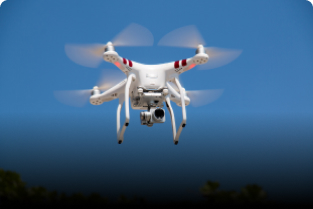
What Type of Engineer Makes the Drone?

Drones have transformed from being military-exclusive devices to essential tools in industries such as aerial photography, agriculture, delivery services, surveying, and defense. Behind these flying machines are engineers who combine different skills to make them reliable, efficient, and smart. But have you ever wondered:

👉 What type of engineer actually makes a drone?

The answer isn’t limited to just one branch of engineering. Let’s break it down.


1. Aerospace Engineers

Aerospace engineers are the primary contributors when it comes to drones. They focus on:

  • Designing the drone’s aerodynamic structure (shape, wings, propellers)

  • Ensuring stability and flight control

  • Improving fuel efficiency or battery life

  • Working on propulsion systems

In short, they make sure the drone can fly safely and efficiently.


2. Mechanical Engineers

Mechanical engineers deal with the mechanical components of drones. They are responsible for:

  • Designing the frame and body materials (lightweight yet strong)

  • Building moving parts like motors and propellers

  • Thermal management (preventing overheating)

Their work ensures the drone is durable, efficient, and optimized for performance.


3. Electrical and Electronics Engineers

Drones are powered by complex electrical systems. These engineers handle:

  • Power supply and distribution (batteries, circuits)

  • Sensors (GPS, gyroscopes, accelerometers)

  • Communication systems (remote controls, telemetry)

They ensure the drone’s electronics run smoothly and respond in real time.


4. Computer Engineers & Software Developers

Modern drones are “smart” because of their onboard software. Computer engineers and programmers contribute by:

  • Developing autopilot systems

  • Integrating AI for obstacle detection and navigation

  • Programming flight paths and stabilization algorithms

  • Creating mobile apps for remote control and live streaming

This makes drones intelligent, autonomous, and user-friendly.


5. Robotics Engineers

Since drones are essentially flying robots, robotics engineers play a big role in:

  • Combining mechanics, electronics, and programming

  • Designing autonomous drone systems

  • Working on swarm drone technology

  • Enhancing human-drone interaction

Robotics engineering ensures drones can perform complex and autonomous tasks.


6. Specialized Engineers for Specific Applications

Depending on the use case, other engineers may also be involved:

  • Civil Engineers – for drones used in surveying and mapping

  • Agricultural Engineers – for drones designed to spray crops or monitor fields

  • Biomedical Engineers – for drones in medical deliveries or healthcare support


Final Thoughts

So, what type of engineer makes the drone? The truth is: it’s a team effort. Aerospace engineers may lead the design, but mechanical, electrical, computer, and robotics engineers all work together to bring a drone to life.

Can Python Pygame Be Used for 3D VR/XR/AR Game Development Also?

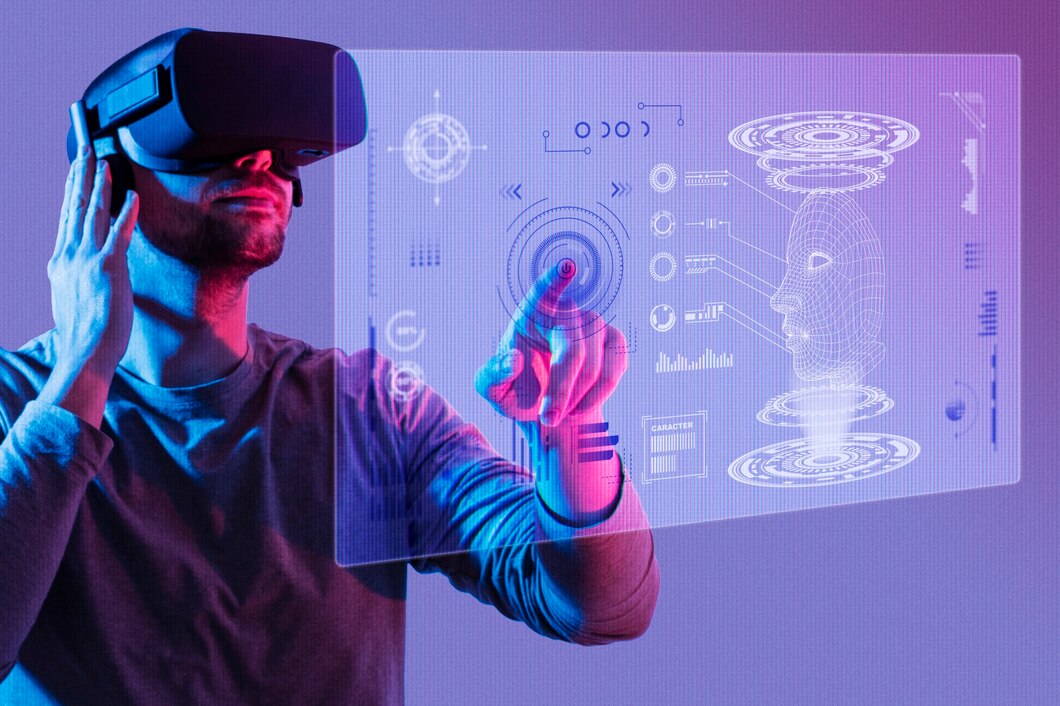
Game development has grown far beyond 2D graphics and traditional PC games. Today, developers are building immersive VR (Virtual Reality), XR (Extended Reality), and AR (Augmented Reality) experiences that push the boundaries of technology. If you’re learning game development with Python, you’ve probably come across Pygame, a popular library for building 2D games. But a common question arises:

👉 Can Python Pygame be used for 3D VR/XR/AR game development?

Let’s dive in.


What is Pygame Best At?

Pygame is a lightweight Python library designed for 2D game development. It allows developers to create simple games with graphics, sound, and user interaction. It’s great for:

  • Prototyping ideas quickly

  • Learning the basics of game programming

  • Building small-scale 2D games

However, Pygame is not a 3D engine and does not natively support VR, XR, or AR features. This means it can’t directly handle stereoscopic rendering, head tracking, or AR camera overlays.


Can Pygame Handle 3D?

Pygame itself is not designed for 3D graphics. While there are workarounds—such as combining Pygame with OpenGL (via PyOpenGL)—this approach only allows you to render 3D graphics inside a Pygame window. Even then, it lacks the advanced physics, performance optimization, and VR integration that modern engines like Unity or Unreal provide.

So while you can create a basic 3D-like environment using Pygame + PyOpenGL, it’s not practical for VR or AR applications.


Why Pygame is Not Suitable for VR/XR/AR

VR and AR development requires:

  • High-performance 3D rendering

  • Real-time sensor integration (motion tracking, gyroscopes, etc.)

  • Head-mounted display (HMD) support like Oculus or HTC Vive

  • Spatial audio and physics simulation

Pygame simply does not provide these out of the box. Its focus is on 2D surfaces and sprites, which makes it great for arcade-style games but unsuitable for immersive 3D environments.


Better Alternatives for VR/XR/AR in Python

If your goal is to create VR, XR, or AR experiences with Python, here are better options:

  1. Panda3D – A Python-friendly game engine with full 3D support.

  2. Godot (with Python support via GDNative or plugins) – Lightweight engine with VR/AR plugins.

  3. Blender Game Engine (or UPBGE) – Useful for 3D simulations and VR prototypes.

  4. OpenXR + Python bindings – To directly access VR/AR hardware APIs.

  5. Unity/Unreal (via Python scripting for tools) – While the core scripting is in C#/C++, Python can be used for extensions.


Where Pygame Fits In

While Pygame cannot directly build VR/AR/XR apps, it’s still very useful as a learning tool:

  • Beginners can master game loops, event handling, and collision detection.

  • Developers can prototype mechanics in 2D before moving to a 3D engine.

  • It helps build the foundation needed to eventually transition into advanced engines.


Final Verdict

Pygame is not built for 3D VR/XR/AR game development. It’s an excellent tool for 2D games and prototyping but lacks the rendering power, hardware integration, and libraries required for immersive technologies.

If your goal is VR, XR, or AR, it’s better to explore Panda3D, Godot, or Unity/Unreal. However, learning with Pygame first is a great stepping stone toward understanding the core logic of game development.


In short: Use Pygame for 2D learning and prototyping, but switch to a 3D engine for VR/XR/AR.

How Can I Start a Business as a Fashion Designer?

Starting a business as a fashion designer is a dream for many creative minds. With passion, creativity, and the right strategy, you can turn your love for fashion into a successful brand. However, like any other business, building a fashion label requires careful planning, industry knowledge, and persistence. If you’re wondering how to start a business as a fashion designer, here’s a step-by-step guide to get you started.


1. Develop Your Fashion Design Skills

Before starting a fashion business, you need to refine your design skills. A fashion designer should understand:

  • Sketching and illustrating designs

  • Pattern making and garment construction

  • Fabric selection and textile knowledge

  • Latest fashion trends and styles

If you’re new, consider enrolling in a fashion design course or learning through online platforms. Practical skills are just as important as creativity.


2. Identify Your Niche

Fashion is a vast industry, so it’s essential to find your niche. You can specialize in:

  • Women’s wear

  • Men’s wear

  • Kids’ fashion

  • Ethnic/traditional clothing

  • Sustainable and eco-friendly fashion

  • Luxury or affordable streetwear

Focusing on a niche helps you build a unique identity and connect with your target audience.


3. Create a Business Plan

A solid business plan is the backbone of any fashion business. It should cover:

  • Your brand vision and mission

  • Target audience and market research

  • Budget and funding requirements

  • Pricing and production strategy

  • Marketing and sales plan

This will guide your decisions and attract investors if needed.


4. Build Your Brand Identity

Your brand is more than just clothing—it’s about the story, values, and emotions you communicate. Focus on:

  • Choosing a unique brand name and logo

  • Defining your brand’s personality (luxury, casual, eco-conscious, trendy)

  • Creating consistent branding across labels, packaging, and social media

A strong brand identity helps your designs stand out in a crowded market.


5. Source Materials and Manufacturers

Finding the right materials and production partners is crucial. Depending on your budget, you can:

  • Start small by making garments yourself

  • Partner with local tailors or small workshops

  • Work with larger manufacturers for bulk production

Always test fabric quality and production consistency before scaling.


6. Build a Portfolio and Collection

Start with a small, well-curated collection to showcase your design style. Your portfolio should reflect your creativity and versatility. This collection can be used for fashion shows, pop-up events, and online promotions.


7. Launch an Online Presence

In today’s digital age, having an online presence is non-negotiable. Create:

  • A professional website with an online store

  • Social media pages (Instagram, Pinterest, Facebook, TikTok)

  • Engaging content showcasing your designs, behind-the-scenes work, and fashion tips

Collaborate with influencers or run small ads to reach your target customers.


8. Start Selling

You can sell your designs through multiple channels:

  • Your own website or online store

  • Marketplaces like Etsy, Amazon, or Myntra

  • Pop-up shops and local boutiques

  • Fashion exhibitions and trade shows

Focus on customer feedback to improve your designs and offerings.


9. Market Your Brand

A strong marketing strategy helps grow your fashion business. Use:

  • Social media campaigns

  • Influencer collaborations

  • Fashion shows and exhibitions

  • PR and press coverage in fashion magazines

  • SEO for your online store

Consistency in branding and marketing builds long-term recognition.


10. Stay Updated and Adapt

Fashion is fast-changing. Keep an eye on new trends, consumer preferences, and technology like digital fashion or sustainable fabrics. Adapt your designs and business model to stay relevant.


Conclusion

Starting a business as a fashion designer requires a mix of creativity, planning, and persistence. From improving your design skills and building a brand identity to launching online and selling your collections, every step brings you closer to establishing your own fashion label.

Can Anyone Be a Graphic Designer?

Graphic design has become one of the most sought-after creative professions in today’s digital world. From brand logos and social media posts to website designs and advertisements, graphic designers play a key role in shaping how we visually interact with information. But the question many people ask is: Can anyone be a graphic designer?

The short answer is yes—with the right skills, mindset, and dedication, almost anyone can pursue a career in graphic design. Let’s explore what it really takes.


1. Natural Talent vs. Learned Skills

Some people believe that only those with natural artistic talent can become graphic designers. While creativity helps, graphic design is more about problem-solving, communication, and practice than raw talent. Many successful designers started with little to no drawing skills but learned design principles, tools, and techniques over time.


2. Essential Skills You Can Learn

Anyone interested in becoming a graphic designer can learn the following skills:

  • Design Software Mastery – Tools like Adobe Illustrator, Photoshop, Figma, and CorelDRAW are widely used and can be learned step by step.

  • Typography & Layout – Understanding how fonts, spacing, and structure influence design.

  • Color Theory – Learning how to use colors to create impact and evoke emotions.

  • Creativity & Problem-Solving – Developing original ideas that communicate messages effectively.

All of these can be acquired through online courses, tutorials, and practice.


3. Do You Need a Degree?

A formal degree in graphic design can give you a strong foundation, but it’s not mandatory. Many self-taught designers build strong portfolios and land clients or jobs without formal education. What matters most is your portfolio—a collection of your best work that shows your style and ability.


4. Challenges You Might Face

While anyone can become a graphic designer, the journey comes with challenges:

  • High Competition – The industry is competitive, so standing out requires continuous learning and creativity.

  • Client Expectations – Designers often need to balance their creativity with client demands.

  • Continuous Updates – Design trends and software keep evolving, so you must stay updated.


5. Who Can Become a Graphic Designer?
  • Students looking for a creative career path.

  • Career changers wanting to move into a more artistic or digital role.

  • Freelancers interested in offering design services.

  • Entrepreneurs who want to design for their own businesses.

In short, anyone with interest, patience, and consistency can become a graphic designer.


Conclusion

So, can anyone be a graphic designer? Yes! Graphic design is not about being born with artistic skills but about learning the principles, practicing regularly, and building a strong portfolio. With free resources, courses, and design tools available today, anyone with passion and determination can step into the world of graphic design.

What Are the Best UI/UX Designing Tools for Windows?

UI/UX design is at the heart of building digital products that not only look attractive but also deliver smooth and engaging user experiences. Whether you’re a beginner exploring design or a professional working on complex projects, choosing the right tools can make a huge difference. If you’re using Windows, you’ll be glad to know that many powerful and user-friendly tools are available for UI/UX design.

In this blog, we’ll explore some of the best UI/UX designing tools for Windows that can help you create interactive and visually appealing designs.


1. Adobe XD

Adobe XD is one of the most popular tools for UI/UX designers. It allows you to create wireframes, prototypes, and design layouts seamlessly. With features like responsive resizing, voice prototyping, and integration with other Adobe products (like Photoshop and Illustrator), Adobe XD is perfect for both beginners and professionals.

Why choose it?

  • Smooth prototyping and collaboration features

  • Compatible with Creative Cloud

  • Supports plugins and integrations


2. Figma (Desktop App for Windows)

Figma has become a favorite for designers due to its cloud-based collaboration features. While it works on browsers, the Figma desktop app for Windows offers a dedicated workspace that feels more fluid. You can design interfaces, create interactive prototypes, and collaborate with team members in real time.

Why choose it?

  • Real-time collaboration

  • Easy sharing and feedback options

  • Free plan available


3. Sketch (via Alternatives like Lunacy for Windows Users)

Sketch is a beloved tool but is only available for macOS. However, Windows users can rely on Lunacy by Icons8, which is a free and lightweight alternative. Lunacy supports Sketch files, making it possible to collaborate on projects that involve Sketch users.

Why choose it?

  • Works with Sketch files

  • Offline functionality

  • Resource libraries for UI kits and icons


4. InVision Studio

InVision Studio is a strong prototyping and animation tool that helps designers create dynamic, interactive interfaces. While InVision is known for prototyping, the Studio app lets you go a step further by adding micro-interactions and animations.

Why choose it?

  • Great for prototyping and animation

  • Collaboration through InVision Cloud

  • Free version available


5. Canva

Though Canva is mostly used for graphic design, it can also be a handy tool for UI/UX designers who want to quickly put together mockups, presentations, or design concepts. Canva’s Windows app makes it easy to experiment with design ideas before moving into more advanced tools.

Why choose it?

  • Beginner-friendly

  • Templates and drag-and-drop interface

  • Useful for marketing and pitch decks


6. Axure RP

Axure RP is designed for professionals who need detailed wireframing and prototyping with advanced functionality. It allows designers to add conditional logic, dynamic content, and adaptive views, making it great for complex projects.

Why choose it?

  • Advanced prototyping capabilities

  • Suitable for enterprise-level projects

  • Strong collaboration support


7. Balsamiq

For those who prefer simplicity, Balsamiq is a great tool for low-fidelity wireframing. It allows designers to quickly sketch user flows and layouts without getting too caught up in visuals.

Why choose it?

  • Focuses on wireframing

  • Easy and fast to use

  • Great for brainstorming ideas


8. CorelDRAW

CorelDRAW is a powerful vector design tool available for Windows. While not primarily a UI/UX tool, many designers use it for creating icons, vector graphics, and layouts that can be integrated into UI designs.

Why choose it?

  • Industry-grade vector design tool

  • Perfect for custom icons and graphics

  • Lifetime license option


Conclusion

Windows users don’t need to feel left out when it comes to UI/UX design. Tools like Adobe XD, Figma, and InVision Studio provide everything you need for professional design and prototyping. If you’re just starting, Canva and Balsamiq are great for quick experiments, while advanced users may prefer Axure RP or CorelDRAW.

How Much Do CPC Medical Coding Fees Cost in India?

Medical coding, particularly the Certified Professional Coder (CPC) credential offered by the American Academy of Professional Coders (AAPC), is gaining popularity in India thanks to the increasing demand for qualified medical coders. But how much does it cost to get certified? Here’s a breakdown.


1. CPC Exam Fee (AAPC)

Even though the exam is U.S.-based, many Indian aspirants take the exam online. According to resources, the CPC certification exam fee is around $530, which includes one free retake medicalcoder.in. This translates to approximately ₹45,000–₹46,000 depending on current exchange rates.


2. Training Costs in India

AAPC Official Training (in INR)

AAPC offers several training options, and here are the current limited-time fee offers for Indian learners AAPC:

  • Online Self-Paced Training Only: Was ₹66,000, now ₹33,810

  • Virtual (Live Classes): Was ₹1,12,388, now ₹57,056

  • Package Bundles (includes training, exam, and 1-year AAPC membership):

    • Self-Paced: ₹84,104

    • Virtual: ₹1,07,350

These package bundles can be more economical and convenient since they consolidate essential expenses.

Third-Party Indian Institutes

Indian training institutes may offer localized training at different price points, but they often don’t specify exact costs without inquiry:

  • IGMPI (Institute of Good Manufacturing Practices India) offers CPC exam training (classroom or online), but fees aren’t clearly disclosed publicly igmpiindiaigmpiindia.

  • Transorze Solutions (Kerala-based) lists medical coding training but similarly doesn’t show CPC exam fees transorze.in.

If considering such providers, it’s best to reach out directly for pricing details.


3. Insights from Learners

Discussions on Reddit provide helpful firsthand perspectives:

  • One user mentioned paying around $2,300 (~₹1.9 lakh) for a CPC course package, likely including materials and training Reddit.

  • Others mention combined fees for AAPC course packages ranging between $2,900 and $3,500, depending on whether the course is self-paced or instructor-led Reddit.

  • The CPC exam itself is often stated at around $380–$499, including a retake option Reddit+1.

  • Be wary—costs vary widely depending on provider, materials included, and whether exam or membership fees are bundled.


4. Summary Table: Estimated Cost Breakdown for India

Item Estimated Cost (INR)
AAPC Self-Paced Course (training) ₹33,810
AAPC Virtual Course (training) ₹57,056
AAPC Self-Paced Bundle (training + exam + membership) ₹84,104
AAPC Virtual Bundle (all-in) ₹1,07,350
CPC Exam Fee (AAPC) ~$530 → ₹45,000–₹46,000
Third-Party Indian Institute (approx.) Varies—requires direct inquiry
Overall Cost (Training + Exam) ₹80,000 to ₹1.5 lakh+ depending on bundle and provider

Final Takeaways

  • AAPC’s self-paced training is around ₹34k, making it one of the more affordable official options.

  • Bundles that include exam and membership are priced between ₹84k and ₹1.07 lakh—worth considering if you want everything included.

  • Exam-only cost is about ₹45k.

  • Third-party Indian training providers may offer cheaper options—but always vet their credibility and confirm what’s included.

  • According to Redditors, total costs (with course, materials, etc.) can climb to ₹2–2.6 lakh depending on package quality and provider

Is Psychology a Good Career Option?

Psychology, the scientific study of the human mind and behavior, has become one of the most sought-after fields in recent years. With mental health awareness on the rise and organizations recognizing the importance of human well-being, psychology offers diverse career opportunities. But is psychology really a good career option? Let’s explore.

Growing Importance of Psychology

In today’s fast-paced world, issues like stress, anxiety, and depression are becoming more common. Schools, workplaces, and even governments are investing in mental health initiatives. Psychologists play a vital role in addressing these challenges, making their expertise more valuable than ever before.

Career Opportunities in Psychology

Psychology is not limited to counseling or therapy. It opens doors to a variety of career paths, such as:

  • Clinical Psychology – Helping individuals manage mental health disorders.

  • Counseling Psychology – Guiding people through personal, social, and emotional challenges.

  • Industrial-Organizational Psychology – Improving workplace efficiency, employee satisfaction, and leadership strategies.

  • Educational Psychology – Enhancing learning methods and supporting students with learning difficulties.

  • Forensic Psychology – Working with law enforcement and legal systems.

  • Sports Psychology – Boosting athletes’ performance and mental resilience.

  • Research and Academia – Contributing to scientific discoveries and teaching future psychologists.

Skills Needed for a Career in Psychology

To succeed as a psychologist, one needs strong communication, empathy, problem-solving, and analytical skills. A deep interest in understanding human behavior and a commitment to lifelong learning are also essential, as psychology is a constantly evolving field.

Education and Qualifications

Pursuing psychology typically requires a bachelor’s degree, followed by a master’s or doctorate depending on specialization. Clinical and counseling roles often require licensing and supervised practice. While the journey demands dedication, the rewards are equally fulfilling.

Job Outlook and Salary

The demand for psychologists is increasing globally. According to industry reports, career prospects in psychology are expected to grow steadily, with mental health professionals being especially in demand. Salaries vary depending on specialization, qualifications, and experience, but overall, psychology offers competitive earning potential along with the satisfaction of helping others.

Is Psychology the Right Choice for You?

Psychology is a good career option for those who are genuinely interested in understanding people and making a positive difference in society. It requires patience, compassion, and resilience, as dealing with mental health can sometimes be emotionally challenging. However, for those passionate about the field, psychology can be incredibly rewarding both personally and professionally.

Conclusion

Psychology is much more than just a career—it’s a calling. With increasing awareness of mental health and human behavior, psychologists are in high demand across multiple industries. If you’re passionate about helping people, curious about the human mind, and willing to put in the necessary effort, psychology can indeed be a fulfilling and promising career option.

How Can We Prevent the Development of Dangerous Nanotechnology?

Nanotechnology has opened doors to revolutionary advancements in medicine, energy, electronics, and manufacturing. From drug delivery systems that target cancer cells to lightweight yet durable materials, its potential benefits are undeniable. However, like any powerful technology, nanotechnology also carries risks. If not properly monitored and regulated, it could lead to environmental hazards, health threats, or even weaponization. Preventing the development and misuse of dangerous nanotechnology is, therefore, a global priority.

1. Establish Strong Regulations and Policies

Governments and international organizations must create clear regulations to govern the research, production, and use of nanotechnology. This includes strict safety standards, environmental guidelines, and ethical frameworks. Just as nuclear energy and biotechnology are regulated, nanotech should also have its own oversight bodies to minimize misuse.

2. Promote Transparency in Research

Scientific research in nanotechnology should not operate in secrecy, especially when it involves potentially hazardous applications. Transparency ensures peer review, accountability, and collaboration. By sharing data, risks can be assessed earlier, and safety protocols can be strengthened before commercialization.

3. Develop Safe-by-Design Approaches

Researchers should integrate safety into the design process from the beginning. This concept, known as “safe-by-design,” minimizes potential dangers by predicting harmful interactions of nanoparticles with humans or the environment. For example, nanoparticles could be engineered to degrade safely after use instead of persisting and accumulating in ecosystems.

4. Strengthen International Collaboration

Nanotechnology knows no borders. Dangerous applications in one country could have consequences worldwide. To prevent this, nations must collaborate through treaties, joint research initiatives, and shared safety standards. Similar to the global efforts for climate change and nuclear non-proliferation, nanotechnology governance requires a collective approach.

5. Educate and Train Researchers

Scientists, engineers, and manufacturers working with nanomaterials should receive training on safety risks, ethical responsibilities, and potential misuse. By creating a strong culture of responsibility, the likelihood of accidental or intentional misuse decreases significantly.

6. Increase Public Awareness and Engagement

Public involvement is crucial to building trust and preventing harmful applications. Citizens should be informed about both the opportunities and risks of nanotechnology. Open discussions, workshops, and awareness campaigns can help society make informed decisions and push for ethical regulations.

7. Monitor and Prevent Weaponization

One of the greatest risks of nanotechnology is its potential use in developing advanced weapons, surveillance systems, or even bio-nanotech threats. Governments must actively monitor military applications and prevent arms races that could destabilize global security. Strict international laws are essential to stop nanotech from being misused for destructive purposes.

Conclusion

Nanotechnology holds immense promise, but with great power comes great responsibility. Preventing the development of dangerous nanotechnology requires proactive governance, collaboration, and ethical responsibility from governments, researchers, and society alike. If managed wisely, nanotechnology can transform our world for the better—without becoming a threat to humanity’s safety and future.

Is Corporate Law Better Than Litigation in India?

Law is a diverse profession, offering multiple career paths. Among them, corporate law and litigation are two of the most sought-after fields for aspiring lawyers in India. While both promise unique opportunities, they differ in terms of work environment, career growth, skills required, and lifestyle. The big question for many law graduates is: Is corporate law better than litigation in India? Let’s explore.

Understanding Corporate Law vs. Litigation

  • Corporate Law: Focuses on the legal aspects of businesses—mergers, acquisitions, compliance, intellectual property, contract drafting, and advisory work. Lawyers here typically work in law firms, multinational corporations, or startups.

  • Litigation: Involves representing clients in courts, tribunals, and arbitration. It’s about advocacy, legal arguments, and direct interaction with judges, clients, and legal processes.

Career Growth and Stability

  • Corporate Law: Corporate law often provides faster career stability. Fresh graduates can secure well-paying jobs in law firms or companies. Growth is performance-driven, with structured hierarchies and promotions.

  • Litigation: In litigation, growth is slower. Junior advocates often earn modestly at the start and rely on mentorship. However, once established, litigators can build strong reputations, earn significantly, and gain professional independence.

Earnings and Compensation

  • Corporate Law: Entry-level corporate lawyers in top-tier firms may earn impressive salaries, often ranging from ₹12–20 LPA (lakhs per annum) or more, depending on the firm and city.

  • Litigation: Beginners in litigation might earn very little—sometimes only stipends or small retainers. But seasoned litigators and senior advocates can earn several lakhs per appearance once they build credibility.

Work Environment

  • Corporate Law: The work is largely office-based, involving contracts, compliance, and client meetings. Hours can be long, but the environment is more structured and predictable compared to litigation.

  • Litigation: Courtroom life is dynamic and unpredictable. Advocates must adapt quickly to changes, prepare arguments on the spot, and deal with the pressures of judges and clients.

Skills Required
  • Corporate Law: Strong drafting, negotiation, analytical, and research skills. Knowledge of business laws, contracts, and regulations is crucial.

  • Litigation: Persuasive communication, confidence in public speaking, strong memory, quick thinking, and the ability to craft convincing legal arguments.

Prestige and Professional Identity

  • Corporate Law: Corporate lawyers are often associated with high-paying jobs and corporate prestige. They play a crucial role in shaping businesses but may not always enjoy public recognition.

  • Litigation: Litigators often gain public visibility and respect, especially if they handle high-profile cases. The courtroom presence gives them a sense of authority and identity.

Which Is Better?

It depends on what you value:

  • If you want financial stability early, structured growth, and corporate exposure, corporate law may be better.

  • If you seek independence, courtroom thrill, and long-term prestige, litigation might be more fulfilling.


Final Thoughts

Neither corporate law nor litigation is universally “better.” Both have their own rewards and challenges. Corporate law provides financial stability and structured growth early in your career, while litigation offers independence, authority, and potentially greater earnings over time. Ultimately, the choice depends on your passion, patience, and long-term career vision.

Form submitted! Our team will reach out to you soon.
0
    0
    Your Cart
    Your cart is emptyReturn to Course