The Future of IoT and Robotics: Innovations Shaping Tomorrow

The rapid advancement of technology has ushered in an era where machines are becoming smarter, more connected, and increasingly autonomous. Two of the most transformative technologies driving this change are the Internet of Things (IoT) and robotics. Individually, these technologies have revolutionised industries, but together they are creating intelligent systems capable of automating tasks, improving efficiency, and enhancing decision-making like never before.

From smart factories and autonomous vehicles to precision agriculture and robotic surgery, the combination of IoT and robotics is redefining how people live and work. As artificial intelligence (AI), cloud computing, and edge computing continue to evolve, the future of IoT and robotics promises even greater innovation.

What Are IoT and Robotics?

Internet of Things (IoT)

The Internet of Things refers to a network of physical devices connected to the internet that collect, share, and analyse data. These devices use sensors, software, and communication technologies to interact with each other and with users.

Examples of IoT devices include:

  • Smart home appliances
  • Wearable fitness trackers
  • Connected vehicles
  • Smart energy meters
  • Industrial sensors
  • Smart security systems

Robotics

Robotics is the branch of engineering and computer science focused on designing, building, and programming robots. Modern robots can perform repetitive, hazardous, or highly precise tasks with speed and accuracy.

Examples include:

  • Industrial robotic arms
  • Medical robots
  • Warehouse automation robots
  • Agricultural robots
  • Service robots
  • Autonomous delivery robots

How IoT and Robotics Work Together

IoT enables robots to collect real-time information from their environment through connected sensors. This data is transmitted to cloud platforms or edge devices, where it is analysed to support intelligent decision-making.

For example:

  • A warehouse robot can receive inventory updates instantly through IoT sensors.
  • Agricultural robots can analyse soil moisture and weather conditions before watering crops.
  • Autonomous vehicles use connected sensors to monitor traffic, road conditions, and nearby objects.
  • Manufacturing robots can predict equipment failures using IoT-based predictive maintenance systems.

The integration of IoT, robotics, and AI enables machines to communicate, learn, and adapt with minimal human intervention.

Innovations Shaping the Future of IoT and Robotics

1. AI-Powered Intelligent Robots

Artificial intelligence allows robots to recognise objects, understand speech, learn from experience, and make decisions. Future robots will become increasingly adaptive and capable of working safely alongside humans.

2. Smart Manufacturing and Industry 4.0

Factories are becoming more intelligent through connected robots, automated production lines, and IoT-enabled equipment.

Benefits include:

  • Reduced downtime
  • Predictive maintenance
  • Higher productivity
  • Improved quality control
  • Real-time production monitoring

3. Autonomous Vehicles

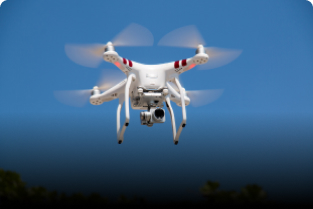
Self-driving cars, delivery robots, and autonomous drones rely on IoT sensors, GPS, cameras, radar, and AI algorithms to navigate safely.

Future developments may include:

  • Driverless public transport
  • Autonomous logistics fleets
  • Smart traffic management
  • Drone-based package delivery

4. Smart Healthcare

Healthcare is benefiting from connected robotic systems that improve patient care and operational efficiency.

Applications include:

  • Robotic-assisted surgery
  • Remote patient monitoring
  • Smart hospital equipment
  • Automated medicine dispensing
  • Elderly care robots

5. Precision Agriculture

IoT sensors and agricultural robots help farmers optimise crop production by monitoring soil conditions, weather, irrigation, and plant health.

Benefits include:

  • Higher crop yields
  • Reduced water consumption
  • Lower labour costs
  • Early pest detection
  • Sustainable farming practices

6. Smart Cities

IoT-connected robots are helping cities become safer and more efficient.

Examples include:

  • Intelligent traffic control
  • Automated waste collection
  • Public safety monitoring
  • Infrastructure inspection
  • Environmental monitoring

7. Warehouse and Logistics Automation

Modern warehouses increasingly use autonomous mobile robots to transport goods, organise inventory, and fulfil customer orders.

Advantages include:

  • Faster order processing
  • Reduced operational costs
  • Greater inventory accuracy
  • Improved workplace safety

8. Home Automation and Personal Robotics

Household robots continue to become more capable with IoT connectivity.

Examples include:

  • Robot vacuum cleaners
  • Smart lawn mowers
  • Home security robots
  • Personal assistant robots
  • Elderly assistance devices

Key Technologies Driving Innovation

Several technologies are accelerating the growth of IoT and robotics:

  • Artificial Intelligence (AI)
  • Machine Learning
  • Edge Computing
  • Cloud Computing
  • 5G Connectivity
  • Computer Vision
  • Digital Twins
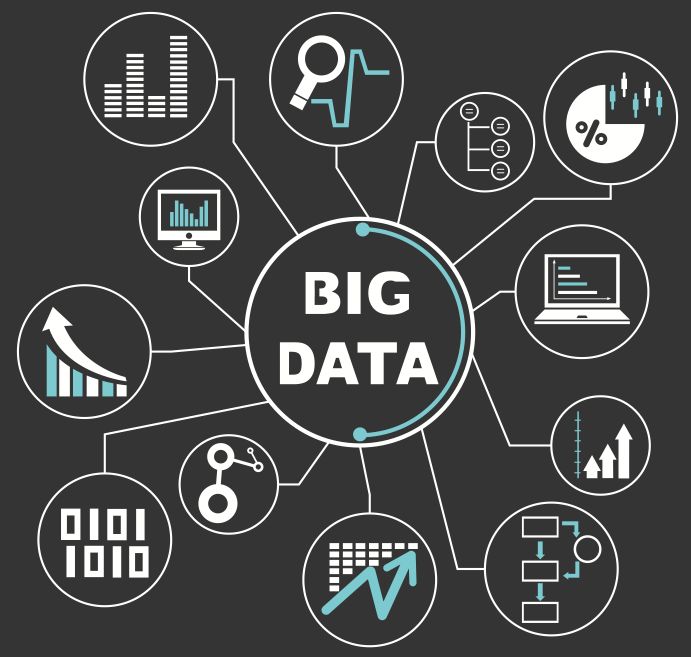
  • Big Data Analytics
  • Advanced Sensors
  • Cybersecurity Technologies

Together, these technologies enable faster communication, real-time analytics, and more intelligent automation.

Benefits of IoT and Robotics

Increased Productivity

Automated systems can perform repetitive tasks around the clock with minimal downtime.

Improved Accuracy

Robots reduce human error in manufacturing, healthcare, and quality inspection.

Enhanced Safety

Robots can safely perform dangerous tasks in hazardous environments such as mining, chemical plants, and disaster response.

Better Decision-Making

IoT devices continuously collect data that organisations can use to improve operations and make informed decisions.

Cost Savings

Automation helps reduce labour costs, minimise waste, and improve resource utilisation.

Sustainability

Smart monitoring systems optimise energy use, water consumption, and waste management, supporting environmentally responsible operations.

Challenges Facing IoT and Robotics

Despite rapid progress, several challenges remain:

  • Cybersecurity threats
  • Data privacy concerns
  • High implementation costs
  • Complex system integration
  • Lack of standardisation
  • Dependence on reliable internet connectivity
  • Ethical concerns regarding automation
  • Workforce reskilling requirements

Addressing these challenges will be essential for the responsible adoption of connected robotic systems.

Career Opportunities in IoT and Robotics

As adoption grows, demand for skilled professionals continues to increase.

Popular career paths include:

  • IoT Developer
  • Robotics Engineer
  • Automation Engineer
  • Embedded Systems Engineer
  • AI Engineer
  • Machine Learning Engineer
  • Data Scientist
  • Control Systems Engineer
  • Computer Vision Engineer
  • Industrial Automation Specialist
  • Mechatronics Engineer
  • Cybersecurity Specialist for IoT

Professionals in these roles work across industries such as manufacturing, healthcare, transportation, agriculture, defence, retail, and smart infrastructure.

Skills Required to Build a Career

To succeed in IoT and robotics, aspiring professionals should develop skills in:

  • Programming (Python, C++, Java)
  • Embedded systems
  • Electronics and microcontrollers
  • Networking fundamentals
  • Artificial Intelligence
  • Machine Learning
  • Cloud computing
  • Robotics programming
  • Sensor integration
  • Data analysis
  • Computer vision
  • Cybersecurity
  • Problem-solving and critical thinking

Practical experience through projects, internships, and certifications can further strengthen career prospects.

The Future Outlook

The future of IoT and robotics is closely linked with advances in AI, edge computing, and next-generation connectivity. Robots are expected to become more collaborative, autonomous, and intelligent, while IoT devices will continue to generate valuable real-time data that supports smarter decisions.

Emerging trends likely to shape the coming years include:

  • Human-robot collaboration in workplaces
  • AI-powered autonomous systems
  • Swarm robotics
  • Digital twin technology for simulation and optimisation
  • Sustainable smart factories
  • Connected healthcare ecosystems
  • Intelligent transportation networks
  • Fully automated logistics centres

As these innovations mature, they will transform industries, improve quality of life, and create new opportunities for businesses and professionals alike.

Conclusion

The combination of IoT and robotics is paving the way for a future defined by intelligent automation, connected devices, and data-driven innovation. From improving industrial productivity and healthcare to advancing agriculture and building smart cities, these technologies are reshaping nearly every aspect of modern life.

What Is Machine Learning? Types, Applications, and Benefits

Machine learning (ML) is one of the most exciting and rapidly growing fields in technology today. It powers many of the digital experiences people use every day, from personalized recommendations on streaming platforms to voice assistants, fraud detection, and self-driving vehicles. As businesses increasingly rely on data to make decisions, machine learning has become a critical technology across industries.

Whether you are a student, a working professional, or simply curious about artificial intelligence, understanding machine learning is an important step toward exploring the future of technology.

What Is Machine Learning?

Machine learning is a branch of artificial intelligence (AI) that enables computers to learn from data and improve their performance without being explicitly programmed for every task. Instead of following fixed rules, machine learning algorithms identify patterns, make predictions, and continuously improve as they process more data.

For example, when an email service filters spam messages, it uses machine learning to analyse millions of emails and identify characteristics commonly associated with spam. Over time, the system becomes more accurate by learning from new examples.

How Does Machine Learning Work?

Machine learning follows a structured process:

  1. Data Collection – Gather relevant data from various sources.
  2. Data Preparation – Clean and organise the data by removing errors and duplicates.
  3. Feature Selection – Identify the most important variables that influence predictions.
  4. Model Training – Use algorithms to learn patterns from historical data.
  5. Model Testing – Evaluate the model using unseen data to measure accuracy.
  6. Deployment – Integrate the trained model into real-world applications.
  7. Continuous Improvement – Retrain and update the model with new data to improve performance.

Types of Machine Learning

1. Supervised Learning

Supervised learning uses labelled datasets where the correct answers are already known. The algorithm learns from these examples to predict outcomes for new data.

Examples:

  • Email spam detection
  • House price prediction
  • Credit risk assessment
  • Medical diagnosis

2. Unsupervised Learning

In unsupervised learning, the data is not labelled. The algorithm discovers hidden patterns, relationships, or groups within the data.

Examples:

  • Customer segmentation
  • Market basket analysis
  • Fraud detection
  • Recommendation systems

3. Semi-Supervised Learning

Semi-supervised learning combines a small amount of labelled data with a larger amount of unlabelled data. This approach improves accuracy while reducing the cost of data labelling.

Examples:

  • Image recognition
  • Speech recognition
  • Medical imaging

4. Reinforcement Learning

Reinforcement learning enables machines to learn by interacting with an environment. The model receives rewards for correct actions and penalties for incorrect ones, gradually learning the best strategy.

Examples:

  • Robotics
  • Self-driving cars
  • Video game AI
  • Autonomous drones

Popular Machine Learning Algorithms

Several algorithms are widely used depending on the problem:

  • Linear Regression
  • Logistic Regression
  • Decision Trees
  • Random Forest
  • Support Vector Machines (SVM)
  • K-Nearest Neighbours (KNN)
  • Naive Bayes
  • K-Means Clustering
  • Neural Networks
  • Deep Learning Models

Each algorithm has unique strengths and is selected based on the complexity and nature of the data.

Real-World Applications of Machine Learning

Machine learning is transforming nearly every industry.

Healthcare

  • Disease prediction
  • Medical image analysis
  • Drug discovery
  • Personalised treatment recommendations

Finance

  • Fraud detection
  • Credit scoring
  • Algorithmic trading
  • Risk management

Retail and E-commerce

  • Product recommendations
  • Customer behaviour analysis
  • Inventory management
  • Dynamic pricing

Manufacturing

  • Predictive maintenance
  • Quality control
  • Supply chain optimisation
  • Production automation

Transportation

  • Route optimisation
  • Traffic prediction
  • Autonomous vehicles
  • Fleet management

Education

  • Personalised learning
  • Student performance analysis
  • Automated grading
  • Intelligent tutoring systems

Cybersecurity

  • Threat detection
  • Malware analysis
  • Network monitoring
  • User behaviour analytics

Entertainment

  • Movie recommendations
  • Music suggestions
  • Content personalisation
  • Audience analytics

Benefits of Machine Learning

Machine learning offers numerous advantages for individuals and organisations.

Improved Decision-Making

By analysing large volumes of data, machine learning helps businesses make faster and more informed decisions.

Increased Efficiency

Automation reduces repetitive tasks and improves operational productivity.

Better Customer Experience

Businesses can deliver personalised recommendations and services based on customer preferences.

Higher Accuracy

Machine learning models often outperform traditional methods in tasks such as image recognition, speech processing, and predictive analytics.

Cost Savings

Automation and predictive maintenance reduce operational costs and minimise downtime.

Scalability

Machine learning systems can process enormous datasets efficiently, making them suitable for organisations of all sizes.

Continuous Learning

Unlike traditional software, machine learning models can improve their performance as new data becomes available.

Challenges of Machine Learning

Despite its advantages, machine learning also faces several challenges:

  • High-quality data is essential for accurate predictions.
  • Data privacy and security concerns continue to grow.
  • Bias in training data can lead to unfair or inaccurate outcomes.
  • Developing and maintaining machine learning models requires specialised skills.
  • Training advanced models can require significant computing resources.

Addressing these challenges is important for building reliable and ethical AI systems.

Skills Needed to Learn Machine Learning

If you want to build a career in machine learning, consider developing these skills:

  • Python programming
  • Mathematics and statistics
  • Linear algebra
  • Probability
  • Data visualisation
  • SQL and databases
  • Data preprocessing
  • Machine learning frameworks such as TensorFlow, PyTorch, and Scikit-learn
  • Model evaluation and optimisation
  • Cloud computing fundamentals

Career Opportunities in Machine Learning

The demand for machine learning professionals continues to grow across industries.

Popular career roles include:

  • Machine Learning Engineer
  • Data Scientist
  • AI Engineer
  • Research Scientist
  • Data Analyst
  • Computer Vision Engineer
  • NLP Engineer
  • Robotics Engineer
  • AI Consultant
  • Business Intelligence Specialist

These careers often offer competitive salaries and opportunities to work on cutting-edge technologies.

The Future of Machine Learning

Machine learning will continue to shape the future of artificial intelligence and digital transformation. Advances in generative AI, natural language processing, computer vision, robotics, healthcare, and autonomous systems are expanding the capabilities of intelligent machines. As organisations generate more data, machine learning will become even more essential for innovation, automation, and decision-making.

Professionals with machine learning expertise are expected to remain in high demand as businesses adopt AI-powered solutions to solve complex problems and create new opportunities.

Conclusion

Machine learning is revolutionising the way computers solve problems and assist people in everyday life. From healthcare and finance to education and entertainment, its applications continue to expand across industries. By understanding the different types of machine learning, exploring its real-world uses, and recognising its benefits and challenges, you can better appreciate its growing importance in the modern world.

Data Science vs Data Analytics: Understanding the Key Differences

As organisations generate massive amounts of data every day, the demand for professionals who can extract valuable insights from that data continues to grow. Two of the most popular career paths in this field are Data Science and Data Analytics. Although these terms are often used interchangeably, they represent different disciplines with unique goals, skill sets, and responsibilities.

Whether you’re a student exploring career options, a professional planning a career switch, or a business owner looking to understand data-driven decision-making, knowing the difference between Data Science and Data Analytics is essential.

In this guide, we’ll compare Data Science and Data Analytics, discuss their roles, required skills, tools, career opportunities, and help you determine which path best suits your interests.

What Is Data Science?

Data Science is an interdisciplinary field that combines mathematics, statistics, computer science, machine learning, and domain expertise to analyse large datasets and build predictive models. Data scientists not only examine historical data but also develop algorithms that forecast future outcomes and automate decision-making.

Their work often involves collecting, cleaning, analysing, and interpreting structured and unstructured data to solve complex business problems.

Key Responsibilities of a Data Scientist

  • Collect and process large datasets
  • Build machine learning models
  • Develop predictive algorithms
  • Perform statistical analysis
  • Create data visualisations
  • Design data pipelines
  • Work with big data technologies
  • Present insights to stakeholders

What Is Data Analytics?

Data Analytics focuses on examining existing data to identify trends, patterns, and actionable insights that support business decisions. Data analysts primarily work with historical data to answer specific questions and improve organisational performance.

Instead of building predictive models, data analysts help businesses understand what has happened and why it happened.

Key Responsibilities of a Data Analyst

  • Collect and clean data
  • Analyse historical datasets
  • Create dashboards and reports
  • Identify business trends
  • Monitor key performance indicators (KPIs)
  • Support business decision-making
  • Generate data visualisations
  • Communicate findings to management

Data Science vs Data Analytics: Key Differences

Feature Data Science Data Analytics
Primary Goal Predict future outcomes and build intelligent systems Analyse historical data for business insights
Focus Predictive and prescriptive analysis Descriptive and diagnostic analysis
Data Type Structured and unstructured data Mostly structured data
Programming Extensive programming Moderate programming
Machine Learning Core component Limited use
Statistics Advanced Intermediate
AI Integration High Low to moderate
Business Focus Innovation and prediction Reporting and decision support
Complexity High Moderate
Typical Outcome Predictive models and AI solutions Reports, dashboards, and recommendations

Skills Required for Data Science

A successful data scientist typically develops expertise in:

Technical Skills

  • Python
  • R programming
  • SQL
  • Machine Learning
  • Deep Learning
  • Artificial Intelligence
  • Statistics
  • Mathematics
  • Data Engineering
  • Big Data technologies
  • Cloud computing
  • Data visualisation

Soft Skills

  • Critical thinking
  • Problem-solving
  • Communication
  • Business understanding
  • Curiosity
  • Creativity

Skills Required for Data Analytics

Data analysts require a strong understanding of data interpretation and business intelligence.

Technical Skills

  • SQL
  • Excel
  • Python (basic to intermediate)
  • R (optional)
  • Statistics
  • Data cleaning
  • Dashboard creation
  • Business Intelligence (BI)
  • Data visualisation

Soft Skills

  • Analytical thinking
  • Communication
  • Attention to detail
  • Business knowledge
  • Time management

Tools Used in Data Science

Data scientists commonly use:

  • Python
  • R
  • Jupyter Notebook
  • TensorFlow
  • PyTorch
  • Apache Spark
  • Hadoop
  • Scikit-learn
  • Docker
  • Kubernetes
  • Git
  • AWS
  • Microsoft Azure
  • Google Cloud Platform

These tools help build machine learning models, process big data, and deploy AI solutions.

Tools Used in Data Analytics

Data analysts frequently work with:

  • Microsoft Excel
  • SQL
  • Power BI
  • Tableau
  • Google Looker Studio
  • Python
  • R
  • SAS
  • Microsoft Power Query

These tools are mainly used for reporting, visualisation, and business intelligence.

Types of Analysis

Understanding the types of analysis helps clarify the distinction between these fields.

Data Analytics

Data analysts typically perform:

  • Descriptive Analytics – What happened?
  • Diagnostic Analytics – Why did it happen?

Data Science

Data scientists often focus on:

  • Predictive Analytics – What is likely to happen?
  • Prescriptive Analytics – What should be done?

Industries That Hire Data Scientists

Data scientists work across numerous industries, including:

  • Healthcare
  • Banking
  • Finance
  • Retail
  • E-commerce
  • Manufacturing
  • Telecommunications
  • Artificial Intelligence
  • Cyber Security
  • Government
  • Logistics

Their expertise helps organisations predict customer behaviour, optimise operations, and develop innovative products.

Industries That Hire Data Analysts

Data analysts are in demand in sectors such as:

  • Marketing
  • Healthcare
  • Banking
  • Human Resources
  • Retail
  • Education
  • Insurance
  • Government
  • Media
  • Manufacturing

They provide insights that improve operational efficiency and strategic planning.

Career Opportunities

Data Science Careers

Popular roles include:

  • Data Scientist
  • Machine Learning Engineer
  • AI Engineer
  • Data Engineer
  • Research Scientist
  • NLP Engineer
  • Computer Vision Engineer
  • Quantitative Analyst

Data Analytics Careers

Common positions include:

  • Data Analyst
  • Business Analyst
  • BI Analyst
  • Reporting Analyst
  • Marketing Analyst
  • Financial Analyst
  • Operations Analyst
  • Product Analyst

Both fields offer excellent career growth as organisations continue to rely on data-driven decision-making.

Which Career Should You Choose?

Your choice depends on your interests and long-term goals.

Choose Data Science if you:

  • Enjoy programming
  • Like mathematics and statistics
  • Want to build AI and machine learning models
  • Enjoy solving complex technical problems
  • Prefer working with large datasets
  • Are interested in predictive analytics

Choose Data Analytics if you:

  • Enjoy interpreting data
  • Like creating reports and dashboards
  • Want to help businesses make informed decisions
  • Prefer business-focused analysis
  • Are comfortable with moderate programming
  • Enjoy communicating insights to stakeholders

Can You Transition from Data Analytics to Data Science?

Yes. Many professionals begin their careers as data analysts and later move into data science. A solid understanding of data analysis provides a strong foundation for learning advanced topics such as:

  • Machine Learning
  • Deep Learning
  • Artificial Intelligence
  • Big Data
  • Cloud Computing
  • Data Engineering

Developing programming skills in Python and gaining hands-on experience with machine learning projects can make the transition smoother.

Future Trends

Both Data Science and Data Analytics continue to evolve alongside advances in technology. Emerging trends include:

  • Generative AI integration
  • Automated Machine Learning (AutoML)
  • Real-time analytics
  • Cloud-native data platforms
  • Data governance and privacy
  • Explainable AI (XAI)
  • Edge analytics
  • Augmented analytics powered by AI

Professionals who stay current with these trends will remain highly valuable in the job market.

Conclusion

Data Science and Data Analytics are closely related fields, but they serve different purposes. Data Analytics focuses on understanding historical data to uncover insights and support business decisions, while Data Science goes a step further by using advanced algorithms, machine learning, and statistical models to predict future outcomes and solve complex problems.

Artificial Intelligence Explained: Types, Applications, and Benefits

Artificial Intelligence (AI) has become one of the most transformative technologies of the 21st century. From voice assistants and recommendation systems to self-driving cars and advanced medical diagnostics, AI is reshaping how people live, work, and interact with technology. As businesses and industries increasingly adopt AI-powered solutions, understanding its fundamentals has become essential for students, professionals, and technology enthusiasts alike.

This comprehensive guide explains what Artificial Intelligence is, explores its different types, highlights real-world applications, discusses its benefits and challenges, and looks at the future of AI.

What Is Artificial Intelligence?

Artificial Intelligence (AI) is a branch of computer science that focuses on creating machines and software capable of performing tasks that typically require human intelligence. These tasks include learning, reasoning, problem-solving, understanding language, recognising images, making decisions, and adapting to new information.

AI systems analyse large amounts of data, identify patterns, and use algorithms to make predictions or perform actions with minimal human intervention.

How Does Artificial Intelligence Work?

AI combines several technologies to simulate intelligent behaviour. These include:

  • Machine Learning (ML)
  • Deep Learning
  • Natural Language Processing (NLP)
  • Computer Vision
  • Robotics
  • Expert Systems

AI systems generally follow these steps:

  1. Collect data from various sources.
  2. Process and clean the data.
  3. Train machine learning models.
  4. Identify patterns and relationships.
  5. Make predictions or decisions.
  6. Improve performance through continuous learning.

The quality of the data and algorithms directly affects the accuracy and reliability of AI systems.

Types of Artificial Intelligence

AI can be classified based on its capabilities and functionality.

Based on Capabilities

1. Narrow AI (Weak AI)

Narrow AI is designed to perform specific tasks. It cannot think beyond its programmed functions.

Examples include:

  • Virtual assistants
  • Recommendation systems
  • Spam filters
  • Facial recognition
  • Language translation

Most AI applications used today fall into this category.

2. General AI (Strong AI)

General AI refers to machines capable of performing any intellectual task that a human can perform. Such systems would be able to learn, reason, and solve unfamiliar problems across many domains.

General AI remains a research goal and has not yet been achieved.

3. Super AI

Super AI is a hypothetical form of intelligence that would surpass human cognitive abilities in virtually every field, including creativity, scientific reasoning, and decision-making.

It remains a theoretical concept rather than an existing technology.

Based on Functionality

Reactive Machines

These systems respond to specific inputs but do not store memories or learn from past experiences.

Limited Memory AI

These AI systems use historical data to improve decisions over time. Most modern AI applications operate using limited memory.

Theory of Mind AI

This theoretical AI would understand human emotions, intentions, and social interactions.

Self-Aware AI

Self-aware AI represents a hypothetical stage where machines possess consciousness and self-awareness.

Key Technologies Behind AI

Artificial Intelligence relies on several advanced technologies.

Machine Learning

Machine Learning enables computers to learn from data without being explicitly programmed.

Deep Learning

Deep Learning uses artificial neural networks with multiple layers to process complex information such as speech and images.

Natural Language Processing (NLP)

NLP allows computers to understand, interpret, and generate human language.

Applications include:

  • Chatbots
  • Voice assistants
  • Language translation
  • Text summarisation

Computer Vision

Computer Vision enables machines to interpret images and videos.

Common uses include:

  • Facial recognition
  • Medical imaging
  • Quality inspection
  • Autonomous vehicles

Robotics

Robotics combines AI with mechanical engineering to build intelligent machines capable of performing physical tasks.

Real-World Applications of Artificial Intelligence

AI is transforming nearly every industry.

Healthcare

Healthcare organisations use AI for:

  • Disease diagnosis
  • Medical imaging analysis
  • Drug discovery
  • Personalised treatment recommendations
  • Remote patient monitoring

Finance

Financial institutions apply AI to:

  • Fraud detection
  • Credit scoring
  • Risk analysis
  • Automated trading
  • Customer service chatbots

Education

AI improves education by enabling:

  • Personalised learning experiences
  • Intelligent tutoring systems
  • Automated grading
  • Learning analytics
  • Virtual teaching assistants

Retail and E-commerce

Retail companies use AI for:

  • Product recommendations
  • Inventory management
  • Customer support
  • Demand forecasting
  • Dynamic pricing

Manufacturing

Manufacturers benefit from AI through:

  • Predictive maintenance
  • Quality control
  • Robotics automation
  • Production optimisation
  • Supply chain management

Transportation

AI powers:

  • Autonomous vehicles
  • Traffic management
  • Route optimisation
  • Fleet management
  • Driver assistance systems

Agriculture

Farmers use AI for:

  • Crop monitoring
  • Precision farming
  • Weather prediction
  • Pest detection
  • Smart irrigation

Cyber Security

AI strengthens cyber security by:

  • Detecting threats
  • Monitoring networks
  • Preventing fraud
  • Identifying malware
  • Automating incident response

Benefits of Artificial Intelligence

Artificial Intelligence provides numerous advantages across industries.

Increased Efficiency

AI automates repetitive tasks, allowing employees to focus on more valuable work.

Improved Decision-Making

AI analyses vast amounts of information quickly, helping organisations make informed decisions.

Higher Accuracy

AI reduces human error in areas such as diagnostics, financial analysis, and manufacturing.

Cost Savings

Automation reduces operational costs while improving productivity.

Better Customer Experience

AI-powered chatbots and recommendation systems deliver faster and more personalised services.

24/7 Availability

Unlike humans, AI systems can operate continuously without breaks.

Faster Innovation

AI accelerates research and development in healthcare, engineering, finance, and many other sectors.

Challenges of Artificial Intelligence

Despite its benefits, AI also presents important challenges.

Data Privacy

AI systems often require large datasets, raising concerns about the collection, storage, and use of personal information.

Bias in AI Models

If training data contains biases, AI systems may produce unfair or discriminatory outcomes.

Job Displacement

Automation may reduce demand for certain roles while creating new opportunities that require different skills.

Security Risks

AI systems can be targeted by cyberattacks or misused for malicious purposes, making strong security measures essential.

Ethical Concerns

Questions around accountability, transparency, fairness, and responsible AI development continue to shape public and industry discussions.

Essential Skills for Learning AI

Individuals interested in Artificial Intelligence should build skills in:

  • Mathematics and statistics
  • Python programming
  • Machine Learning
  • Deep Learning
  • Data analysis
  • Data visualisation
  • SQL and databases
  • Cloud computing
  • Problem-solving
  • Critical thinking

Practical experience through projects and datasets is equally important.

Career Opportunities in Artificial Intelligence

AI offers exciting career paths across multiple industries.

Popular roles include:

  • AI Engineer
  • Machine Learning Engineer
  • Data Scientist
  • Robotics Engineer
  • NLP Engineer
  • Computer Vision Engineer
  • AI Research Scientist
  • AI Product Manager
  • Business Intelligence Analyst
  • AI Consultant

As AI adoption continues to grow, demand for skilled professionals is expected to remain strong.

Future Trends in Artificial Intelligence

The future of AI is expected to include:

  • Generative AI for content creation
  • Explainable AI (XAI) for greater transparency
  • AI-powered healthcare innovations
  • Smarter autonomous vehicles
  • AI in climate and sustainability solutions
  • Edge AI for faster local processing
  • Human-AI collaboration in workplaces
  • Responsible and ethical AI governance

These developments will continue to shape industries and create new opportunities around the world.

Tips for Beginners

If you are new to Artificial Intelligence, consider these steps:

  1. Learn the basics of programming, especially Python.
  2. Build a foundation in mathematics and statistics.
  3. Study Machine Learning concepts.
  4. Practise using real datasets.
  5. Explore AI libraries such as TensorFlow and PyTorch.
  6. Work on small AI projects to strengthen your practical skills.
  7. Stay updated with the latest AI research and industry trends.

Conclusion

Artificial Intelligence is transforming the way we live, work, and solve complex problems. From healthcare and finance to education, manufacturing, and transportation, AI is driving innovation, improving efficiency, and creating new opportunities across countless industries.

Cyber Security for Beginners: Everything You Need to Know

In today’s digital world, cyber security has become one of the most important aspects of our daily lives. Whether you’re browsing social media, shopping online, using mobile banking, or working remotely, your personal information is constantly at risk from cyber threats. As technology continues to evolve, cybercriminals are finding new ways to exploit vulnerabilities, making cyber security knowledge essential for everyone—not just IT professionals.

This beginner-friendly guide explains the basics of cyber security, common cyber threats, essential security practices, career opportunities, and how you can start learning cyber security from scratch.

What Is Cyber Security?

Cyber security is the practice of protecting computers, networks, software, mobile devices, and data from cyberattacks, unauthorised access, and digital threats. It involves using technologies, policies, and security measures to keep sensitive information safe from hackers and malicious software.

The primary goals of cyber security are:

  • Protect sensitive information
  • Prevent unauthorised access
  • Ensure data confidentiality
  • Maintain system integrity
  • Guarantee service availability

Together, these objectives form the foundation of a secure digital environment.

Why Is Cyber Security Important?

Every day, individuals and organisations store valuable information online. Without proper protection, cybercriminals can steal personal identities, financial information, business data, and confidential records.

Cyber security is important because it helps:

  • Protect personal information
  • Prevent financial fraud
  • Secure business operations
  • Protect customer data
  • Prevent ransomware attacks
  • Safeguard critical infrastructure
  • Build customer trust
  • Maintain legal and regulatory compliance

As businesses increasingly rely on digital technologies, cyber security has become a critical business priority.

Common Types of Cyber Threats

Understanding common cyber threats is the first step towards protecting yourself online.

1. Malware

Malware is malicious software designed to damage computers or steal information. Common types include:

  • Viruses
  • Worms
  • Trojans
  • Spyware
  • Adware
  • Ransomware

2. Phishing Attacks

Phishing involves fraudulent emails, text messages, or websites that trick users into revealing passwords, banking details, or other sensitive information.

3. Ransomware

Ransomware encrypts files and demands payment in exchange for restoring access. It can affect individuals, businesses, hospitals, and government organisations.

4. Password Attacks

Weak passwords make it easier for attackers to gain access to online accounts through methods such as brute-force attacks and credential stuffing.

5. Denial-of-Service (DoS) Attacks

These attacks overwhelm websites or servers with excessive traffic, making services unavailable to legitimate users.

6. Insider Threats

Not all threats come from outside an organisation. Employees or contractors can intentionally or accidentally expose sensitive information.

Key Components of Cyber Security

Cyber security consists of several specialised areas.

Network Security

Protects computer networks from unauthorised access and cyberattacks through firewalls, intrusion detection systems, and secure network configurations.

Application Security

Ensures software applications are designed, developed, and maintained with security in mind to minimise vulnerabilities.

Information Security

Protects digital and physical data from theft, alteration, and unauthorised access.

Cloud Security

Secures cloud-based infrastructure, applications, and data stored on platforms such as public, private, and hybrid clouds.

Endpoint Security

Protects laptops, desktops, smartphones, tablets, and other connected devices from malware and cyber threats.

Identity and Access Management (IAM)

Controls who can access systems and ensures users only have the permissions they need.

Essential Cyber Security Best Practices

Everyone can improve their online safety by following these best practices.

Use Strong Passwords

Create unique passwords with a mix of:

  • Uppercase letters
  • Lowercase letters
  • Numbers
  • Special characters

Avoid using personal information such as birthdays or names.

Enable Multi-Factor Authentication (MFA)

MFA provides an additional layer of security by requiring a second verification method beyond your password.

Keep Software Updated

Install updates for operating systems, browsers, antivirus software, and applications to patch known security vulnerabilities.

Beware of Suspicious Emails

Never click on unknown links or download unexpected attachments without verifying the sender.

Back Up Your Data

Regularly back up important files using secure cloud storage or external drives to minimise the impact of data loss or ransomware attacks.

Use Trusted Security Software

Install reputable antivirus and anti-malware solutions and keep them updated.

Secure Your Wi-Fi Network

Use strong Wi-Fi passwords and modern encryption (such as WPA2 or WPA3) to prevent unauthorised access.

Essential Cyber Security Tools

Professionals rely on various tools to detect and prevent cyber threats.

Some commonly used tools include:

  • Antivirus software
  • Firewalls
  • Password managers
  • VPNs (Virtual Private Networks)
  • Security Information and Event Management (SIEM) platforms
  • Vulnerability scanners
  • Intrusion Detection Systems (IDS)
  • Endpoint Detection and Response (EDR) solutions

Learning these tools can help beginners develop practical cyber security skills.

Basic Cyber Security Skills Beginners Should Learn

If you’re starting your cyber security journey, focus on building these foundational skills:

  • Computer networking fundamentals
  • Operating systems (Windows and Linux)
  • Basic programming (Python is a great starting point)
  • Networking protocols
  • Web application security
  • Cryptography basics
  • Risk management
  • Incident response
  • Ethical hacking concepts
  • Cloud computing fundamentals

Strong analytical thinking and problem-solving abilities are equally important.

Career Opportunities in Cyber Security

Cyber security is one of the fastest-growing career fields worldwide. Organisations across industries need professionals to protect their digital assets.

Popular career roles include:

  • Cyber Security Analyst
  • Security Engineer
  • Penetration Tester
  • Ethical Hacker
  • Security Consultant
  • Incident Response Analyst
  • Digital Forensics Expert
  • Cloud Security Engineer
  • Security Operations Centre (SOC) Analyst
  • Chief Information Security Officer (CISO)

With experience and certifications, cyber security professionals can access excellent career progression and competitive salaries.

How to Start Learning Cyber Security

If you’re new to cyber security, follow a structured learning path.

Step 1: Learn Computer Basics

Understand how computers, operating systems, and networks function.

Step 2: Study Networking

Learn concepts such as:

  • IP addresses
  • DNS
  • HTTP and HTTPS
  • TCP/IP
  • Routers
  • Switches

Step 3: Learn Linux

Linux is widely used in servers and cyber security environments, making it an essential skill.

Step 4: Understand Common Threats

Study malware, phishing, ransomware, social engineering, and password attacks.

Step 5: Practise in Safe Environments

Use legal practice platforms and virtual labs to build hands-on skills without risking real systems.

Step 6: Learn Security Tools

Gain practical experience with firewalls, vulnerability scanners, password managers, and monitoring tools.

Step 7: Earn Certifications

Beginner-friendly certifications include:

  • CompTIA Security+
  • Google Cybersecurity Certificate
  • ISC2 Certified in Cybersecurity (CC)

These credentials can help demonstrate foundational knowledge to employers.

Future of Cyber Security

Cyber security continues to evolve as technology advances. Several emerging trends are shaping the future:

  • Artificial intelligence for threat detection
  • Zero Trust security models
  • Cloud-native security
  • Internet of Things (IoT) protection
  • Automation in security operations
  • Extended Detection and Response (XDR)
  • Quantum-resistant cryptography
  • Enhanced privacy technologies

As cyber threats become more sophisticated, demand for skilled cyber security professionals will continue to grow.

Conclusion

Cyber security is no longer optional—it’s an essential part of modern digital life. Whether you’re an individual protecting personal information or someone considering a career in technology, understanding cyber security fundamentals is a valuable investment.

Android App Development Roadmap: From Beginner to Professional

Android powers billions of smartphones, tablets, smart TVs, wearables, and other connected devices worldwide, making it the most widely used mobile operating system. As businesses continue to invest in mobile applications, the demand for skilled Android developers remains strong across industries.

Whether you want to build your own apps, work for a technology company, or start a freelance career, following a structured learning roadmap can help you become a professional Android developer. This guide outlines the essential skills, tools, and milestones needed to succeed in Android app development.

Why Choose Android App Development?

Android development offers numerous career opportunities and creative possibilities. Some key benefits include:

  • High demand for skilled developers
  • Competitive salaries
  • Opportunities for freelance and remote work
  • Access to a global user base
  • Continuous innovation in mobile technologies
  • Ability to create apps for smartphones, tablets, TVs, wearables, and automotive systems

With millions of Android devices in use, businesses are constantly looking for developers who can create reliable and user-friendly applications.

Step 1: Learn Programming Fundamentals

Programming is the foundation of Android development. Before building apps, you should understand core programming concepts such as:

  • Variables and data types
  • Operators
  • Conditional statements
  • Loops
  • Functions
  • Object-Oriented Programming (OOP)
  • Error handling
  • Collections

Recommended Programming Languages

Kotlin

Kotlin is Google’s preferred language for Android development because it is modern, concise, and safer than many traditional programming languages.

Java

Although Kotlin is now the primary language, Java remains widely used in existing Android projects and is still valuable to learn.

Step 2: Understand Android Fundamentals

After learning programming, focus on Android-specific concepts.

Key topics include:

  • Android architecture
  • Activities
  • Fragments
  • Intents
  • Services
  • Broadcast Receivers
  • Content Providers
  • App lifecycle

A solid understanding of these concepts is essential for developing stable applications.

Step 3: Master Android Studio

Android Studio is the official Integrated Development Environment (IDE) for Android development.

Important features include:

  • Code editor
  • Layout editor
  • Emulator
  • Debugger
  • Performance profiler
  • APK analyser
  • Device Manager

Learning Android Studio efficiently will improve your productivity throughout your development career.

Step 4: Learn XML and Jetpack Compose

Android applications use modern UI technologies to create attractive interfaces.

XML Layouts

XML has traditionally been used for:

  • Buttons
  • Text fields
  • Navigation
  • Layout design
  • User interface components

Jetpack Compose

Jetpack Compose is Google’s modern toolkit for building Android user interfaces.

Benefits include:

  • Less code
  • Faster development
  • Better performance
  • Easier maintenance
  • Improved UI flexibility

Most new Android applications increasingly use Jetpack Compose.

Step 5: Understand Material Design

Material Design provides design guidelines for creating attractive and consistent applications.

Learn about:

  • Typography
  • Colour systems
  • Icons
  • Navigation
  • Buttons
  • Cards
  • Animations
  • Responsive layouts

Good design significantly improves the user experience.

Step 6: Learn App Navigation

Navigation allows users to move smoothly between screens.

Important concepts include:

  • Navigation Component
  • Bottom navigation
  • Drawer navigation
  • Deep links
  • Back stack management

Well-designed navigation enhances usability.

Step 7: Work with Databases

Many Android applications store user information locally or remotely.

Learn database technologies such as:

  • SQLite
  • Room Database
  • Firebase Firestore
  • MongoDB
  • MySQL (via backend APIs)

Database skills are essential for building data-driven applications.

Step 8: Learn Networking

Modern mobile apps frequently connect to online services.

Important networking topics include:

  • REST APIs
  • JSON
  • Retrofit
  • Volley
  • HTTP requests
  • API authentication

Networking enables apps to fetch real-time information from servers.

Step 9: Understand Architecture Patterns

Professional Android applications use structured architectures for scalability and maintainability.

Popular architecture patterns include:

  • MVC (Model-View-Controller)
  • MVP (Model-View-Presenter)
  • MVVM (Model-View-ViewModel)
  • Clean Architecture

MVVM combined with Jetpack components is widely adopted in modern Android development.

Step 10: Learn Android Jetpack Libraries

Jetpack provides powerful libraries that simplify Android development.

Important libraries include:

  • ViewModel
  • LiveData
  • Navigation
  • Room
  • WorkManager
  • Paging
  • DataStore
  • CameraX

These libraries reduce development time and improve application quality.

Step 11: Implement Security Best Practices

Security is a critical aspect of Android development.

Developers should understand:

  • Secure authentication
  • Data encryption
  • Biometric authentication
  • Secure storage
  • HTTPS communication
  • API security
  • Permission handling

Building secure apps protects both users and businesses.

Step 12: Testing and Debugging

Professional developers thoroughly test their applications before release.

Testing methods include:

  • Unit testing
  • UI testing
  • Integration testing
  • Performance testing
  • Manual testing

Useful tools include:

  • JUnit
  • Espresso
  • Android Emulator
  • Logcat
  • Android Profiler

Testing ensures apps are reliable and provide a smooth user experience.

Step 13: Publish Apps on Google Play

Once your app is complete, you can publish it on the Google Play Store.

The publishing process includes:

  • Creating a developer account
  • Generating signed app bundles
  • Writing app descriptions
  • Uploading screenshots
  • Setting pricing
  • Testing releases
  • Monitoring analytics

Learning the publishing process is an important milestone for every Android developer.

Essential Tools Every Android Developer Should Know

Professional Android developers commonly use:

  • Android Studio
  • Kotlin
  • Java
  • Git
  • GitHub
  • Firebase
  • Retrofit
  • Room Database
  • Jetpack Compose
  • Gradle
  • Postman
  • Figma

Mastering these tools improves productivity and collaboration.

Build Practical Projects

The best way to improve your skills is by creating real applications.

Project ideas include:

  • Calculator app
  • Notes app
  • Weather application
  • To-do list
  • Expense tracker
  • Chat application
  • Food delivery app
  • E-commerce app
  • Fitness tracker
  • News application

Each project helps strengthen your coding, UI design, and problem-solving abilities.

Create a Strong Portfolio

A professional portfolio demonstrates your practical experience.

Include:

  • Android applications
  • GitHub repositories
  • App screenshots
  • Source code
  • Technical skills
  • Certifications
  • Personal projects

A strong portfolio often has a greater impact than certifications alone.

Career Opportunities

Android developers can pursue roles such as:

  • Android Developer
  • Mobile Application Developer
  • Kotlin Developer
  • Java Developer
  • Full-Stack Mobile Developer
  • Software Engineer
  • Mobile UI Developer
  • Application Architect
  • Technical Consultant
  • Freelance App Developer

Industries hiring Android developers include healthcare, finance, education, e-commerce, gaming, entertainment, logistics, and technology.

Emerging Trends in Android Development

The Android ecosystem continues to evolve with exciting innovations, including:

  • Artificial Intelligence integration
  • Machine Learning on mobile
  • Foldable device optimisation
  • Wear OS development
  • Internet of Things (IoT)
  • Augmented Reality (AR)
  • 5G-enabled applications
  • Cross-platform development
  • Voice assistants
  • Cloud-connected mobile applications

Keeping up with these trends will help developers stay competitive in the industry.

Tips for Becoming a Professional Android Developer

To accelerate your growth:

  • Code consistently and build projects regularly.
  • Read official Android documentation and best practices.
  • Contribute to open-source projects.
  • Learn Git and version control.
  • Participate in coding challenges and hackathons.
  • Stay updated with the latest Android releases.
  • Join developer communities and forums.
  • Continuously refine your UI/UX design skills.

Conclusion

Becoming a professional Android developer is a rewarding journey that requires dedication, continuous learning, and hands-on practice. By mastering programming languages like Kotlin and Java, understanding Android architecture, learning modern tools such as Android Studio and Jetpack Compose, and building real-world projects, you can develop the expertise needed to create high-quality mobile applications.

How to Become a Successful Web Developer: Skills, Tools, and Career Path

The internet has become an essential part of everyday life, and websites power everything from online shopping and education to entertainment and business. Behind every functional and visually appealing website is a skilled web developer. As businesses continue to invest in their digital presence, the demand for talented web developers remains strong across industries.

Whether you’re a student, career changer, or aspiring freelancer, becoming a successful web developer requires a combination of technical expertise, practical experience, and continuous learning. This guide explores the skills, tools, and career path you need to succeed in web development.

What Is Web Development?

Web development is the process of creating, building, and maintaining websites and web applications. It involves writing code, designing user interfaces, managing databases, and ensuring websites are fast, secure, and responsive across different devices.

Web development is generally divided into three main areas:

  • Front-End Development: Focuses on the visual elements users interact with.
  • Back-End Development: Handles server-side logic, databases, and application functionality.
  • Full-Stack Development: Combines front-end and back-end development skills.

Essential Skills Every Web Developer Should Master

1. HTML

HTML (HyperText Markup Language) forms the structure of every webpage. It defines elements such as headings, paragraphs, images, forms, tables, and links.

2. CSS

CSS (Cascading Style Sheets) controls the appearance of websites by managing layouts, colours, typography, spacing, and responsive designs.

Key CSS concepts include:

  • Flexbox
  • CSS Grid
  • Animations
  • Media Queries
  • Responsive Design

3. JavaScript

JavaScript brings websites to life by adding interactivity and dynamic functionality.

Common uses include:

  • Interactive forms
  • Image sliders
  • Pop-ups
  • Real-time updates
  • API integration
  • Animations

JavaScript remains one of the most important programming languages for web development.

4. Version Control (Git)

Git enables developers to track code changes and collaborate effectively.

Essential Git commands include:

  • Clone
  • Commit
  • Push
  • Pull
  • Merge
  • Branch

Platforms like GitHub and GitLab make code collaboration easier.

5. Responsive Web Design

Modern websites must work seamlessly across:

  • Smartphones
  • Tablets
  • Laptops
  • Desktop computers

Understanding responsive design ensures an optimal user experience on every screen size.

6. Front-End Frameworks

Learning a modern JavaScript framework significantly improves productivity.

Popular options include:

  • React
  • Angular
  • Vue.js
  • Svelte

These frameworks simplify the development of interactive user interfaces.

7. Back-End Development

Back-end developers build the logic that powers websites.

Popular technologies include:

  • Node.js
  • Express.js
  • PHP
  • Python
  • Django
  • Laravel
  • ASP.NET

Understanding server-side development allows you to create complete web applications.

8. Databases

Most websites store information in databases.

Common database technologies include:

  • MySQL
  • PostgreSQL
  • MongoDB
  • SQLite
  • Firebase

Database knowledge is essential for managing user accounts, products, and application data.

9. APIs

APIs (Application Programming Interfaces) allow applications to exchange information.

Web developers frequently work with:

  • REST APIs
  • GraphQL
  • Payment APIs
  • Authentication APIs
  • Social media APIs

API integration expands website functionality without building every feature from scratch.

10. Problem-Solving Skills

Web development is about solving technical challenges. Strong analytical thinking helps developers debug errors, optimise performance, and create efficient solutions.

Essential Tools for Web Developers

Professional developers rely on various tools to streamline their workflow.

Code Editors

Popular options include:

  • Visual Studio Code
  • Sublime Text
  • WebStorm

Browsers

Testing websites across different browsers is essential.

Common choices include:

  • Google Chrome
  • Mozilla Firefox
  • Microsoft Edge
  • Safari

Design Tools

Developers often collaborate with designers using:

  • Figma
  • Adobe XD
  • Sketch

Testing Tools

Useful testing tools include:

  • Chrome DevTools
  • Lighthouse
  • Postman
  • Jest
  • Cypress

These tools help identify bugs, improve performance, and ensure a smooth user experience.

Soft Skills That Make Great Web Developers

Technical skills are only part of the equation. Successful web developers also possess:

  • Communication skills
  • Teamwork
  • Time management
  • Adaptability
  • Creativity
  • Critical thinking
  • Attention to detail
  • Continuous learning

These qualities help developers work effectively with clients, designers, and project managers.

Step-by-Step Career Path

Step 1: Learn the Basics

Start by mastering:

  • HTML
  • CSS
  • JavaScript

These three technologies form the foundation of web development.

Step 2: Build Projects

Practice by creating:

  • Personal portfolio websites
  • Landing pages
  • Blogs
  • E-commerce websites
  • Dashboards
  • Weather applications
  • To-do list apps

Real-world projects strengthen your practical skills.

Step 3: Learn Git and GitHub

Version control is an essential industry skill. Host your projects on GitHub to showcase your work to employers and clients.

Step 4: Choose a Specialisation

Depending on your interests, focus on:

  • Front-end development
  • Back-end development
  • Full-stack development
  • WordPress development
  • Web application development

Step 5: Learn Frameworks

Master at least one front-end and one back-end framework to increase your employability.

Step 6: Build a Portfolio

Your portfolio should include:

  • Personal projects
  • Client work
  • GitHub repositories
  • Technical skills
  • Certifications
  • Contact information

A strong portfolio often carries more weight than a résumé alone.

Step 7: Gain Practical Experience

You can build experience through:

  • Freelancing
  • Internships
  • Open-source contributions
  • Hackathons
  • Personal projects

Practical experience demonstrates your ability to solve real-world problems.

Step 8: Apply for Jobs

Popular web development roles include:

  • Front-End Developer
  • Back-End Developer
  • Full-Stack Developer
  • WordPress Developer
  • UI Developer
  • JavaScript Developer
  • Web Application Developer

Emerging Trends in Web Development

The industry continues to evolve rapidly. Key trends include:

  • AI-powered web development
  • Progressive Web Apps (PWAs)
  • Serverless architecture
  • Jamstack
  • WebAssembly
  • Voice-enabled interfaces
  • Motion UI
  • Cybersecurity-focused development
  • Low-code and no-code platforms

Staying current with these technologies will keep your skills relevant.

Career Opportunities

Web developers can work in many sectors, including:

  • Software companies
  • IT consulting firms
  • E-commerce businesses
  • Healthcare
  • Finance
  • Education
  • Government
  • Digital marketing agencies
  • Start-ups

Many developers also enjoy successful careers as freelancers or remote professionals.

Tips for Long-Term Success

To build a rewarding career in web development:

  • Practise coding every day.
  • Stay updated with new frameworks and tools.
  • Read technical blogs and documentation.
  • Join developer communities and attend meetups.
  • Contribute to open-source projects.
  • Continuously improve your portfolio.
  • Learn basic UI/UX design principles.
  • Focus on writing clean, maintainable, and secure code.

Conclusion

Becoming a successful web developer is a journey that combines technical knowledge, hands-on practice, and a commitment to lifelong learning. By mastering core technologies such as HTML, CSS, JavaScript, databases, APIs, and modern frameworks, you can create responsive, secure, and high-performing websites that meet the needs of users and businesses alike.

Top Skills and Technologies Every Robot Engineer Should Master

Robot engineering is one of the fastest-growing fields in technology, combining mechanical engineering, electronics, computer science, and artificial intelligence to create intelligent machines. Robots are transforming industries such as manufacturing, healthcare, agriculture, logistics, defence, and space exploration. As automation becomes more advanced, the demand for skilled robot engineers continues to rise.

To build innovative robotic systems, engineers need a combination of technical knowledge, problem-solving abilities, and practical experience with modern technologies. Whether you’re a student planning a career in robotics or a professional looking to upgrade your skills, mastering the right technologies is essential for long-term success.

1. Strong Programming Skills

Programming is the foundation of robotics. Every robot relies on software to perform tasks, process information, and interact with its environment.

Popular programming languages include:

  • Python – Widely used for AI, machine learning, and robotics development.
  • C++ – Ideal for high-performance robotic applications.
  • Java – Useful for robotics software and Android-based robots.
  • MATLAB – Used for simulations and algorithm development.

Learning multiple programming languages increases flexibility when working with different robotic platforms.

2. Mechanical Engineering Fundamentals

A robot’s physical design determines its functionality. Robot engineers should understand:

  • Mechanics
  • Kinematics
  • Dynamics
  • CAD (Computer-Aided Design)
  • Material selection
  • Manufacturing processes

Knowledge of mechanical systems helps engineers design robots that are efficient, durable, and reliable.

3. Electronics and Circuit Design

Robots combine hardware with intelligent software. Engineers must understand:

  • Electronic circuits
  • Microcontrollers
  • Power management
  • Sensors
  • Actuators
  • PCB design

Working with electronics enables engineers to build robotic hardware capable of precise movement and control.

4. Embedded Systems

Embedded systems act as the brain of a robot by controlling its operations in real time.

Important areas include:

  • Arduino
  • Raspberry Pi
  • STM32
  • ESP32
  • ARM processors
  • Real-Time Operating Systems (RTOS)

Understanding embedded systems allows engineers to create responsive and efficient robots.

5. Artificial Intelligence and Machine Learning

Modern robots are becoming increasingly intelligent thanks to AI.

Essential AI skills include:

  • Machine learning
  • Deep learning
  • Neural networks
  • Computer vision
  • Reinforcement learning
  • Natural language processing

AI enables robots to recognize objects, make decisions, and learn from experience.

6. Robotics Operating System (ROS)

ROS (Robot Operating System) is one of the most important technologies in robotics.

ROS helps engineers:

  • Build robotic applications
  • Connect sensors
  • Control robot movement
  • Process data
  • Simulate robots
  • Test algorithms

Many robotics companies expect engineers to have hands-on experience with ROS.

7. Sensor Technology

Robots rely on sensors to understand their surroundings.

Important sensors include:

  • Ultrasonic sensors
  • Infrared sensors
  • GPS
  • LiDAR
  • Cameras
  • IMUs (Inertial Measurement Units)
  • Pressure sensors

Understanding sensor integration improves robot accuracy and safety.

8. Computer Vision

Computer vision allows robots to interpret visual information.

Important topics include:

  • Image processing
  • Object detection
  • Face recognition
  • Optical character recognition
  • 3D vision
  • OpenCV

Computer vision is widely used in autonomous vehicles, drones, industrial robots, and healthcare robotics.

9. Automation and Control Systems

Robot engineers should understand automation technologies such as:

  • PLC programming
  • Industrial automation
  • PID controllers
  • Motion control
  • Servo motors
  • SCADA systems

Automation knowledge is especially valuable in manufacturing industries.

10. Mathematics and Physics

Robotics heavily depends on mathematics.

Important subjects include:

  • Linear algebra
  • Calculus
  • Probability
  • Statistics
  • Geometry
  • Differential equations

Physics concepts such as motion, force, torque, and energy are equally important.

11. Internet of Things (IoT)

Many modern robots are connected to cloud platforms and smart devices.

Useful IoT technologies include:

  • MQTT
  • Cloud computing
  • Wireless communication
  • Edge computing
  • Remote monitoring

IoT enables robots to communicate and share data efficiently.

12. Simulation Software

Before building physical robots, engineers often test them using simulations.

Popular simulation tools include:

  • Gazebo
  • Webots
  • MATLAB Simulink
  • CoppeliaSim
  • Unity Robotics

Simulation reduces costs while improving robot performance.

13. CAD and 3D Design Tools

Robot engineers should be familiar with design software such as:

  • SolidWorks
  • AutoCAD
  • Fusion 360
  • CATIA
  • Creo

These tools help create accurate mechanical models before manufacturing.

14. Cybersecurity for Robotics

As robots become connected to networks, cybersecurity becomes increasingly important.

Robot engineers should understand:

  • Secure communication
  • Encryption
  • Authentication
  • Network security
  • Data protection

Secure robots are essential in healthcare, defence, and industrial automation.

15. Soft Skills

Technical expertise alone is not enough.

Successful robot engineers also need:

  • Problem-solving skills
  • Critical thinking
  • Creativity
  • Teamwork
  • Communication
  • Project management
  • Time management
  • Continuous learning

These skills help engineers collaborate effectively and adapt to rapidly changing technologies.

Emerging Technologies in Robot Engineering

Several exciting technologies are shaping the future of robotics:

  • Artificial Intelligence
  • Collaborative Robots (Cobots)
  • Digital Twins
  • Edge AI
  • Autonomous Mobile Robots (AMRs)
  • 5G Robotics
  • Quantum Computing
  • Human-Robot Interaction
  • Swarm Robotics
  • Soft Robotics

Keeping up with these innovations will provide engineers with a competitive advantage.

Career Opportunities

Professionals with robotics expertise can work in industries such as:

  • Manufacturing
  • Aerospace
  • Automotive
  • Healthcare
  • Agriculture
  • Defence
  • Logistics
  • Research and Development
  • Consumer Electronics
  • Space Technology

Popular job roles include:

  • Robotics Engineer
  • Automation Engineer
  • AI Engineer
  • Embedded Systems Engineer
  • Robotics Software Developer
  • Machine Learning Engineer
  • Control Systems Engineer
  • Mechatronics Engineer
  • Computer Vision Engineer
  • Research Scientist

Tips to Build Your Robotics Skills

To become a successful robot engineer:

  • Learn programming languages like Python and C++.
  • Build hands-on robotics projects using Arduino or Raspberry Pi.
  • Gain experience with ROS and simulation software.
  • Study AI, machine learning, and computer vision.
  • Participate in robotics competitions and hackathons.
  • Develop a portfolio showcasing your projects.
  • Stay updated with emerging robotics technologies through courses, research papers, and industry news.

Conclusion

Robot engineering is an exciting and rapidly evolving field that blends creativity with cutting-edge technology. Success in this profession requires expertise in programming, electronics, mechanical design, artificial intelligence, embedded systems, automation, and robotics software. Alongside technical knowledge, strong analytical and communication skills are equally important.

The Role of Drone Engineering in Smart Cities and Modern Infrastructure

Drone engineering has emerged as one of the most innovative fields in modern technology, revolutionising the way cities are planned, managed, and maintained. Equipped with advanced sensors, cameras, GPS, Artificial Intelligence (AI), and autonomous navigation systems, drones are becoming indispensable tools in the development of smart cities and modern infrastructure.

From monitoring construction sites and inspecting bridges to assisting emergency responders and supporting environmental conservation, drones are helping governments and businesses improve efficiency, reduce costs, and enhance public safety. As urban populations continue to grow, drone technology is playing a crucial role in building smarter, safer, and more sustainable cities.

In this blog, we’ll explore the importance of drone engineering, its role in smart cities, key applications, benefits, challenges, career opportunities, and future trends.


What Is Drone Engineering?

Drone engineering is the design, development, manufacturing, programming, and maintenance of unmanned aerial vehicles (UAVs), commonly known as drones. It combines multiple engineering disciplines, including:

  • Aerospace Engineering
  • Mechanical Engineering
  • Electrical Engineering
  • Electronics Engineering
  • Robotics
  • Artificial Intelligence
  • Embedded Systems
  • Computer Vision
  • Internet of Things (IoT)
  • Software Engineering

Drone engineers develop systems that allow drones to fly autonomously, collect data, navigate safely, and perform specialised tasks across various industries.


Why Drone Engineering Matters

The growing adoption of drones is transforming industries by making operations faster, safer, and more efficient.

Drone engineering helps organisations:

  • Improve infrastructure inspections
  • Reduce operational costs
  • Increase worker safety
  • Collect accurate aerial data
  • Enhance disaster response
  • Support sustainable urban development
  • Improve traffic management
  • Enable precision agriculture

As smart cities become more connected, drones are increasingly integrated into digital infrastructure.


What Are Smart Cities?

Smart cities use advanced technologies to improve the quality of urban life while making city services more efficient and environmentally sustainable.

They rely on technologies such as:

  • Internet of Things (IoT)
  • Artificial Intelligence (AI)
  • Cloud Computing
  • Big Data Analytics
  • Geographic Information Systems (GIS)
  • 5G Connectivity
  • Smart Sensors
  • Drone Technology

Drone engineering supports these technologies by providing real-time aerial intelligence.


Applications of Drone Engineering in Smart Cities

Drone technology is transforming many aspects of urban development.

1. Infrastructure Inspection

Inspecting bridges, roads, tunnels, power lines, and buildings manually can be dangerous and time-consuming.

Drones can:

  • Capture high-resolution images
  • Detect structural damage
  • Identify cracks and corrosion
  • Generate 3D models
  • Reduce inspection time

This improves maintenance planning while reducing safety risks.


2. Construction Site Monitoring

Construction companies use drones to monitor project progress throughout every stage.

Benefits include:

  • Site mapping
  • Progress tracking
  • Material management
  • Safety inspections
  • Volume measurements
  • Project documentation

Project managers can make better decisions using accurate aerial data.


3. Traffic Management

Traffic congestion remains a major challenge for growing cities.

Drones assist traffic authorities by:

  • Monitoring traffic flow
  • Detecting accidents
  • Identifying congestion
  • Supporting emergency routing
  • Providing real-time updates

Combined with AI, drones help optimise urban mobility.


4. Emergency Response

Drone engineering significantly improves disaster management.

Emergency teams use drones for:

  • Fire monitoring
  • Flood assessment
  • Earthquake damage surveys
  • Search and rescue operations
  • Hazard detection
  • Medical supply delivery

Real-time aerial information enables faster and safer decision-making.


5. Environmental Monitoring

Smart cities increasingly rely on drones to protect natural resources.

Applications include:

  • Air quality monitoring
  • Water pollution detection
  • Wildlife conservation
  • Forest management
  • Illegal dumping surveillance
  • Urban green space assessment

These activities support sustainable urban development.


6. Utility and Energy Inspections

Energy providers use drones to inspect:

  • Power transmission lines
  • Wind turbines
  • Solar farms
  • Pipelines
  • Communication towers

Drone inspections reduce downtime while improving worker safety.


7. Urban Planning

City planners use drones to collect accurate geographical information.

Drone-generated data helps with:

  • Land surveying
  • City expansion planning
  • Infrastructure development
  • Flood-risk analysis
  • Population mapping
  • Transportation planning

This allows more informed urban development decisions.


Technologies Used in Drone Engineering

Modern drones integrate multiple advanced technologies.

Key technologies include:

  • Global Positioning System (GPS)
  • Artificial Intelligence (AI)
  • Machine Learning
  • Computer Vision
  • LiDAR
  • Thermal Imaging Cameras
  • Embedded Systems
  • Internet of Things (IoT)
  • 5G Communication
  • Autonomous Navigation
  • Obstacle Avoidance Systems

These technologies enable drones to operate safely and efficiently in complex environments.


Benefits of Drone Engineering

Drone technology offers numerous advantages for smart cities and infrastructure projects.

Increased Efficiency

Drones complete inspections and surveys much faster than traditional methods.

Enhanced Safety

They reduce the need for workers to access dangerous or hard-to-reach locations.

Cost Savings

Automated inspections lower labour, equipment, and operational costs.

Better Decision-Making

Real-time aerial data improves planning and resource allocation.

High-Quality Data Collection

Advanced sensors capture accurate images, videos, and 3D models for analysis.

Environmental Sustainability

Drone operations often consume fewer resources than conventional inspection methods, reducing environmental impact.


Challenges of Drone Engineering

Despite its benefits, drone engineering faces several challenges.

Regulatory Compliance

Drone operations must follow aviation regulations, airspace restrictions, and safety guidelines.

Privacy Concerns

Aerial data collection raises concerns about surveillance and personal privacy.

Battery Limitations

Flight time is often restricted by battery capacity.

Weather Conditions

Strong winds, rain, and poor visibility can affect drone performance.

Cybersecurity Risks

Connected drones require protection against hacking, data theft, and signal interference.

High Development Costs

Designing advanced drones requires significant investment in hardware and software.


Career Opportunities in Drone Engineering

The rapid adoption of drone technology has created strong demand for skilled professionals.

Popular career options include:

  • Drone Engineer
  • UAV Systems Engineer
  • Drone Software Developer
  • Robotics Engineer
  • Embedded Systems Engineer
  • Aerospace Engineer
  • Computer Vision Engineer
  • AI Engineer
  • Drone Pilot
  • Surveying Specialist
  • Infrastructure Inspection Engineer
  • GIS Analyst
  • Drone Maintenance Technician
  • Research and Development Engineer

Professionals can work in sectors such as construction, defence, agriculture, logistics, energy, telecommunications, and environmental management.


Essential Skills for Drone Engineers

To succeed in drone engineering, professionals should develop expertise in:

  • Aerodynamics
  • Embedded Systems
  • Electronics
  • Robotics
  • Artificial Intelligence
  • Programming (Python, C++, Java)
  • Computer Vision
  • CAD Design
  • Sensor Integration
  • IoT Systems
  • Data Analysis
  • Problem-Solving
  • Project Management

A blend of engineering knowledge and practical experience is essential for building reliable drone systems.


Future Trends in Drone Engineering

Drone engineering continues to evolve with new technological innovations.

Key future trends include:

AI-Powered Autonomous Drones

Artificial Intelligence will enable drones to make independent decisions and complete complex missions with minimal human intervention.

Drone Swarms

Groups of drones working together will improve efficiency in search and rescue, agriculture, and infrastructure monitoring.

Smart Delivery Systems

Drones are expected to play a larger role in delivering medicines, food, and consumer goods, especially in remote or congested urban areas.

Digital Twin Integration

Drone-generated data will support digital twin models, allowing cities to simulate, monitor, and optimise infrastructure in real time.

Advanced Sensors

Future drones will feature more accurate LiDAR, thermal imaging, and environmental sensors for improved inspections and monitoring.

Green Drone Technology

Manufacturers are focusing on longer-lasting batteries, energy-efficient designs, and sustainable materials to reduce environmental impact.


Tips for Aspiring Drone Engineers

If you want to build a career in drone engineering:

  • Learn the fundamentals of aerospace and electronics engineering.
  • Develop programming skills in Python, C++, or Java.
  • Gain experience with embedded systems and robotics.
  • Understand AI, computer vision, and autonomous navigation.
  • Learn CAD software for drone design.
  • Build hands-on projects and prototype drones.
  • Stay updated on aviation regulations and emerging technologies.
  • Create a portfolio showcasing your technical skills and projects.

Conclusion

Drone engineering is playing a transformative role in the development of smart cities and modern infrastructure. By enabling efficient inspections, real-time monitoring, intelligent urban planning, and rapid emergency response, drones are helping governments and businesses create safer, more connected, and more sustainable communities.

Everything You Need to Know About Augmented Reality and Virtual Reality

Augmented Reality (AR) and Virtual Reality (VR) are transforming the way people interact with technology. Once associated mainly with gaming and entertainment, these immersive technologies are now widely used in healthcare, education, manufacturing, retail, architecture, real estate, and many other industries. Businesses are investing in AR and VR to enhance customer experiences, improve employee training, and create innovative digital solutions.

As hardware becomes more affordable and software more advanced, AR and VR are expected to play an even greater role in our daily lives. In this blog, we’ll explore what AR and VR are, how they work, their differences, applications, benefits, challenges, career opportunities, and future trends.


What Are Augmented Reality and Virtual Reality?

Although often mentioned together, Augmented Reality and Virtual Reality are different technologies that create immersive digital experiences in unique ways.

What Is Augmented Reality (AR)?

Augmented Reality overlays digital content such as images, videos, animations, or 3D models onto the real-world environment. Instead of replacing reality, AR enhances it by adding virtual elements that users can interact with through smartphones, tablets, smart glasses, or AR headsets.

Examples of AR include:

  • Virtual furniture placement in home décor apps
  • Interactive navigation systems
  • AR filters on social media platforms
  • Educational visualisations
  • Industrial maintenance guidance

Users remain aware of their physical surroundings while interacting with digital objects.


What Is Virtual Reality (VR)?

Virtual Reality creates a completely computer-generated environment that users can explore and interact with using VR headsets, motion controllers, and sensors. VR replaces the physical world with a fully immersive digital experience.

Examples of VR include:

  • Virtual gaming experiences
  • Medical simulation training
  • Virtual tours of museums and real estate
  • Flight simulators
  • Employee safety training

VR gives users the feeling of being physically present inside a virtual environment.


Difference Between AR and VR

Feature Augmented Reality (AR) Virtual Reality (VR)
Environment Real world enhanced with digital elements Fully virtual environment
Immersion Partial immersion Complete immersion
Equipment Smartphones, tablets, AR glasses VR headset and controllers
User Awareness Users remain aware of surroundings Users are isolated from the real world
Main Purpose Enhance reality Replace reality

How AR and VR Work

Both technologies rely on advanced hardware and software to deliver immersive experiences.

Augmented Reality Uses

  • Smartphone cameras
  • GPS
  • Motion sensors
  • Computer vision
  • Artificial Intelligence
  • 3D object recognition
  • Cloud computing

AR systems detect the user’s surroundings and place digital objects in appropriate locations.

Virtual Reality Uses

  • VR headsets
  • Motion tracking sensors
  • Hand controllers
  • Spatial audio
  • Eye tracking
  • High-performance graphics processors

VR systems continuously update the virtual environment based on user movements to create realistic interactions.


Applications of AR and VR

These technologies have expanded far beyond entertainment.

1. Healthcare

Healthcare professionals use AR and VR for:

  • Surgical planning
  • Medical training
  • Physical rehabilitation
  • Pain management
  • Mental health therapy
  • Patient education

Medical simulations improve learning while reducing risk.


2. Education

Schools and universities use immersive technology to create engaging learning experiences.

Students can:

  • Explore historical sites virtually
  • Conduct virtual science experiments
  • Visualise complex engineering models
  • Practice technical skills safely

Interactive learning often improves understanding and retention.


3. Gaming and Entertainment

Gaming remains one of the largest applications of AR and VR.

Benefits include:

  • Interactive gameplay
  • Immersive storytelling
  • Multiplayer virtual worlds
  • Enhanced user engagement

Many entertainment companies also create virtual concerts and immersive experiences.


4. Retail and E-commerce

Retailers use AR to improve online shopping experiences.

Customers can:

  • Virtually try on clothing
  • Test makeup products
  • Visualise furniture at home
  • Compare products in real time

This helps reduce purchase uncertainty and return rates.


5. Manufacturing

Manufacturing companies use AR and VR for:

  • Equipment maintenance
  • Factory planning
  • Product design
  • Quality inspection
  • Worker training

These technologies improve efficiency while reducing operational errors.


6. Real Estate and Architecture

Property developers and architects use immersive technologies to:

  • Create virtual property tours
  • Visualise building designs
  • Showcase interior layouts
  • Improve client presentations

Buyers can explore properties remotely before making decisions.


Benefits of Augmented Reality and Virtual Reality

These technologies provide numerous advantages across industries.

Improved Learning

Immersive experiences make complex concepts easier to understand.

Better Training

Employees can practice real-world tasks without safety risks.

Enhanced Customer Experience

Interactive shopping and virtual demonstrations increase customer satisfaction.

Increased Productivity

AR helps workers access real-time information while performing tasks.

Cost Savings

Virtual simulations reduce travel, equipment damage, and training expenses.

Higher Engagement

Interactive content captures users’ attention more effectively than traditional media.


Challenges of AR and VR

Despite rapid growth, several challenges remain.

High Development Costs

Creating immersive applications requires specialised expertise and technology.

Hardware Expenses

Advanced headsets and devices can still be costly for some users.

Motion Sickness

Some VR users experience dizziness or discomfort during extended sessions.

Privacy Concerns

AR and VR systems often collect location, movement, and behavioural data.

Content Creation

Developing realistic 3D environments requires significant time and resources.

Technical Limitations

Battery life, device weight, and computing power continue to improve but still present challenges.


Industries Adopting AR and VR

Many industries now rely on immersive technologies.

Popular sectors include:

  • Healthcare
  • Education
  • Gaming
  • Manufacturing
  • Retail
  • Automotive
  • Defence
  • Real estate
  • Tourism
  • Construction
  • Marketing
  • Architecture
  • Aerospace
  • Logistics

As technology evolves, adoption is expected to expand further.


Essential Skills for AR and VR Professionals

Professionals working in AR and VR often develop expertise in:

  • 3D modelling
  • Programming (C#, C++, JavaScript, Python)
  • Unity and Unreal Engine
  • User Experience (UX) design
  • Computer graphics
  • Animation
  • Artificial Intelligence
  • Computer vision
  • Spatial computing
  • Problem-solving
  • Creative design

A combination of technical and creative skills is highly valued.


Career Opportunities in AR and VR

Demand for immersive technology professionals continues to grow.

Career options include:

  • AR Developer
  • VR Developer
  • XR (Extended Reality) Developer
  • Unity Developer
  • Unreal Engine Developer
  • 3D Artist
  • Game Developer
  • UX/UI Designer
  • Computer Vision Engineer
  • Simulation Developer
  • AR Product Manager
  • Technical Artist
  • Immersive Experience Designer
  • Research Scientist

These roles are available across technology companies, healthcare organisations, educational institutions, and entertainment studios.


Future Trends in AR and VR

The future of immersive technology is promising.

Emerging trends include:

Artificial Intelligence Integration

AI will create smarter, more personalised AR and VR experiences.

Mixed Reality (MR)

Mixed Reality combines the best features of AR and VR, allowing digital and physical objects to interact seamlessly.

Wearable Technology

Lighter and more comfortable smart glasses and headsets will improve accessibility.

Industrial Metaverse

Businesses are exploring virtual collaboration spaces, digital twins, and remote operations powered by immersive technologies.

Cloud-Based Experiences

Cloud computing will make high-quality AR and VR applications more accessible across devices.

Healthcare Innovation

Virtual therapy, remote assistance, and advanced medical simulations will continue to expand.


Tips for Beginners Interested in AR and VR

If you’re considering a career or project in AR and VR:

  • Learn the fundamentals of AR, VR, and Mixed Reality (MR).
  • Study programming languages such as C# and Python.
  • Practice building projects with Unity or Unreal Engine.
  • Explore 3D modelling and animation tools.
  • Understand UX principles for immersive experiences.
  • Stay updated with industry trends and new hardware.
  • Build a portfolio showcasing AR or VR applications.
  • Join developer communities and participate in hackathons.

Conclusion

Augmented Reality and Virtual Reality are revolutionising the way people learn, work, shop, and interact with digital content. While AR enhances the real world by adding digital elements, VR creates entirely immersive virtual environments. Together, these technologies are driving innovation across industries such as healthcare, education, manufacturing, retail, gaming, and real estate.

Form submitted! Our team will reach out to you soon.
0
    0
    Your Cart
    Your cart is emptyReturn to Course