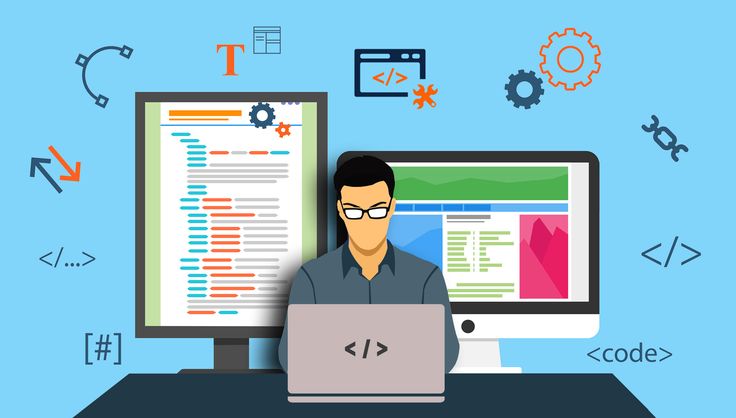
Is JavaScript Really Useful for Modern Web Development?

In the ever-evolving world of web development, JavaScript has managed to retain its crown as one of the most essential programming languages. But with the rise of newer technologies and frameworks, one might wonder—is JavaScript still truly useful for modern web development? The short and clear answer is: absolutely yes. Here’s why.


1. JavaScript Powers the Web

JavaScript is the backbone of client-side web development. Whether you’re clicking a button, submitting a form, or seeing dynamic updates without refreshing the page—JavaScript is at work. According to multiple surveys (including Stack Overflow’s developer survey), JavaScript has consistently ranked as the most commonly used programming language year after year.


2. It’s Not Just Front-End Anymore

Initially designed to bring interactivity to the browser, JavaScript has grown far beyond that. With Node.js, it now powers back-end development too. This means developers can build full-stack applications using JavaScript alone, which simplifies the development process and improves collaboration between teams.


3. Rich Ecosystem and Frameworks

Modern web development relies heavily on frameworks and libraries that speed up development and enhance capabilities. JavaScript has a rich ecosystem including:

  • React.js – for building powerful user interfaces.

  • Angular – a full-fledged framework for dynamic single-page applications.

  • Vue.js – known for its simplicity and flexibility.

  • Express.js – for building robust backend APIs.

These tools are used by major tech companies and startups alike.


4. Strong Community and Continuous Evolution

JavaScript has one of the largest developer communities in the world. This leads to:

  • Continuous improvement and updates (via ECMAScript standards).

  • Tons of open-source tools and packages available via npm.

  • Abundant tutorials, forums, and community support.

It’s also important to note that modern JavaScript (ES6+) is far cleaner, more structured, and easier to write and maintain than older versions.


5. It’s the Language of the Browser

No matter how many new languages or tools come around, browsers natively understand JavaScript. While tools like WebAssembly are growing, JavaScript remains the de facto language of the browser. This makes it irreplaceable in many respects.


6. Seamless Integration with HTML and CSS

Web development revolves around three core technologies: HTML, CSS, and JavaScript. JavaScript seamlessly integrates with the other two, allowing for complete control over the structure, design, and functionality of a webpage.


7. Future-Proof and In-Demand

As the web continues to evolve with trends like Progressive Web Apps (PWAs), serverless computing, and real-time apps (e.g., chat apps or live collaboration tools), JavaScript remains at the heart of these innovations. Employers constantly seek developers with strong JavaScript skills, making it a valuable career asset.


Conclusion: JavaScript Is Here to Stay

Despite the rise of newer languages and platforms, JavaScript continues to prove itself as a vital tool in modern web development. It’s versatile, powerful, and constantly evolving. Whether you’re a beginner building your first webpage or an experienced developer crafting complex applications, JavaScript will likely be a big part of your toolkit.
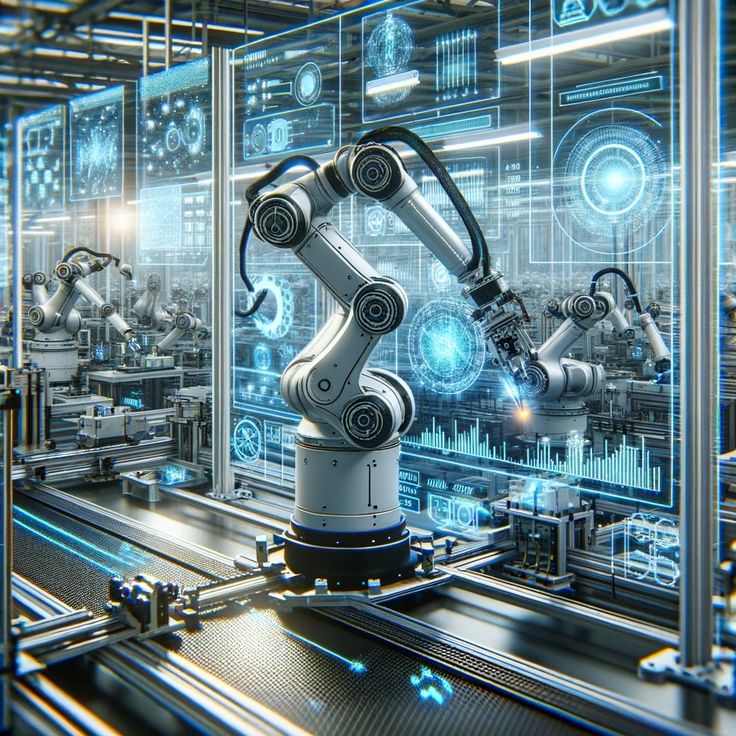

Is Robotics Engineering a Part of Mechanical Engineering?

In the age of automation, robotics engineering has emerged as one of the most exciting and rapidly growing fields. From robotic arms in manufacturing plants to autonomous drones and intelligent home assistants, robots are revolutionizing industries. But a common question many students and tech enthusiasts ask is:
“Is robotics engineering a part of mechanical engineering?”

The short answer? Yes—and more.

Let’s break it down.


Robotics Engineering: A Multidisciplinary Field

Robotics engineering is not limited to just one branch of engineering. Instead, it is a multidisciplinary field that combines principles from:

  • Mechanical Engineering

  • Electrical and Electronics Engineering

  • Computer Science and Software Engineering

  • Mechatronics Engineering

  • Artificial Intelligence and Machine Learning

So while mechanical engineering plays a foundational role, robotics goes beyond it.


How Is Robotics Related to Mechanical Engineering?

Mechanical engineering deals with the design, construction, and analysis of machines—and robots are, at their core, machines. Here’s how mechanical engineers contribute to robotics:

1. Structure and Design

Mechanical engineers design the robot’s frame, joints, gears, and overall physical layout. This includes:

  • Arms and actuators

  • Wheels, tracks, or legs

  • Grippers and manipulators

2. Kinematics and Dynamics

They apply principles of motion (kinematics) and force (dynamics) to ensure smooth and stable robot movement.

3. Material Selection and Manufacturing

Robotics engineers rely on mechanical engineering expertise to choose the right materials for strength, flexibility, and durability.

4. Thermal and Mechanical Stress Analysis

Robots, especially those used in industrial environments, need to withstand pressure, heat, or vibration—areas where mechanical engineers shine.


Where Robotics Goes Beyond Mechanical Engineering

While mechanical engineering provides the body of a robot, other branches give it its mind and senses:

Electrical/Electronics Engineering:

Controls motors, circuits, sensors, and power systems.

Computer Engineering/Software:

Programs the robot’s brain—how it moves, processes data, makes decisions.

AI & Machine Learning:

Enables intelligent decision-making, object recognition, path planning, and more in modern robots.


Is It Possible to Specialize in Robotics via Mechanical Engineering?

Absolutely. Many universities offer robotics as a specialization within mechanical engineering. You may study:

  • Mechatronics

  • Control systems

  • Robotic dynamics

  • Automation

  • Embedded systems

After a bachelor’s in mechanical engineering, many students pursue a master’s in robotics to gain interdisciplinary expertise.


Mechanical vs. Robotics Engineering: What’s the Difference?

Feature Mechanical Engineering Robotics Engineering
Focus Machines, mechanics, and physical systems Intelligent machines that sense, decide, and act
Scope Broad: HVAC, automotive, energy, etc. Specialized: automation, AI, autonomous systems
Tools Used CAD, SolidWorks, ANSYS ROS, Arduino, Python, AI algorithms

Final Thoughts

So, is robotics engineering a part of mechanical engineering?
Yes, but it’s just one part of a larger puzzle.

What Type of Engineer Makes the Drone?

Drones—once futuristic military tools—are now flying across skies for photography, agriculture, delivery services, and even disaster response. But have you ever wondered who actually designs and builds these intelligent flying machines?

The answer isn’t limited to just one branch of engineering. Building a drone is a multidisciplinary effort involving several types of engineers, each bringing unique expertise to make the magic happen.

Let’s dive into the key engineering roles involved in drone development.


1. Aerospace Engineers

Aerospace engineers are at the heart of drone design. They specialize in flight dynamics, aerodynamics, propulsion systems, and overall aircraft structure.

  • What they do for drones:

    • Design the frame and body for stable flight.

    • Optimize aerodynamic efficiency.

    • Ensure proper balance, thrust, and control.

    • Work on altitude control and flight stability.

Their deep understanding of flight mechanics ensures that the drone can fly safely and efficiently, even in challenging environments.


2. Electrical and Electronics Engineers

Drones rely heavily on electrical systems for power distribution, motor control, sensors, and communication.

  • What they do:

    • Design the electronic circuits.

    • Integrate batteries, motors, and sensors.

    • Manage power systems and signal processing.

    • Implement GPS modules and remote communication interfaces.

Without the expertise of electrical engineers, a drone wouldn’t know where to go—or even how to power up.


3. Mechanical Engineers

Mechanical engineers play a key role in the structural and moving components of the drone.

  • What they contribute:

    • Design and test propellers, motors, and gears.

    • Develop lightweight and durable body materials.

    • Handle thermal management and mechanical stress.

    • Ensure parts are efficiently assembled and maintainable.

They make sure the drone is not just functional but also durable and efficient in real-world conditions.


4. Computer and Software Engineers

A drone without software is just a fancy paperweight. Software engineers bring the intelligence to drones.

  • Their role includes:

    • Programming flight control systems and autopilot.

    • Creating real-time navigation algorithms.

    • Developing obstacle detection and avoidance features.

    • Enabling data collection, video streaming, and app integration.

In autonomous drones, artificial intelligence (AI) and machine learning (ML) algorithms are often implemented by these engineers.


5. Mechatronics Engineers

Mechatronics is an interdisciplinary field combining mechanical, electrical, and computer engineering. These engineers are uniquely suited for drone design.

  • They work on:

    • Integrating sensors, actuators, and microcontrollers.

    • Developing control systems for precise movement.

    • Creating compact and efficient drone systems.

Their holistic approach makes them vital in prototyping and improving drone designs.


6. Robotics Engineers

For advanced and autonomous drones—especially those used in military, industrial, or delivery applications—robotics engineers play a huge role.

  • What they focus on:

    • Developing AI-based navigation and object recognition.

    • Designing robotic arms for package pickup/drop.

    • Programming path planning and machine learning systems.

Their work helps drones make decisions on the fly—literally!


So, What Type of Engineer Makes the Drone?

There isn’t a single answer—drones are made by teams of engineers from various fields:

Engineering Type Key Role in Drones
Aerospace Engineering Flight dynamics, design, aerodynamics
Electrical Engineering Power systems, circuitry, sensors
Mechanical Engineering Propulsion, materials, structural design
Computer/Software Engg. Autopilot, navigation, control systems
Mechatronics Engineering System integration, robotics, microcontrollers
Robotics Engineering Autonomous navigation, AI, machine learning

Final Thoughts

If you’re fascinated by drones and want to build or work with them, you don’t have to stick to just one kind of engineering. Instead, choose a field based on what excites you most—whether it’s flying mechanics, electrical systems, coding brains, or AI-powered autonomy.

What Are the Things People Want in AR/VR Games?

Augmented Reality (AR) and Virtual Reality (VR) games are no longer just futuristic fantasies—they’re becoming a major part of modern gaming experiences. As the technology continues to evolve, so do the expectations of gamers. Whether it’s total immersion or social interaction, players have a growing wishlist for what they want from their AR/VR gaming experiences.

Let’s explore the top features and elements that gamers are looking for in AR/VR games today.


1. Immersive Storytelling

Players crave games that transport them into another world. In AR/VR, storytelling should be deeply immersive, where players are not just observers but active participants. The environment should respond to their actions, choices should impact the narrative, and emotional engagement should be at the forefront.

Example: Games like Half-Life: Alyx offer intense narrative depth, making the player feel like they’re truly living the experience.


2. Realistic Graphics and Environments

In VR, realism matters. Gamers want high-resolution textures, natural lighting, and believable physics. The visuals must feel seamless to avoid breaking the immersion.

In AR, users want digital overlays that blend smoothly into the real world, with accurate object tracking and depth perception.


3. Comfort and Ease of Use

Nobody wants to feel dizzy or tired after just 10 minutes of gameplay. Reducing motion sickness, improving hardware ergonomics (lightweight headsets), and offering intuitive controls are essential.

Many users also want options to customize movement styles—such as teleportation vs. smooth locomotion—based on their comfort.


4. Freedom of Interaction

Gamers expect full-body interaction—not just pressing buttons or flicking a joystick. They want to grab, push, climb, aim, and explore naturally. Hand-tracking, gesture control, and voice commands enhance this sense of freedom.

The more natural the interaction, the more engaging the experience becomes.


5. Multiplayer and Social Features

People want to connect with others in virtual spaces. Multiplayer options, shared missions, co-op gameplay, and real-time voice communication add social value to AR/VR games.

Whether it’s battling enemies together or hanging out in a virtual world, social interaction makes the experience richer.


6. Personalization and Customization

Players love customizing their avatars, gear, and even their environments. Offering options to personalize appearance, weapons, and gameplay settings helps users feel more connected to their virtual self.

In AR games, features like customizable UI overlays or real-world object scanning can also add to this sense of ownership.


7. Cross-Platform Integration

Gamers want their progress and experience to be accessible across devices—be it a VR headset, smartphone, or PC. Cross-platform support and cloud saving are becoming highly desired features.


8. Meaningful Rewards and Progression

Like all games, AR/VR titles benefit from a strong sense of progression. Players want achievements, upgrades, leaderboards, and unlockables that make them feel like they’re improving over time.

In VR, these rewards feel even more satisfying when experienced in a fully interactive 3D environment.


9. Seamless Real and Virtual World Blending (in AR)

In AR gaming, users want the virtual world to be layered convincingly onto the real world. This means accurate spatial mapping, good object recognition, and seamless blending of virtual elements with physical surroundings.


10. Regular Content Updates and Community Engagement

Finally, people want games that stay fresh. Regular updates, new challenges, seasonal events, and developer communication help keep AR/VR games alive and engaging for the long term.


Final Thoughts

AR and VR games are at the cutting edge of immersive entertainment. But for developers to succeed, they must go beyond just flashy tech and focus on what players truly desire—engagement, realism, freedom, comfort, and community.

Degree or Diploma? Which Is Better in Fashion Designing?

Fashion designing is a dream career for many creative minds. With the booming fashion industry offering countless opportunities in styling, clothing, accessories, and brand development, one big question arises for aspiring designers: Should you pursue a degree or a diploma in fashion designing?

Both options can lead to a successful career, but they come with different advantages, durations, costs, and career prospects. In this blog, we’ll help you understand the key differences and guide you in choosing what’s best for your fashion design journey.


What Is a Degree in Fashion Designing?

A fashion design degree is typically a 3 to 4-year undergraduate program like a Bachelor of Design (B.Des), B.Sc. in Fashion Design, or B.A. in Fashion Communication. These programs offer in-depth knowledge of fashion theory, design techniques, industry exposure, and even internships.

Pros of a Fashion Designing Degree:

  • Deep understanding of design principles, textiles, and fashion history

  • Strong portfolio development and practical experience

  • More recognition in international fashion markets

  • Better chance to pursue a master’s degree or study abroad

  • Higher career growth in design houses, exports, or as an independent designer

Ideal for: Students interested in a long-term, well-rounded academic and professional experience in fashion.


What Is a Diploma in Fashion Designing?

A diploma in fashion designing is a shorter program, usually 1 to 2 years, focused more on the practical and technical aspects of fashion. These courses are great for skill development and getting started quickly in the industry.

Pros of a Fashion Designing Diploma:

  • Shorter duration means faster entry into the job market

  • Lower cost compared to a full degree program

  • Emphasis on hands-on training like pattern making, stitching, and computer-aided design

  • Flexibility for working professionals or students switching careers

Ideal for: Individuals seeking quick skill acquisition or those looking to explore fashion design before committing to a longer program.


Key Differences: Degree vs Diploma

Feature Degree Program Diploma Program
Duration 3–4 years 1–2 years
Depth of Study Comprehensive (theory + practice) Practical and skill-based
Eligibility After 12th (10+2) After 10th or 12th
Career Scope Designer, stylist, merchandiser Assistant designer, freelancer
Higher Education Can pursue Master’s or MBA Limited unless followed by degree
Cost Higher More affordable

Which One Should You Choose?

Choose a Degree if you:

  • Want a full-time fashion career with long-term growth.

  • Are aiming for top design institutes like NIFT, Pearl Academy, or FDDI.

  • Wish to work with global brands or launch your own label.

  • Are willing to invest time and money in comprehensive education.

Choose a Diploma if you:

  • Want to enter the fashion industry quickly.

  • Prefer learning specific skills like garment construction or fashion illustration.

  • Are on a budget or want to try out fashion before pursuing a degree.

  • Already have a degree in another field and want a creative switch.


Final Thoughts

Both degree and diploma courses in fashion designing can lead to successful careers—it all depends on your goals, timeline, and budget. A degree gives you a deep dive into the fashion world with broader opportunities, while a diploma gives you quick skills to kick-start your career or explore your passion.

What Are the Most Common Mistakes Designers Make in Graphic Design?

Graphic design is more than just creativity—it’s about communication, clarity, and visual harmony. While artistic expression plays a big role, successful design also requires a solid understanding of design principles, user behavior, and context. Whether you’re a beginner or an experienced designer, avoiding common pitfalls can elevate your work and set you apart.

In this blog, we’ll explore the most common mistakes designers make in graphic design and how you can avoid them to create more impactful visuals.


1. Ignoring the Basics of Design Principles

Many designers jump into creating without mastering the fundamentals—alignment, contrast, hierarchy, balance, and proximity. Skipping these can lead to cluttered and confusing layouts.

Tip:
Always start with a strong understanding of the basic principles. Use grids, align your content properly, and ensure visual hierarchy guides the viewer’s eyes.


2. Using Too Many Fonts

Using multiple fonts can make your design look inconsistent and chaotic. It’s tempting to try every stylish font, but this often dilutes your message.

Tip:
Stick to 2 or 3 typefaces at most—typically one for headings and one for body text. Make sure they complement each other in tone and style.


3. Poor Color Choices

Bad color combinations or excessive use of colors can distract users or affect readability. Some designers also forget about color psychology and accessibility.

Tip:
Use a consistent color palette. Use contrast wisely and test your design in both light and dark modes. Don’t forget to check accessibility for users with color blindness.


4. Overcrowding the Design

Trying to include too much information or too many elements often leads to visual overload. White space isn’t a waste—it’s a design tool.

Tip:
Keep your design clean and uncluttered. Focus on what’s essential. Use white space to create breathing room and improve focus.


5. Low-Resolution Images

Using low-quality images can make a professional design look amateurish. Pixelated graphics, especially in print design, are a big red flag.

Tip:
Always use high-resolution images. For print, 300 DPI is the standard. For web, optimize images to maintain quality while reducing load time.


6. Inconsistent Branding

Using inconsistent logos, fonts, or color schemes across different materials can confuse the audience and weaken brand identity.

Tip:
Follow brand guidelines strictly. Maintain consistency in style, tone, and visuals across all platforms to strengthen your brand presence.


7. Neglecting the Target Audience

Some designers create designs they personally like without considering what appeals to the intended audience.

Tip:
Design with the end-user in mind. Research the audience’s preferences, values, and expectations before starting a project.


8. Overusing Effects and Filters

Too many shadows, gradients, or textures can make a design look dated or unprofessional.

Tip:
Keep effects subtle and purposeful. Less is more when it comes to design embellishments.


9. Not Proofreading the Text

A beautiful design can be ruined by a single typo. Spelling and grammatical errors reduce credibility and impact.

Tip:
Always double-check your text. Better yet, have someone else proofread it. Use tools like Grammarly for an extra layer of accuracy.


10. Skipping the Feedback Process

Many designers avoid or ignore feedback, leading to biased or incomplete work that might not meet client or audience expectations.

Tip:
Seek constructive feedback. Share your work with peers or mentors and be open to revisions. Feedback helps you grow and improve.


Conclusion

Graphic design is a craft that balances creativity with strategy. Avoiding these common mistakes can drastically improve the quality and effectiveness of your work. Whether you’re designing a logo, poster, or digital ad, always remember: clarity, consistency, and communication are the keys to great design.

Which Languages Should You Know to Become a UI/UX Designer?

If you’re aspiring to become a UI/UX designer, you might wonder: Do I need to know any programming languages? While UI/UX design is more about user experience, visuals, and usability, having knowledge of certain languages can significantly boost your effectiveness and marketability in the industry. Whether you’re designing websites, mobile apps, or digital products, knowing the right tools and languages helps you communicate better with developers and bring your designs to life.

Let’s explore which languages you should know to become a proficient UI/UX designer.


1. HTML (HyperText Markup Language)

Why it matters:
HTML is the backbone of all web pages. It structures the content on the internet—from text to images to videos. As a UI/UX designer, knowing HTML allows you to understand how your designs will be structured in code and helps you create realistic wireframes and prototypes.

Benefits:

  • Communicate better with front-end developers.

  • Understand the limitations and possibilities of web design.

  • Create interactive prototypes with real content.


2. CSS (Cascading Style Sheets)

Why it matters:
CSS controls the appearance of HTML content. It’s how web pages get their layout, fonts, colors, and responsiveness. With CSS, you can bring your UI ideas closer to reality by styling elements as you envision them.

Benefits:

  • Test and tweak design elements yourself.

  • Learn how responsiveness and grid layouts work.

  • Make your prototypes more realistic and functional.


3. JavaScript (Basic Understanding)

Why it matters:
JavaScript is used to add interactivity to websites—like dropdowns, sliders, or pop-up messages. You don’t need to be a JavaScript developer, but understanding what it does can help you design with functionality in mind.

Benefits:

  • Design smarter interactions and animations.

  • Collaborate better with developers.

  • Build interactive prototypes with tools like Framer or Figma plugins.


4. SQL (for UX Researchers)

Why it matters:
If you’re leaning toward UX research, learning basic SQL (Structured Query Language) helps you gather insights directly from databases. This is especially useful in data-driven design decisions.

Benefits:

  • Understand user behavior through data.

  • Access and interpret user feedback from databases.

  • Improve product decisions with evidence-backed insights.


5. Optional: Python (for UX Analytics and Automation)

Why it matters:
Python is not necessary for most UI/UX designers, but it can be valuable if you’re working in UX analytics, automating testing processes, or doing user behavior analysis. Tools like Pandas and Matplotlib help visualize user interaction data.

Benefits:

  • Automate repetitive design testing tasks.

  • Work with analytics and user data.

  • Stand out in data-driven design environments.


6. Markup Languages for Prototyping Tools

Many UI/UX tools (like Figma, Adobe XD, Webflow, and Framer) don’t require you to write actual code. However, they often simulate or export code in HTML/CSS or JavaScript. Familiarity with these languages enhances your ability to build and test prototypes more accurately.


Final Thoughts

You don’t have to be a full-fledged developer to be a successful UI/UX designer. But having a working knowledge of HTML, CSS, and basic JavaScript can make you more versatile and effective. These skills allow you to prototype faster, communicate more clearly with developers, and design more realistic, functional user interfaces.

What Are Some Details About Medical Coding?

Medical coding might not be glamorous, but it’s one of the most essential jobs in modern healthcare. If you’ve ever seen a bill from a hospital, undergone a procedure, or claimed insurance, a medical coder was involved somewhere behind the scenes.

So what exactly is medical coding, and why does it matter so much? Let’s break it down.


What Is Medical Coding?

Medical coding is the process of translating healthcare diagnoses, procedures, services, and equipment into standardized codes. These codes are used for billing, record-keeping, insurance claims, and even healthcare research.

In short, coders take what happens in a doctor’s office and turn it into a language that computers, insurance companies, and government systems can understand.


Why Is Medical Coding Important?

Medical coding serves several critical functions:

  • Billing and Reimbursement: Insurance companies won’t pay providers without the right codes. Coders make sure providers are paid accurately and promptly.

  • Legal Documentation: Codes create a legal record of the patient’s visit and the care they received.

  • Public Health and Research: Health organizations use coding data to track disease trends, improve patient outcomes, and guide policy decisions.


Common Code Sets in Medical Coding

There isn’t just one type of code. Coders use several systems, each serving a different purpose:

1. ICD-10-CM (International Classification of Diseases, 10th Revision, Clinical Modification)

  • Used for diagnoses.

  • Includes codes for everything from the flu to chronic conditions to rare diseases.

  • Example: E11.9 = Type 2 diabetes mellitus without complications.

2. CPT (Current Procedural Terminology)

  • Used for medical procedures and services performed by healthcare providers.

  • Example: 99213 = Office visit for an established patient.

3. HCPCS (Healthcare Common Procedure Coding System)

  • Covers services, supplies, and equipment not included in CPT.

  • Commonly used for Medicare and Medicaid billing.


What Does a Medical Coder Do?

A typical day for a medical coder might include:

  • Reading physician notes or medical records.

  • Identifying procedures and diagnoses.

  • Assigning the appropriate codes.

  • Ensuring accuracy and compliance with healthcare regulations.

  • Communicating with billing departments or insurance companies.

It’s a detail-heavy job that requires a solid understanding of anatomy, medical terminology, and regulatory rules.


Skills Required for Medical Coding

To be successful, medical coders need:

  • Strong attention to detail: One digit off can lead to denied claims or compliance issues.

  • Knowledge of medical terminology and anatomy: Understanding what’s actually happening in the patient’s care.

  • Familiarity with coding systems: Knowing ICD-10, CPT, and HCPCS inside and out.

  • Analytical thinking: Interpreting clinical documentation and choosing the right code.


Is Medical Coding a Good Career?

Yes—especially if you’re looking for a healthcare-related job without direct patient interaction. Some benefits include:

  • Remote work opportunities

  • Steady demand (healthcare isn’t going anywhere)

  • Certification programs that take less time than a college degree

  • Opportunities for advancement into auditing, compliance, or billing management

The average salary varies by experience and location, but certified coders can earn a solid income with room to grow.


Final Thoughts

Medical coding may not make headlines, but it’s the backbone of the healthcare industry’s data and billing systems. Coders make sure providers get paid, patient records stay accurate, and health systems run smoothly.

What Psychological Trick Changed My Life?

We all encounter those rare “a-ha” moments that rewire the way we think. For me, it wasn’t a massive life event or a book filled with ancient wisdom—it was a simple psychological trick I read in a behavioral science article. It went like this:

“Treat your thoughts like guests. Not all of them are welcome, and none of them have to stay.”

That idea hit me like a ton of bricks. It was a psychological shift that changed how I viewed my inner world—and, over time, changed my outer world too.


The Trick: Psychological Distancing from Thoughts

Before learning this, I thought my thoughts were me. Anxious thought? I must be anxious. Negative thought? That’s how I really feel. Self-doubt? Must be true.

But the trick—rooted in cognitive defusion (a concept from Acceptance and Commitment Therapy)—is this:

Just because a thought pops into your head doesn’t make it true, important, or worth acting on.

It’s like being the host of a dinner party. Thoughts show up like guests. Some are rude, loud, or anxious. Others are inspiring or kind. You get to choose which ones you engage with. You can nod, smile, and move on. Or you can say, “Sorry, not today,” and focus on the ones that serve you.


How It Changed My Life

1. Less Anxiety, More Control

Instead of spiraling when a fearful thought arrived, I started saying, “Oh, there’s that fear again,” almost like I was observing it from the outside. That slight detachment gave me space to breathe, respond, and move forward.

2. Improved Focus

When intrusive or unhelpful thoughts came up while working or making decisions, I stopped wrestling with them. I acknowledged them and brought my focus back to what mattered.

3. Healthier Self-Talk

I used to be really hard on myself—like Olympic-level self-criticism. But when I realized I could challenge or ignore those thoughts instead of absorbing them, my inner voice became more balanced. Not fake-positive, just fair.


How You Can Try It

Here’s a simple way to practice this trick:

  • Name the thought: “I’m noticing the thought that I’m not good enough.”

  • Label it as just a thought: “That’s a worry thought,” or “That’s the inner critic again.”

  • Choose your response: Ask, “Is this helpful? Is this moving me toward the person I want to be?”

This isn’t about denial. It’s about choosing which thoughts deserve your attention and energy.


Final Thoughts

We often think big life changes require dramatic external events—but sometimes, a subtle internal shift is just as powerful.

So, the psychological trick that changed my life was learning to see my thoughts as suggestions, not commands. It gave me space, freedom, and the power to live more intentionally.

How Much Can We Enhance Adult Humans with Genetic Engineering and Nanotechnology?

For decades, science fiction has tantalized us with visions of superhuman capabilities—faster reflexes, disease-proof bodies, and brains that rival computers. But as technologies like genetic engineering and nanotechnology begin to mature, these ideas are shifting from fantasy to real scientific inquiry. So the big question is: how far can we really go in enhancing adult humans using these tools?

Let’s dive into the current possibilities, the limitations, and what might lie ahead.


Genetic Engineering: Editing the Blueprint Mid-Life

Genetic engineering typically conjures images of designer babies or lab-edited embryos. But what about altering the genetics of fully grown adults?

CRISPR and gene therapy technologies are already being used in adults to treat inherited diseases like sickle cell anemia, blindness, and even certain cancers. These methods involve inserting, removing, or replacing DNA within cells—usually targeting somatic (non-reproductive) cells.

Potential enhancements in adults might include:

  • Muscle and endurance boosts via myostatin gene inhibition.

  • Improved cognitive function by tweaking genes related to memory and learning.

  • Longevity interventions through modifications to aging-related genes like FOXO3 or TERT.

  • Disease resistance (e.g., disabling the CCR5 gene to confer HIV resistance).

But there are limits: gene editing in adults is currently constrained by delivery challenges (getting the edits into the right cells safely) and by ethical boundaries. You can’t just overwrite the entire body’s DNA after development—most adult tissues are already formed.


Nanotechnology: Engineering from the Inside Out

If genes are the code, nanotech is the machinery that could upgrade the body in ways biology can’t. Nanotechnology operates at the atomic and molecular level, enabling tools small enough to enter individual cells or navigate the bloodstream.

Some promising nanotech enhancements include:

  • Targeted drug delivery to treat cancer or neurological diseases with minimal side effects.

  • Real-time health monitoring via nanosensors that detect disease markers before symptoms appear.

  • Enhanced physical performance by boosting oxygen delivery or clearing lactic acid faster.

  • Brain-machine interfaces, using nanoscale electrodes for memory enhancement or thought-based control of devices.

  • Self-repairing tissues through nanobots that stimulate cellular regeneration or remove damaged components.

In the future, we may see programmable nanomachines that can patrol the body, eliminate pathogens, and repair genetic mutations—essentially providing a form of internal preventive medicine or even enhancement-on-demand.


The Synergy: When Nanotech Meets Gene Editing

Now imagine combining both.

Nanobots could deliver CRISPR components to specific cells with unprecedented precision, overcoming one of gene therapy’s biggest challenges: targeted delivery. They could even perform cell-by-cell upgrades, turning on beneficial genes or silencing harmful ones only where needed.

In theory, this could allow:

  • In situ body upgrades (enhancing muscles, immunity, or metabolism on demand).

  • Reversible or tunable enhancements, turning genetic edits on/off like software.

  • Continuous disease monitoring and correction, preventing illnesses before they arise.

This synergy opens the door to a kind of biological “operating system”—a framework that could be maintained, upgraded, or customized over time.


But What Are the Limits?

We’re still a long way from science fiction’s enhanced superhumans. Some major hurdles include:

  • Ethical and legal boundaries: Enhancement raises thorny questions about fairness, identity, and consent.

  • Biological complexity: The human body is vastly interconnected; tweaking one gene or system often affects others unpredictably.

  • Access and inequality: Will these tools be widely available, or reserved for the wealthy few?

Perhaps most importantly, we need to consider what we want from enhancement. Is the goal to eliminate suffering, or to redefine what it means to be human?


Final Thoughts: The Enhancement Horizon

While we can’t (yet) create superhero-level adults through technology, combining genetic engineering and nanotech already gives us powerful tools to repair, improve, and optimize human biology.

Form submitted! Our team will reach out to you soon.
0
    0
    Your Cart
    Your cart is emptyReturn to Course