
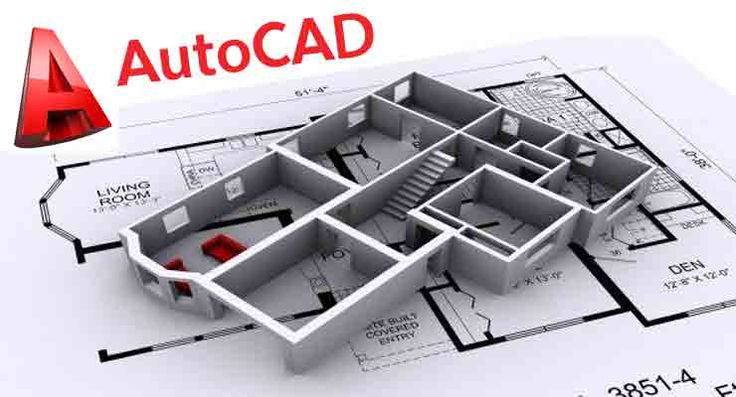
In today’s technology-driven world, professionals in engineering, architecture, construction, and design rely heavily on digital tools to create accurate and efficient designs. Among these tools, AutoCAD stands out as one of the most widely used computer-aided design (CAD) software applications. Developed to simplify drafting and design processes, AutoCAD has become an essential skill for professionals seeking career advancement in technical and creative fields.
Whether you are a student, an aspiring designer, or a working professional, learning AutoCAD can significantly boost your career prospects. This article explores the top benefits of learning AutoCAD and how it can contribute to long-term professional growth.
What Is AutoCAD?
AutoCAD is a computer-aided design software used to create precise 2D drawings and 3D models. It is widely utilized in industries such as architecture, civil engineering, mechanical engineering, interior design, manufacturing, and construction. The software enables professionals to produce detailed technical drawings, blueprints, and digital prototypes with high accuracy.
1. Increased Job Opportunities
One of the biggest advantages of learning AutoCAD is access to a broader range of job opportunities. Many employers actively seek candidates with CAD skills because digital drafting has become the industry standard.
Professionals with AutoCAD expertise can pursue roles such as:
- CAD Designer
- Drafting Technician
- Architectural Drafter
- Mechanical Designer
- Civil Engineering Technician
- Interior Designer
- Project Engineer
Having AutoCAD skills on your resume can make you a more competitive candidate in the job market.
2. Higher Earning Potential
Technical skills often lead to better-paying positions, and AutoCAD is no exception. Employers value professionals who can efficiently create accurate designs and reduce project errors.
As individuals gain experience and certification in AutoCAD, they often qualify for higher-level positions with increased responsibilities and better compensation packages.
3. Essential Skill Across Multiple Industries
Unlike some specialized software, AutoCAD is used across numerous industries. This versatility allows professionals to explore different career paths without completely changing their skill set.
Industries that commonly use AutoCAD include:
- Architecture
- Construction
- Manufacturing
- Automotive Engineering
- Aerospace Engineering
- Product Design
- Urban Planning
- Interior Design
The broad application of AutoCAD makes it a valuable long-term investment in your career.
4. Improved Design Accuracy
Manual drafting can be time-consuming and prone to errors. AutoCAD helps professionals create highly accurate drawings with precise measurements and specifications.
Features such as object snapping, dimensioning tools, and automated calculations help minimize mistakes and improve the quality of designs. This accuracy is especially important in engineering and construction projects where small errors can lead to costly consequences.
5. Increased Productivity and Efficiency
AutoCAD automates many repetitive drafting tasks, allowing users to complete projects more quickly than traditional methods.
Benefits include:
- Faster drawing creation
- Easy modifications and revisions
- Reusable templates and blocks
- Automated documentation
- Better project organization
By increasing productivity, professionals can handle more projects and improve overall workplace performance.
6. Better Collaboration and Communication
Modern projects often involve teams of architects, engineers, contractors, and designers working together. AutoCAD facilitates collaboration by providing standardized digital files that can be shared easily among team members.
Clear and detailed drawings help improve communication, reduce misunderstandings, and ensure that everyone involved in a project is working from the same information.
7. Strong Foundation for Advanced Design Software
Learning AutoCAD provides a solid foundation for mastering other advanced design and modeling tools. Once users understand CAD principles, transitioning to software such as Revit, SolidWorks, CATIA, Fusion 360, and BIM platforms becomes easier.
This flexibility enables professionals to continue developing their technical expertise and stay competitive in evolving industries.
8. Opportunities for Freelancing and Remote Work
AutoCAD skills can open doors to freelance and remote work opportunities. Many businesses outsource drafting and design tasks to independent professionals who can deliver projects digitally.
Freelancers with strong AutoCAD expertise can work on:
- Architectural drawings
- Mechanical components
- Interior layouts
- Construction plans
- Product designs
This flexibility allows individuals to earn additional income and build independent careers.
9. Professional Recognition Through Certification
Obtaining an AutoCAD certification demonstrates proficiency and commitment to professional development. Certifications can enhance credibility, improve job prospects, and help candidates stand out during recruitment processes.
Employers often view certified professionals as more capable and reliable when handling complex design projects.
10. Future-Proof Career Development
As industries continue adopting digital technologies, demand for skilled CAD professionals remains strong. AutoCAD continues to evolve with new features and integrations that support modern design workflows.
Learning AutoCAD today prepares professionals for future opportunities in engineering, architecture, manufacturing, and emerging technology-driven industries.
Conclusion
AutoCAD has become an indispensable tool in modern design and engineering environments. Learning AutoCAD not only improves technical skills but also increases employability, earning potential, and career flexibility. From creating accurate designs to opening opportunities in multiple industries, AutoCAD offers numerous benefits for professionals at every stage of their careers.


