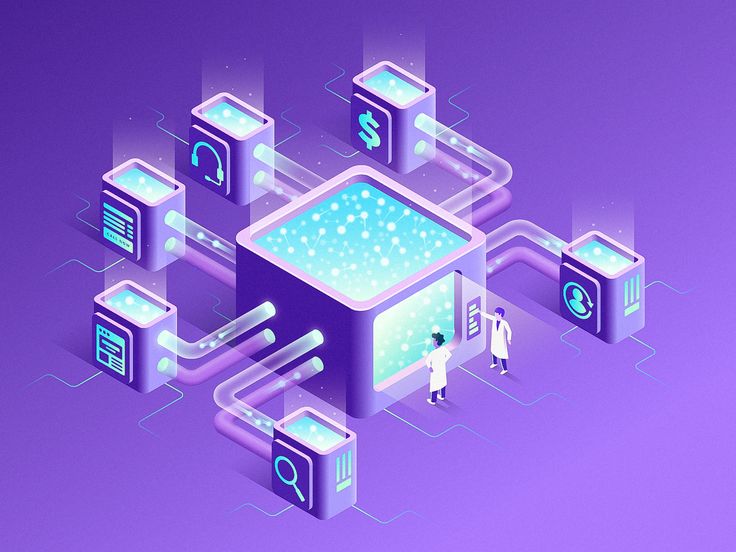
How Do I Build a Data Science Team?

In today’s data-driven world, businesses that can extract insights from data have a significant competitive edge. But to harness the power of data, you need more than just tools—you need a well-structured data science team. Whether you’re a startup or a large organization, building the right team is crucial to turning raw data into actionable strategy.

So how do you build a data science team that delivers real value? Here’s a step-by-step guide.


1. Define Your Business Goals

Before hiring anyone, clarify what you want your data science team to accomplish. Are you looking to improve customer experience, optimize operations, or forecast market trends? Your goals will influence the type of talent and tools you need.

Questions to ask:

  • What problems are we solving with data?

  • What kind of data do we have access to?

  • How will success be measured?


2. Identify Key Roles

A great data science team is not made up of data scientists alone. It includes professionals with a mix of skills across data engineering, analytics, visualization, and business strategy.

Here are the core roles:

  • Data Scientist: Develops models, makes predictions, and generates insights.

  • Data Engineer: Builds and maintains the data infrastructure.

  • Data Analyst: Interprets data and creates reports for business users.

  • Machine Learning Engineer: Deploys and scales machine learning models.

  • Business Analyst/Domain Expert: Connects data efforts to business needs.

  • Product Manager (optional): Aligns data science initiatives with product goals.


3. Look for Complementary Skill Sets

No one person can do it all. Look for team members who bring different strengths:

  • Programming (Python, R, SQL)

  • Statistics and machine learning

  • Data wrangling and cleaning

  • Data visualization (Tableau, Power BI, Matplotlib)

  • Cloud platforms (AWS, GCP, Azure)

  • Communication and storytelling

The magic happens when these skills combine to solve real-world problems.


4. Foster Cross-Functional Collaboration

A data science team cannot operate in isolation. Collaboration with marketing, sales, product, and IT is essential for understanding data sources and implementing insights.

Encourage regular interaction with other departments through:

  • Weekly sync-ups

  • Joint planning meetings

  • Shared KPIs


5. Set Up the Right Infrastructure

Even the best team will struggle without the right tools. Equip your team with:

  • Data storage solutions: Data lakes, warehouses (e.g., Snowflake, BigQuery)

  • Collaboration tools: GitHub, Jupyter Notebooks, Slack

  • Machine learning platforms: TensorFlow, Scikit-learn, AWS SageMaker

  • Visualization tools: Power BI, Looker, Tableau

Make sure your data is clean, accessible, and secure.


6. Promote a Data-Driven Culture

For your team to succeed, the entire organization must embrace data. Leadership should back data initiatives and encourage decision-making based on insights, not instinct.

How to promote this culture:

  • Run data workshops and training

  • Share success stories company-wide

  • Encourage experimentation and hypothesis-driven thinking


7. Invest in Continuous Learning

Data science evolves rapidly. Encourage your team to stay current through:

  • Online courses (Coursera, Udacity, edX)

  • Conferences and webinars

  • Reading research papers and industry blogs

  • Cross-training between roles


8. Measure Impact, Not Just Output

Track the performance of your data science team with meaningful KPIs such as:

  • ROI on data projects

  • Time to deployment of models

  • Accuracy of predictions

  • Business impact (e.g., increased sales, reduced churn)

Focus on outcomes, not just activity.


Final Thoughts

Building a data science team is a strategic investment. It requires thoughtful hiring, the right mix of skills, and a culture that values data. When done right, your team won’t just crunch numbers—they’ll help you make smarter decisions, identify new opportunities, and future-proof your business.

How Is Machine Learning Related to AI?

Artificial Intelligence (AI) and Machine Learning (ML) are two of the most transformative technologies of our time. They are often mentioned together, used interchangeably, and integrated into many aspects of modern life—from voice assistants like Siri to recommendation systems on Netflix. But how exactly are they related? Is machine learning the same as AI? Or is there a deeper connection? Let’s break it down.

Understanding Artificial Intelligence (AI)

AI refers to the broader concept of machines or software systems being able to perform tasks that typically require human intelligence. These tasks include:

  • Problem-solving

  • Decision-making

  • Understanding natural language

  • Recognizing patterns and objects

  • Learning from experience

AI is essentially about creating smart machines that can simulate human thinking and behavior. It is an umbrella term that encompasses various techniques and technologies that enable this intelligence.

What Is Machine Learning (ML)?

Machine Learning is a subset of AI that focuses specifically on the idea that systems can learn from data, identify patterns, and make decisions with minimal human intervention.

Instead of being explicitly programmed to perform a task, a machine learning algorithm uses historical data (training data) to build models. Once trained, the model can make predictions or decisions on new data. Common ML applications include:

  • Spam detection in emails

  • Image and speech recognition

  • Predictive analytics

  • Recommendation engines

The Relationship Between AI and ML

Think of AI as the goal—creating systems that can perform intelligent tasks. Machine Learning is one of the ways to achieve that goal.

Here’s a simple analogy:

AI is the science. ML is the tool.
Just like physics uses mathematics to understand the universe, AI uses machine learning to make machines intelligent.

Other Components of AI Besides ML

While ML is the most popular approach to AI today, it’s not the only one. AI also includes:

  • Expert Systems: Rule-based systems that mimic human decision-making.

  • Natural Language Processing (NLP): Enabling machines to understand and generate human language.

  • Computer Vision: Allowing machines to interpret visual data.

  • Robotics: Building robots that can sense, reason, and act.

Why ML Matters in the AI Landscape

Machine learning has become a key driver of AI advancements for several reasons:

  • Data availability: There’s an abundance of digital data to train models.

  • Computing power: Modern GPUs and cloud computing have made training ML models faster.

  • Algorithms: Advances in deep learning and neural networks have made it easier to solve complex tasks.

Final Thoughts

Machine Learning is an essential part of the AI ecosystem. While AI is the broader goal of intelligent machines, ML is one of the most effective paths to reach that goal. As data continues to grow and algorithms become more refined, machine learning will continue to push the boundaries of what AI can achieve.

Are Cybersecurity Jobs Interesting?

Cybersecurity is one of the most rapidly growing and in-demand fields in today’s digital world. With everything from social media to banking going online, the need to protect sensitive data and infrastructure has never been greater. But if you’re considering a career in cybersecurity, one question naturally arises: Are cybersecurity jobs actually interesting?

Let’s explore what makes cybersecurity a fascinating and rewarding profession.


🕵️‍♂️ 1. The Thrill of Problem-Solving

At its core, cybersecurity is all about solving complex problems. Whether it’s tracking a malware infection, stopping a phishing attempt, or identifying vulnerabilities in a system, every day brings a new challenge. If you enjoy puzzles, logical thinking, or detective work, you’ll likely find cybersecurity jobs highly engaging.


🌍 2. Real-World Impact

Cybersecurity professionals protect governments, businesses, and individuals from major threats. Whether it’s defending hospitals from ransomware or securing financial data, your work directly impacts people’s safety and privacy.

It’s a job where your actions matter—and that’s something most people find deeply fulfilling.


⚙️ 3. Ever-Evolving Technology

Cybersecurity is never static. You’ll constantly learn about:

  • New hacking techniques

  • Evolving software tools

  • Artificial intelligence in threat detection

  • Quantum cryptography (yes, that’s real!)

This constant innovation keeps the field fresh and exciting for curious minds.


🔐 4. Variety of Career Paths

Cybersecurity isn’t just one job—it’s a spectrum of roles. Some interesting ones include:

  • Penetration Tester (Ethical Hacker) – Test systems by trying to hack them.

  • Security Analyst – Monitor networks and respond to threats.

  • Forensics Expert – Investigate digital crimes.

  • Security Architect – Design secure systems and infrastructure.

  • Threat Intelligence Analyst – Track and predict cyber threats worldwide.

You can find your niche based on your interests—whether technical, investigative, or strategic.


🌐 5. Global Demand and Remote Opportunities

Cyber threats don’t recognize borders. That’s why cybersecurity skills are in demand worldwide, across industries. From startups to governments to Fortune 500 companies, everyone needs protection.

What’s more, many cybersecurity roles offer remote work options, flexible schedules, and even freelance consulting gigs.


💼 6. High Pay, Low Boredom

Not only are cybersecurity jobs interesting—they’re also well-paying. According to various reports, entry-level roles start strong, and experienced professionals can earn six-figure salaries.

More importantly, boredom is rare in cybersecurity. With evolving threats and daily surprises, the work rarely becomes repetitive.


⚠️ 7. High Stakes and Adrenaline

If you thrive under pressure, cybersecurity can be thrilling. Imagine detecting a ransomware attack in real-time or stopping a data breach before it spreads—these are moments where your skills directly avert disasters.

That said, this also means stress levels can be high, especially in critical sectors like finance or healthcare.


Final Thoughts

So, are cybersecurity jobs interesting? Absolutely.

They’re a blend of tech, strategy, psychology, and even a bit of digital warfare. Whether you enjoy outsmarting hackers, building secure systems, or investigating cybercrimes, there’s a place for you in this dynamic and impactful field.

If you’re looking for a career that’s intellectually stimulating, socially meaningful, and constantly evolving, cybersecurity might be the perfect fit.

Is Android Development Very Easy?

Android development is one of the most popular career choices in the tech world today. With billions of Android devices in use globally, the demand for skilled Android developers is only rising. But a common question that many beginners ask is: “Is Android development very easy?” The short answer is: it depends.

Let’s dive deeper into what makes Android development easy—or challenging—and how you can approach it as a beginner.


What Makes Android Development Seem Easy?

1. Plenty of Learning Resources

There are countless tutorials, documentation, and free courses available online. Platforms like Android Developers (by Google), Udemy, Coursera, and YouTube offer step-by-step guidance for beginners.

2. Kotlin and Java: Beginner-Friendly Languages

Google officially supports Kotlin, which is more modern and concise than Java. Kotlin is designed to be easy to learn and reduces boilerplate code, making Android development more accessible for beginners.

3. Powerful Tools

Android Studio, the official IDE for Android development, provides a user-friendly interface, drag-and-drop UI design tools, and debugging features that help streamline the development process.

4. Strong Community Support

Stuck on an issue? Forums like Stack Overflow, Reddit, or the Android Developers community often have answers. You’re rarely alone in facing a challenge.


What Makes Android Development Challenging?

1. Understanding the Android Ecosystem

Android development involves more than just writing code. You’ll need to understand:

  • Activities and fragments

  • Lifecycle management

  • Intents and services

  • Permissions and background tasks

This can be overwhelming at first.

2. Device and OS Fragmentation

There are thousands of Android devices with different screen sizes, resolutions, and OS versions. Ensuring your app works smoothly across all of them can be tricky.

3. App Architecture

To build scalable and maintainable apps, you need to learn architectural patterns like MVVM, dependency injection (e.g., with Hilt), and use tools like Jetpack libraries.

4. Debugging and Testing

Apps can crash for many reasons—memory leaks, incorrect lifecycle handling, or API issues. Learning to debug, write unit tests, and handle edge cases is essential but takes time.


Tips to Make Android Development Easier

  • Start small: Begin with simple apps like a calculator or to-do list.

  • Master the basics: Focus on Kotlin, UI design, and app lifecycle before moving to complex topics.

  • Build real projects: Practice is the best teacher. The more you build, the more comfortable you’ll become.

  • Follow official documentation: Google’s Android Developer site is a goldmine of updated and accurate info.

  • Use Jetpack Compose (optional): The modern UI toolkit for Android makes UI design easier compared to XML.


Final Verdict: Easy or Not?

Android development isn’t very easy, but it’s absolutely learnable—especially with the right mindset, tools, and resources. Like any skill, it gets easier with practice. For someone passionate about mobile apps and willing to put in the effort, Android development can be both fun and rewarding.

What Is Important to Learn in Web Development?

Web development is one of the most dynamic and in-demand fields in today’s digital world. Whether you’re building websites, web apps, or e-commerce platforms, a strong foundation in web development skills is essential. But with so many tools, languages, and frameworks available, beginners often ask: What exactly is important to learn in web development?

Let’s break it down step by step.


1. Understanding the Basics: HTML, CSS, and JavaScript

Every aspiring web developer must start with the “big three”:

  • HTML (HyperText Markup Language) – It structures your content. Think of it as the skeleton of a web page.

  • CSS (Cascading Style Sheets) – It styles your content. Fonts, colors, layouts—all controlled by CSS.

  • JavaScript – It makes your website interactive. From image sliders to form validations, JavaScript is your go-to.

These form the foundation of all web development. Mastering them is non-negotiable.


2. Version Control with Git and GitHub

Learning Git helps you track changes in your code and collaborate with others. GitHub, on the other hand, allows you to store and share your code repositories online.

Whether you’re working solo or with a team, understanding version control is essential.


3. Responsive Design and Mobile Optimization

With mobile users surpassing desktop users, your website must look good on all screen sizes. Learn:

  • Media queries

  • Flexible grids and layouts

  • Mobile-first design principles

Tools like Bootstrap or Tailwind CSS can make responsive design easier.


4. JavaScript Frameworks and Libraries

Once you’re comfortable with vanilla JavaScript, explore:

  • React.js – For building fast and dynamic user interfaces.

  • Vue.js – Lightweight and beginner-friendly.

  • Angular – Powerful, though more complex, used in enterprise-level applications.

You don’t need to master them all—choose one that aligns with your goals or job market demand.


5. Backend Development

If you want to go beyond front-end, you’ll need to understand how the backend works. Key areas include:

  • Programming Languages: Node.js (JavaScript), Python, PHP, or Ruby.

  • Databases: MySQL, MongoDB, or PostgreSQL.

  • Server Management: Understanding how servers work using tools like Express.js or Django.


6. APIs and Web Services

Web applications often interact with third-party services or other applications. Learn how to:

  • Make HTTP requests

  • Work with RESTful APIs

  • Parse JSON data

This is crucial for things like payment gateways, social logins, and dynamic content.


7. Debugging and Browser Dev Tools

Learning how to debug code and use browser developer tools can save hours of frustration. These tools help:

  • Identify layout issues

  • Monitor network requests

  • Inspect and manipulate the DOM


8. SEO Basics and Performance Optimization

While web developers aren’t always SEO experts, knowing how to make your website search-engine friendly is a bonus. Learn:

  • Page load speed optimization

  • Image compression

  • Semantic HTML

  • Proper use of heading tags and alt attributes


9. Security Best Practices

Every web developer should know how to secure their applications. Basic concepts include:

  • HTTPS and SSL certificates

  • Form validation

  • Preventing XSS and SQL Injection

  • Authentication and authorization


10. Soft Skills and Continuous Learning

Finally, don’t underestimate the power of soft skills:

  • Problem-solving

  • Communication

  • Project management

Web development is ever-evolving. Stay curious and keep learning through documentation, online courses, forums, and coding communities like GitHub, Stack Overflow, or freeCodeCamp.


Final Thoughts

Web development can seem overwhelming at first, but with a structured learning path and consistent practice, you’ll build skills that are valuable in nearly every industry. Start small, build projects, and always challenge yourself with new technologies.

Is There a Master’s Degree for Robotics Engineering?

With the rise of automation, artificial intelligence, and autonomous systems, robotics engineering has become one of the most exciting and in-demand fields in technology. If you’re considering a career in robotics or want to level up your expertise, you might wonder: Is there a master’s degree specifically for robotics engineering?

The answer is yes—and it could be the perfect next step for you. Let’s dive into what this degree entails, what you can expect to learn, and how it can shape your career.


What Is a Master’s in Robotics Engineering?

A Master’s in Robotics Engineering is a postgraduate program that focuses on designing, building, and programming robots. It combines multiple engineering disciplines—mechanical, electrical, computer science, and systems engineering—to equip students with a holistic understanding of robotic systems.

Some universities offer it as a standalone program, while others offer it under names like:

  • M.S. in Robotics

  • M.Tech in Robotics Engineering

  • M.S. in Mechatronics and Robotics

  • M.Eng. in Robotics and Autonomous Systems


What Will You Learn in a Robotics Master’s Program?

Robotics master’s degrees usually cover both the theory and application of robotic systems. Core topics may include:

  • Robot Kinematics and Dynamics

  • Artificial Intelligence and Machine Learning

  • Control Systems and Automation

  • Computer Vision and Image Processing

  • Embedded Systems and Microcontrollers

  • Human-Robot Interaction

  • Path Planning and Navigation

  • Mechanical Design and CAD for Robotics

Many programs also include hands-on labs, real-world projects, and internships with companies or research labs.


Who Should Consider a Master’s in Robotics?

You should consider pursuing a master’s in robotics if:

  • You have a bachelor’s degree in engineering, computer science, or physics.

  • You’re passionate about automation, AI, or intelligent machines.

  • You want to work in industries like manufacturing, defense, healthcare, space, or autonomous vehicles.

  • You’re aiming for R&D, design, or leadership roles in robotics-focused companies.


Top Universities Offering Robotics Master’s Degrees

Many top institutions worldwide offer master’s programs in robotics, including:

  • Massachusetts Institute of Technology (MIT) – USA

  • Carnegie Mellon University (CMU) – USA

  • ETH Zurich – Switzerland

  • University of Tokyo – Japan

  • IITs (like IIT Kanpur, IIT Delhi) – India

  • Technical University of Munich (TUM) – Germany

In India, growing interest in robotics has led to the rise of specialized M.Tech programs in robotics and mechatronics.


Career Opportunities After a Master’s in Robotics

Graduates of robotics engineering master’s programs can work in roles such as:

  • Robotics Engineer

  • Automation Engineer

  • AI/ML Engineer for Robotics

  • Control Systems Engineer

  • Research Scientist in Robotics

  • Mechatronics Engineer

Job sectors include manufacturing, healthcare (surgical robots), automotive (self-driving cars), aerospace, agriculture, and defense.


Final Thoughts

Yes, there absolutely is a master’s degree for robotics engineering—and it’s more relevant now than ever. As robots continue to play a greater role in our world, the demand for skilled professionals in robotics is set to grow dramatically.

What Education Is Required to Become a Drone Engineer?

The drone industry is soaring—literally and figuratively. From aerial photography and delivery services to military applications and agricultural monitoring, drones are revolutionizing multiple sectors. With this rapid growth comes a rising demand for skilled professionals—especially drone engineers.

But what does it take to become a drone engineer? Let’s explore the educational path, key skills, and certifications needed to launch a successful career in this field.


Who Is a Drone Engineer?

A drone engineer designs, builds, tests, and maintains unmanned aerial vehicles (UAVs). Their responsibilities span multiple disciplines, including mechanical design, electronics, software development, and aerodynamics.


Educational Requirements to Become a Drone Engineer

1. Bachelor’s Degree (The Foundational Step)

Most drone engineers start with a bachelor’s degree in a relevant field. Common degree options include:

  • Aerospace Engineering

  • Mechanical Engineering

  • Electrical or Electronics Engineering

  • Computer Science or Engineering

  • Robotics Engineering

  • Mechatronics Engineering

These programs typically cover critical areas such as physics, circuit theory, control systems, computer programming, and design—forming a strong technical base.

2. Specialized Courses or Electives in UAV/Drone Technology

Some universities and engineering colleges now offer electives or modules on drone systems, avionics, and robotics. Choosing such electives during your undergraduate program can give you a competitive edge.


Advanced Education (Optional but Helpful)

3. Master’s Degree or Postgraduate Specialization

A master’s in aerospace engineering, robotics, or AI can enhance your expertise in drone-specific fields like:

  • Autonomous navigation

  • Machine learning for UAVs

  • Flight dynamics

  • Advanced propulsion systems

This is especially valuable for research, development, or leadership roles.


Certifications and Hands-On Training

While degrees provide theoretical knowledge, practical experience is crucial in drone engineering. Consider the following:

Drone Pilot Certification

In many countries (including India and the U.S.), operating drones commercially requires a license from the aviation authority (DGCA in India, FAA in the U.S.).

UAV Design and Programming Courses

Platforms like Coursera, edX, Udemy, and drone-specific academies offer hands-on courses in:

  • Drone assembly

  • Flight control programming

  • Autonomous navigation systems

  • Aerial mapping and imaging

Internships or Projects

Working on drone-related projects during college, joining robotics clubs, or interning with drone startups helps build real-world experience and a portfolio.


Important Skills for Drone Engineers

To succeed in this field, you’ll need:

  • Proficiency in CAD and simulation tools (like SolidWorks, MATLAB)

  • Strong programming skills (Python, C++, ROS)

  • Understanding of aerodynamics and propulsion

  • Knowledge of embedded systems and microcontrollers

  • Teamwork, problem-solving, and analytical thinking


Final Thoughts

Becoming a drone engineer is both challenging and rewarding. With the right educational background—usually a bachelor’s in engineering—and some focused training in UAV technologies, you can enter this high-potential field. As drone applications continue to expand, so will the opportunities for skilled engineers who can drive innovation in the sky.

As a Software Engineer, Is It Worthwhile to Specialize in AR/VR?

In the ever-evolving tech industry, software engineers are constantly exploring new specializations to future-proof their careers. One of the most exciting and fast-growing fields is Augmented Reality (AR) and Virtual Reality (VR). But is diving into AR/VR a wise move for software engineers? Let’s explore the opportunities, challenges, and future potential of this domain.

Why AR/VR is Gaining Momentum

AR and VR are no longer just buzzwords. With tech giants like Apple (Vision Pro), Meta (Oculus), Google, and Microsoft investing heavily, these technologies are poised to transform industries such as:

  • Gaming and Entertainment

  • Healthcare and Therapy

  • Real Estate and Architecture

  • Education and Training

  • Retail and E-commerce

  • Manufacturing and Automotive

As hardware becomes more accessible and development platforms mature, the demand for skilled AR/VR developers is rising.

What Makes AR/VR Specialization Attractive?

1. Growing Job Market

Companies are building immersive experiences and looking for engineers who can handle 3D graphics, spatial computing, and interactive design. According to reports, the AR/VR market is expected to surpass $450 billion globally by 2030. Specializing now puts you ahead of the curve.

2. Creative Freedom

AR/VR development blends creativity and technical skills. You’re not just writing code—you’re designing worlds, simulating experiences, and reimagining interfaces. This can be deeply fulfilling for software engineers with a creative spark.

3. High Pay Potential

As a niche field with relatively fewer experts, AR/VR roles often come with higher compensation and added benefits. Engineers skilled in Unity, Unreal Engine, WebXR, or ARKit/ARCore can command strong salaries.

4. Cross-Industry Applications

AR/VR isn’t limited to entertainment. Whether it’s training doctors using VR simulations or enabling remote support through AR glasses, the tech is permeating a wide range of industries—offering diverse career paths.

What Skills Do You Need?

To specialize in AR/VR, you’ll need a combination of:

  • 3D Programming Skills (Unity, Unreal Engine, Blender integration)

  • C# / C++ / JavaScript knowledge

  • Familiarity with SDKs (ARKit, ARCore, WebXR)

  • Understanding of Computer Vision, UI/UX in 3D

  • Experience with wearable devices or motion tracking

Soft skills like problem-solving, creativity, and a strong sense of design are also crucial.

Challenges to Consider

  • Steep Learning Curve: AR/VR development can be complex, especially if you’re new to 3D environments or real-time rendering.

  • Hardware Dependence: Access to devices like Oculus Rift, HoloLens, or Apple Vision Pro may be costly or limited.

  • Changing Ecosystem: The field is evolving rapidly, requiring continuous learning and adaptation.

Is It Worth It?

If you’re a software engineer who enjoys innovation, has a passion for building immersive user experiences, and is willing to invest time into mastering new tools, specializing in AR/VR can be incredibly worthwhile. Not only does it offer a competitive edge in the job market, but it also positions you to be part of shaping the future of human-computer interaction.

Final Thoughts

AR/VR is no longer a futuristic concept—it’s an emerging reality. By specializing in this space, software engineers can unlock new opportunities, contribute to cutting-edge projects, and stay relevant in a dynamic industry. While the path requires effort and adaptability, the rewards—both personal and professional—can be significant.

Which One Is Better: Architecture or Fashion Designing?

Choosing between architecture and fashion designing as a career path can be challenging. Both are highly creative fields, but they differ greatly in purpose, skill sets, education, and career outcomes. So, which one is better? The answer depends on your interests, strengths, and long-term goals.

Let’s break down the differences and help you decide which path might be the right fit for you.


1. Nature of the Work

Architecture

Architecture focuses on designing buildings and physical spaces—residences, commercial complexes, parks, etc. It involves both creativity and strong technical knowledge of materials, structure, and regulations.

You’ll be working with:

  • Blueprints and structural designs

  • Site analysis

  • CAD software (AutoCAD, Revit)

  • Safety and zoning laws

Fashion Designing

Fashion designing is about creating clothing, accessories, and apparel collections. It’s trend-driven, highly expressive, and dynamic.

You’ll work with:

  • Fabrics and textures

  • Trends and seasons

  • Pattern making and draping

  • Sewing and CAD tools (like CLO 3D or Adobe Illustrator)

Verdict: If you’re interested in physical spaces and enjoy combining creativity with engineering, architecture is ideal. If you love fashion, style, and self-expression through design, fashion designing is the better choice.


2. Educational Requirements

● Architecture:

  • Requires a 5-year B.Arch degree (often followed by a license)

  • Includes engineering subjects, design theory, and construction studies

  • Requires passing exams like NATA (in India) or similar tests abroad

● Fashion Designing:

  • Can be pursued through 3–4 year degrees or diplomas (e.g., B.Des in Fashion Design)

  • Focuses on garment construction, textiles, and fashion illustration

  • Entrance exams like NIFT, UCEED, or private institute tests may apply

Verdict: Fashion design often offers more flexible and shorter entry routes. Architecture demands a longer and more technical commitment.


3. Career Scope and Opportunities

● Architecture:

  • Architect (residential, commercial, landscape)

  • Urban planner or interior designer

  • Project manager or consultant

The job market can be competitive, and projects can take years from concept to execution.

● Fashion Designing:

  • Fashion designer or stylist

  • Textile designer, merchandiser, or costume designer

  • Freelance or run your own brand

Fashion is fast-paced and trend-driven. There’s potential for fame, but also volatility.

Verdict: Both fields have diverse career paths, but architecture offers more stable, long-term roles, while fashion can be more dynamic and entrepreneurial.


4. Salary Potential

● Architects:

In India, an entry-level architect may earn around ₹3–6 LPA, with experienced professionals earning ₹10–20 LPA or more depending on firm and project scale.

● Fashion Designers:

Entry-level designers may start at ₹2–5 LPA. Those working with big brands or running their own labels can earn significantly more.

Verdict: Architecture may offer a more predictable salary curve, while fashion has higher earning potential at the top but also more variability.


5. Work-Life Balance and Lifestyle

Architecture often involves long working hours, tight deadlines, and site visits. Fashion design can also be intense—especially around fashion weeks or launches—but may allow more flexible freelance opportunities.

Verdict: Both fields are demanding. However, fashion designing might offer more creative freedom and flexibility in the long term.

Can I Become a Graphic Designer with No Relevant Degree?

In a world increasingly driven by visuals—where branding, marketing, and user engagement rely heavily on great design—graphic design is more in demand than ever. But what if you don’t have a design degree? Can you still become a successful graphic designer?

The short answer is yes. You absolutely can become a graphic designer without a formal degree. In fact, many successful designers are self-taught or have transitioned from other fields. Here’s how and why it’s possible.


Why a Degree Isn’t Always Necessary

While design degrees can provide structure, mentorship, and exposure, the creative industry values skills and portfolio over formal qualifications. Employers and clients want to see what you can do, not just what you studied.

In graphic design, talent, practical experience, and the ability to solve problems visually often outweigh a diploma.


What You Really Need Instead of a Degree

1. Design Skills and Fundamentals

You need a solid grasp of design principles such as:

  • Typography

  • Color theory

  • Layout and composition

  • Branding and visual hierarchy

These can be learned through online courses, books, tutorials, and practice.

2. Proficiency with Design Tools

Learn to use industry-standard software like:

  • Adobe Photoshop – for image editing and manipulation

  • Adobe Illustrator – for vector graphics and logos

  • Adobe InDesign – for print design and layout

  • Figma or Sketch – for UI/UX and web design

Free alternatives like Canva, GIMP, or Inkscape are also good starting points.

3. A Strong Portfolio

Your portfolio is your ticket into the design world. Include personal projects, redesigns of existing products, or volunteer work. Show how you think, not just how things look.

Tip: Explain your design process in case studies—why you made certain choices, the problems you solved, and how the design helped the client or audience.


How to Get Started Without a Degree

Learn Online

Platforms like Coursera, Skillshare, Udemy, and YouTube offer affordable courses in design theory, software, and practical projects.

Practice Constantly

Recreate designs you admire. Take on small freelance jobs. Participate in daily design challenges. The more you create, the better you get.

Follow and Learn from Others

Study portfolios on Behance or Dribbble. Join online design communities. Analyze what makes good designs effective.

Build Real-World Experience

You can start by:

  • Offering your services to nonprofits or local businesses

  • Doing internships or freelance gigs

  • Collaborating on creative projects with others

Experience builds confidence and credibility.


What Employers and Clients Look For

Most hiring managers look at:

  • Your portfolio

  • Your problem-solving skills

  • Your ability to take feedback and iterate

  • Your understanding of design trends and tools

A degree is often just a bonus—not a requirement.


Final Thoughts

A career in graphic design is fully accessible without a degree, as long as you’re willing to learn, practice, and build a portfolio. Passion, creativity, and dedication can take you further than any diploma.

Form submitted! Our team will reach out to you soon.
0
    0
    Your Cart
    Your cart is emptyReturn to Course