
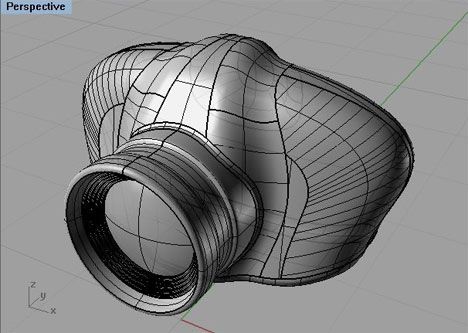
In the world of design and engineering, the terms CAD and AutoCAD are often used—and often confused. Many beginners think they are the same, but they are not. If you’re planning to build a career in engineering design, architecture, product modeling, or drafting, understanding the difference between these two terms is essential.
This blog gives a clear, beginner-friendly explanation of CAD vs AutoCAD, helping you decide what to learn and why.
What Is CAD?
CAD stands for Computer-Aided Design.
It is a broad technology used for creating, modifying, analyzing, and optimizing designs using computer software.
CAD is a Concept or Category
CAD is not a specific software. It refers to all types of design tools used in engineering, architecture, manufacturing, and product development.
What CAD Includes
CAD can involve:
- 2D drafting
- 3D modeling
- Simulation and testing
- Rendering and visualization
- Digital prototyping
Examples of CAD Software
CAD includes many software tools, such as:
- AutoCAD
- SolidWorks
- CATIA
- Fusion 360
- SketchUp
- Creo
- Revit
This means AutoCAD is just one software under the CAD umbrella.
What Is AutoCAD?
AutoCAD is a specific CAD software developed by Autodesk. It is one of the most popular and widely used CAD tools, especially for 2D drafting and basic 3D design.
Key Uses of AutoCAD
AutoCAD is commonly used in:
- Architecture
- Civil engineering
- Mechanical engineering
- Electrical design
- Interior design
- Construction planning
Why AutoCAD Is So Popular
- User-friendly interface
- Precise drawing tools
- Versatile 2D drafting features
- Good for beginners and professionals
- Industry-standard in many fields
AutoCAD acts as the “foundation software” for many designers before moving to advanced CAD tools.
CAD vs AutoCAD – Key Differences
| Feature | CAD | AutoCAD |
|---|---|---|
| Definition | A broad design technology | A specific CAD software |
| Type | Concept/category | Application |
| Function | Covers all computer-based design | Used mainly for 2D drafting & basic 3D |
| Tools Included | Many software options | Only AutoCAD features |
| Usage Areas | 2D, 3D modeling, simulation, rendering | Mostly 2D drafting and some 3D |
| Examples | CATIA, SolidWorks, Fusion 360 | AutoCAD only |
Which One Should You Learn?
Learn CAD Concepts If:
- You want a career in engineering design
- You aim to work with advanced tools like SolidWorks, CATIA, or Creo
- You need knowledge of 3D modeling and simulation
Understanding CAD fundamentals helps you learn multiple software tools more easily.
Learn AutoCAD If:
- You want to start with drafting
- You plan a career in architecture, civil engineering, or interior design
- You are a student or beginner looking for a simple introduction to CAD
AutoCAD is often the first step for beginners before moving to advanced software.
Conclusion
The difference between CAD and AutoCAD is simple:
- CAD is the technology and concept behind computer-based design.
- AutoCAD is a specific software tool used within that technology.


